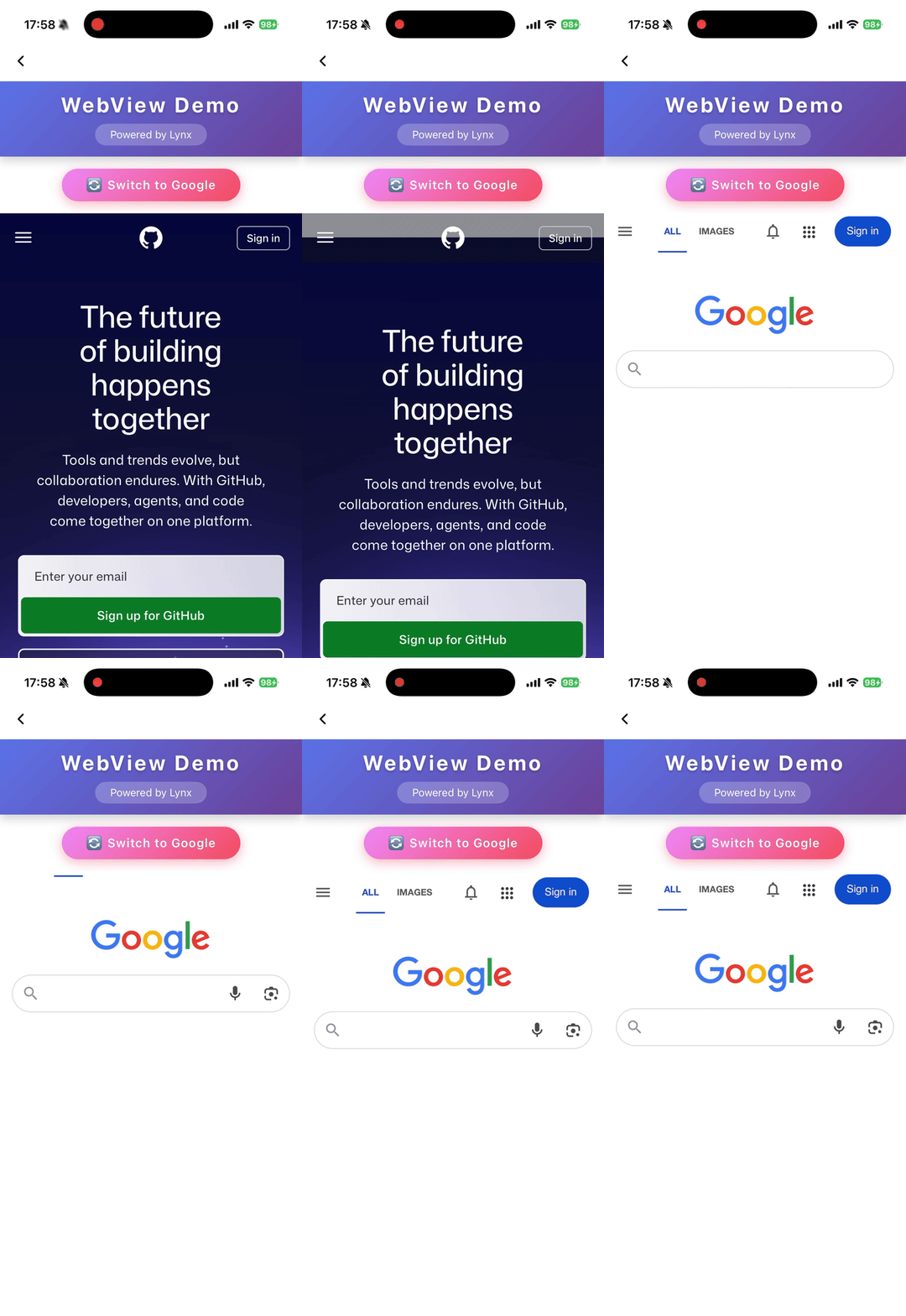
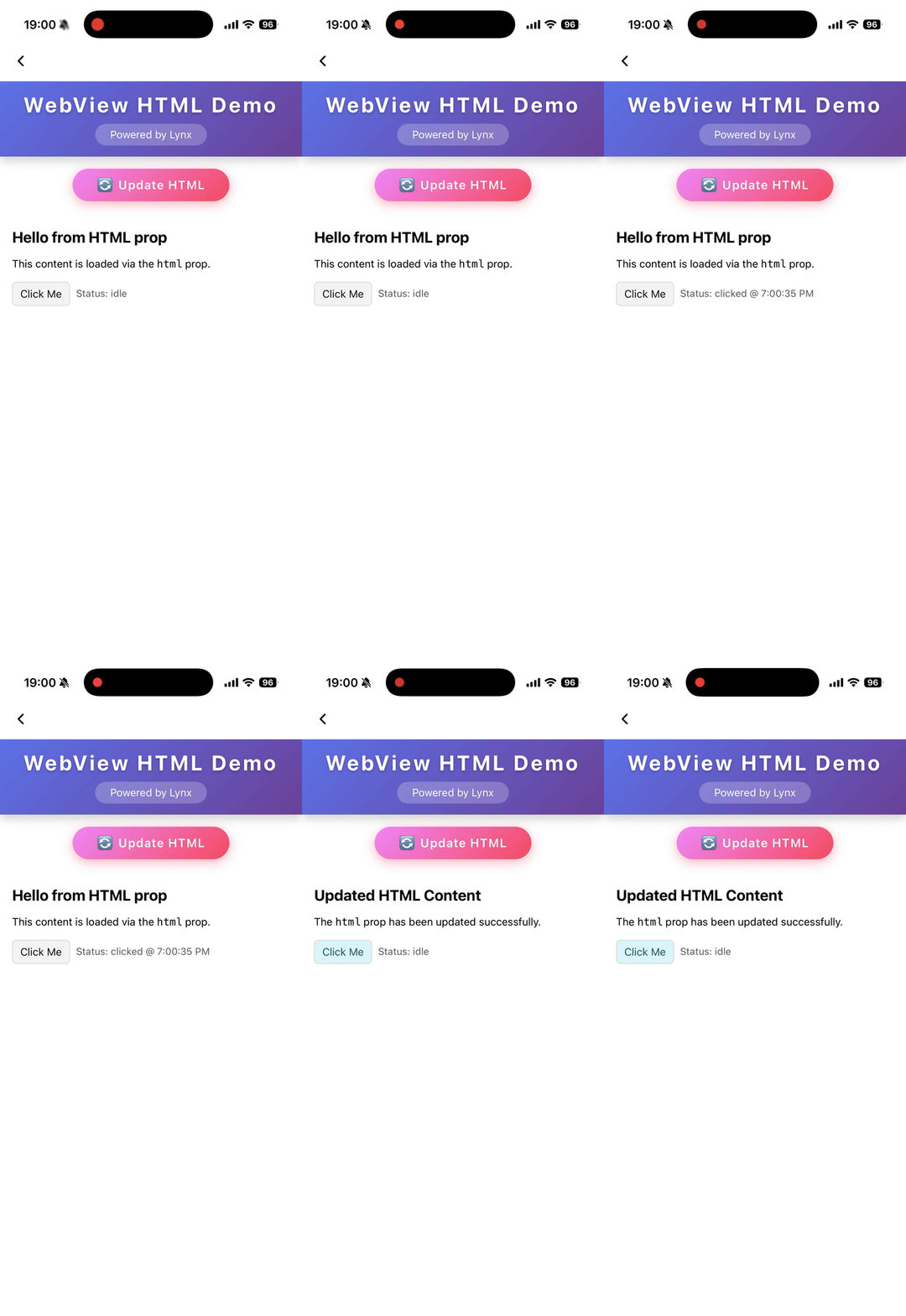
<webview> XElement Used to embed web pages in Lynx, providing a flexible way to integrate existing web resources and accelerate development.
<webview> acts as a viewport on the element side and must have a fixed width.<webview> acts as a viewport on the element side and requires a fixed height.After the web resource finishes rendering, use document.getElementById to obtain its height, then notify <webview> to adjust the height via message.
Unless native-interaction-enabled={false} is set on <webview />, interaction events of <webview> cannot pass through to other elements.
<webview> cannot be nested with other scrollable elements; if needed, wrap it with <scroll-view>.To intercept click events, manually add catchtap={() => {}} to <webview />.
Usage
Load Web Content
Load HTML String
Attributes
bounces
iOS // @defaultValue: false bounces ?: boolean; Enable bounce effect
cookies
Desktop
Lynx 3.5Preset cookies
enable-debug
Android
iOS
Desktop
Harmony // @defaultValue: false 'enable-debug' ?: boolean; Enable WebView debugging in Android so that it can be debugged in Chrome DevTools
html
Android
iOS
Harmony
3.6A string that represents the html content to load. Automatically trigger content refresh when the html changes. Priority lower than
src
.
initjs
Desktop
Lynx 3.5Execute javascript when document ready
params
Android
iOS Params for external webview implementation
iOS // @defaultValue: false 'scroll-bar-enable' ?: boolean; Enable scrollbar
src
Android
iOS
Desktop
Harmony A string that represents the location of a resource on a remote server. Automatically trigger content refresh when the src changes
use-osr
Desktop
Lynx 3.5// @defaultValue: false 'use-osr' ?: boolean; Whether enable offscreen rendering mode
webview-type
Android
iOS
Harmony // @defaultValue: 'default' 'webview-type' ?: string; Specify the type of webview, it could be a implementation of a webview inject from LynxService
Events
Frontend can bind corresponding event callbacks to listen for runtime behaviors of the element, as shown below.
binderror
Android
iOS
Desktop
Harmony binderror = (e : WebviewErrorEvent ) => {}; Error event
bindload
Android
iOS
Desktop
Harmony bindload = (e : BaseEvent ) => {}; Load success event
bindlocationchange
Desktop
Lynx 3.5bindlocationchange = (e : WebviewUrlEvent ) => {}; location change event
bindmessage
Android
iOS
Desktop
Harmony bindmessage = (e : WebviewMessageEvent ) => {}; Message post from javascript
bindopenwindow
Desktop
Lynx 3.5bindopenwindow = (e : WebviewUrlEvent ) => {}; open window event
Methods
Frontend can invoke component methods via the SelectorQuery API.
cookies.flushStore
Desktop
Lynx 3.5lynx .createSelectorQuery () .select ( '#id' ) .invoke ({ method : 'cookies.flushStore' , success : function (res) {} , fail : function (res) {} , }) .exec (); Write any unwritten cookies data to disk for webview
cookies.get
Desktop
Lynx 3.5interface CookiesGetParams { /** * Retrieves cookies whose domains match or are subdomains of domains * @PC */ domain ?: string ; /** * Filters cookies by httpOnly * @PC */ httpOnly ?: boolean ; /** * Filters cookies by name * @PC */ name ?: string ; /** * Retrieves cookies whose path matches path * @PC */ path ?: string ; /** * Filters cookies by their Secure property * @PC */ secure ?: boolean ; /** * Filters out session or persistent cookies * @PC */ session ?: boolean ; /** * Retrieves cookies which are associated with url. Empty implies retrieving cookies of all URLs * @PC */ url ?: string ; } const params : CookiesGetParams = { domain : 'example.com' , httpOnly : true , name : 'session' , path : '/' , secure : true , session : false , url : 'https://example.com' }; lynx .createSelectorQuery () .select ( '#id' ) .invoke ({ method : 'cookies.get' , params , success : function (res) {} , fail : function (res) {} , }) .exec (); Get cookies from webview
cookies.remove
Desktop
Lynx 3.5interface CookiesRemoveParams { /** * The name of cookie to remove. * @PC */ name ?: string ; /** * The URL associated with the cookie. * @PC */ url : string ; } const params : CookiesRemoveParams = { name : 'session' , url : 'https://example.com' }; lynx .createSelectorQuery () .select ( '#id' ) .invoke ({ method : 'cookies.remove' , params , success : function (res) {} , fail : function (res) {} , }) .exec (); Removes the cookies matching url and name
cookies.set
Desktop
Lynx 3.5interface CookiesSetParams { /** * The domain of the cookie. Empty by default if omitted * @PC */ domain ?: string ; /** * The expiration date of the cookie as the number of seconds since the UNIX epoch * @PC */ expirationDate ?: number ; /** * Whether the cookie should be marked as HTTP only * @PC * @defaultValue false */ httpOnly ?: boolean ; /** * The name of the cookie * @PC */ name : string ; /** * The path of the cookie. Empty by default if omitted * @PC */ path ?: string ; /** * The Same Site policy to apply to this cookie. Can be unspecified, no_restriction, lax or strict * @PC * @defaultValue 'lax' */ sameSite ?: string ; /** * Whether the cookie should be marked as secure * @PC * @defaultValue false */ secure ?: boolean ; /** * The URL to associate the cookie with * @PC */ url : string ; /** * The value of the cookie. Empty by default if omitted * @PC */ value ?: string ; } const params : CookiesSetParams = { domain : 'example.com' , expirationDate : Math .floor ( Date .now () / 1000 ) + 60 * 60 * 24 * 30 , httpOnly : true , name : 'session' , path : '/' , sameSite : 'lax' , secure : true , url : 'https://example.com' , value : 'hello' }; lynx .createSelectorQuery () .select ( '#id' ) .invoke ({ method : 'cookies.set' , params , success : function (res) {} , fail : function (res) {} , }) .exec (); Set a cookie to webview
eval
Android
iOS
Desktop
Harmony lynx .createSelectorQuery () .select ( '#id' ) .invoke ({ method : 'eval' , params : { /** * Name of the function: `javascriptFunc(arg1, arg2)`. * @Android * @iOS * @Harmony * @PC */ func : 'javascriptFunc(1, 2)' , } , success : function (res) {} , fail : function (res) {} , }) .exec (); Call js function
reload
Android
iOS
Desktop
Harmony lynx .createSelectorQuery () .select ( '#id' ) .invoke ({ method : 'reload' , success : function (res) {} , fail : function (res) {} , }) .exec (); Reload the webview
Compatibility
LCD tables only load in the browser with JavaScript enabled. Enable JavaScript to view data.