

Lynx 3.6: Lynx for AI, reactlynx-use, CSS for Design Engineering
← All Posts


Lynx 3.6 is now officially released!
This release introduces Lynx for AI to enhance AI-native development capabilities, introduces reactlynx-use for improved developer experience, and enhances CSS capabilities for design expressiveness.
On the native side, Lynx 3.6 improves platform integration with standalone BackgroundRuntime and asynchronous TemplateBundle creation on HarmonyOS, along with Auto Layout support for LynxView on iOS.
Let's take a closer look at what's new in Lynx 3.6.
Lynx for AI: AGENTS.md and MCPs
AI assistants are quickly becoming part of everyday development. With Lynx 3.6, we’re introducing Lynx for AI—a new section on our website at /ai to help coding agents understand Lynx, follow best practices, and help you ship.
In this release, we’re shipping AGENTS.md and two MCP servers as the first building blocks for agent-friendly Lynx projects (Skills coming soon!).
Lynx Docs MCP
Lynx Docs MCP connects your coding agent (Gemini, Claude, Cursor, Copilot, etc.) to Lynx documentation via MCP, using llms.txt plus carefully designed prompts so the agent can retrieve the right docs and act on them.
Lynx DevTool MCP
Lynx DevTool MCP helps coding agents connect to devices and inspect/control Lynx pages like DevTools: read elements/console/source code, perform interactions such as clicks and drags, and capture screenshots for multimodal analysis.
reactlynx-use: Hooks for ReactLynx
reactlynx-use is a hooks toolkit for ReactLynx projects.
It combines two sets of hooks: community-proven utilities that follow standard React patterns (such as useEffectOnce, useDebounce, etc.), built upon the excellent foundation provided by react-use, and Lynx-specific hooks that expose Lynx capabilities and its dual-thread model through a React-friendly API.
Notable Lynx-specific hooks include:
- useVelocity: Track the velocity and direction of tap events on the main thread.
- useTapLock: Constrain main-thread tap interactions to a specific direction or range.
- useMainThreadImperativeHandle: A main-thread counterpart of
useImperativeHandle. - useEventListener: A flexible event subscription hook supporting
exposure,disexposure, and more.
This keeps everyday logic in familiar hooks, while making it straightforward to tap into Lynx’s main-thread input model and runtime events when you need to.
CSS for Design Engineering
From Lynx 3.6 onward, CSS takes on a more explicit role in design engineering and design systems. As a medium for expressing design intent, CSS describes how decisions are scoped and composed, and how visual structure and perception are formed in the interface.
This release focuses on improving CSS expressiveness through CSS variables, gradients, and filters.
For each capability, we’ve also prepared a polished demo that you can render and interact with on the web.

Inline CSS Variables for Computable Styling
As of Lynx 3.6, CSS variables can be defined and referenced inline. This allows them to be applied directly at component boundaries (where JS-defined parameters are handed off to CSS), without relying on ancestor class switches (such as theme-light / theme-dark) or imperative JS setProperty calls.
It becomes essential when a component's style is user-selected or computed at runtime, since such continuous values cannot be represented by a finite set of predefined classes and would otherwise require imperative style updates.
Inline CSS variables provide a direct path for passing design parameters from JS into CSS's inheritance and computation model, so that design intent can be dynamically expressed and resolved while preserving component-level scoping and the declarative styling model.
Nested CSS Variables for Token Layering
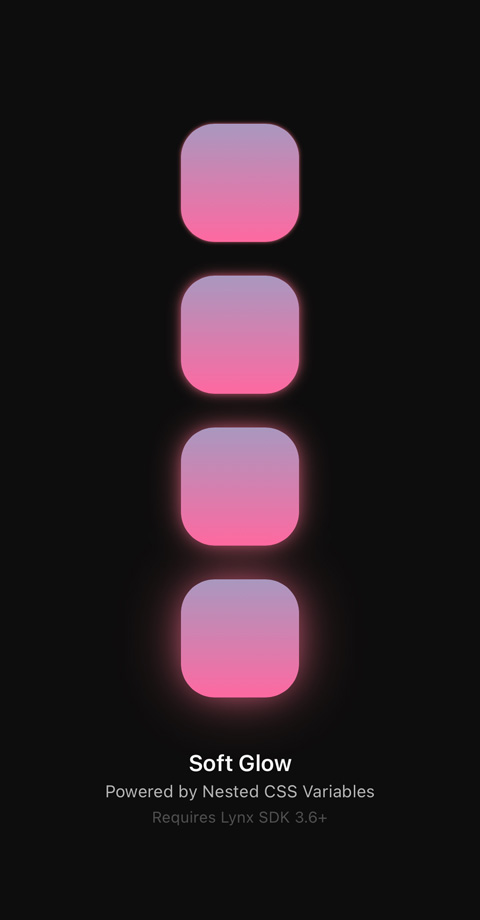
With Lynx 3.6, CSS variables can be defined in terms of other variables, allowing design tokens to be layered and resolved compositionally.
Design tokens capture high-level design decisions, such as colors, typography, spacing, shadows, and glows. Nested CSS variables enable these tokens to flow down into component-level variables and concrete visual styles.
This is especially important for composite declarations like box-shadow. A single box-shadow may contain multiple shadow layers, each combining several interacting dimensions such as offset, blur, spread, and color.
With nested CSS variables, shadow layers can now be derived, combined, and adjusted from design tokens, while keeping their structure explicit and traceable in CSS.
Conic Gradients as Design Primitives
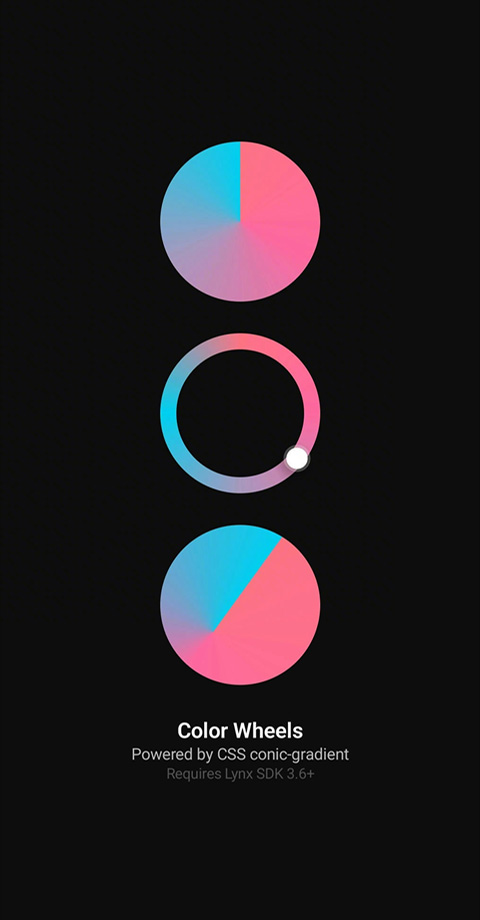
Lynx 3.6 adds support for the conic-gradient() CSS image function. You can use it in CSS properties that accept <image> values, such as in background-image and mask-image, to create continuous angular color transitions directly in CSS.
Conic gradients are a natural fit for angular or cyclic representations, including color wheels and hue pickers. In practice, they’re a lightweight design primitive you can compose into interactive controls and visual tools.
CSS Filters for Shape Formation
Lynx 3.6 extends CSS filter support with contrast, brightness, and saturate.
With these additions, the CSS filter property becomes a composable tool for shape formation.

The newly supported contrast filter, when combined with the existing blur capability, amplifies overlapping regions and allows soft shapes to merge into coherent forms.
Visual structures such as merging, perceptual grouping, and fluid boundaries can be constructed directly in CSS, without relying on bitmap assets or custom rendering pipelines.
Native APIs
Standalone BackgroundRuntime on HarmonyOS
HarmonyOS now supports standalone BackgroundRuntime, aligning more closely with existing Android and iOS capabilities.
With standalone BackgroundRuntime, developers can run JavaScript tasks independently of rendering, or pre-create background runtimes to reduce LynxView initialization latency.
Asynchronous TemplateBundle Creation on HarmonyOS
On Android and iOS, TemplateBundle.fromTemplate can be called from any thread. On HarmonyOS, however, ArkTS logic must run on the application's main thread.
To reduce main-thread I/O blocking, Lynx 3.6 introduces asynchronous APIs for creating TemplateBundle instances on HarmonyOS:
AutoLayout Support for LynxView on iOS
On iOS, LynxView now supports Auto Layout via [LynxView enableAutoLayout].
When enabled, LynxView can derive layout parameters directly from client-side Auto Layout constraints, eliminating the need to configure layout values manually.
Upgrade Guide
To upgrade to Lynx 3.6, follow the integration guide and update your Lynx dependency versions accordingly.