


Node.js Native Modules
Lynxtron's support for Node.js native modules is aligned with Electron's: both can use npm native modules in the Node.js environment that runs with the app, and both can load .node binary artifacts from those modules.
The main difference is the rebuild target. In Electron, people usually use @electron/rebuild to rebuild native modules for the Electron runtime. In Lynxtron, use @lynx-js/lynxtron-rebuild to rebuild native modules for the Lynxtron runtime.
What is a Node.js native module?
A Node.js native module is an npm package that contains not only JavaScript code, but also locally compiled artifacts, usually .node files. They are commonly implemented in C/C++ and exposed to JavaScript through Node-API or node-gyp, and are suitable for scenarios such as:
- high-performance capabilities provided by C/C++ extensions
- npm packages that depend on
.nodebinary artifacts - local system capabilities that are only accessible in the Node.js environment
Native modules must be compatible with the target Lynxtron runtime, operating system, and architecture. Modules that depend on the Node.js/V8 ABI need a matching build. Modules using only Node-API may reuse a compatible prebuilt binary when the runtime supports its Node-API version and its native dependencies are available; not every .node file requires recompilation.
If a module was compiled only for your regular local Node.js environment, you may run into ABI mismatch errors when loading it in Lynxtron. A typical error looks like this:
In Electron, people usually solve this with @electron/rebuild. In Lynxtron, use @lynx-js/lynxtron-rebuild instead.
Rebuild and Require Native Modules
When using an npm native module in Lynxtron, install the module and run @lynx-js/lynxtron-rebuild first, then import or require the module in the Node.js environment.
Install the npm native module you need, and install @lynx-js/lynxtron-rebuild:
Then run @lynx-js/lynxtron-rebuild to rebuild native modules for Lynxtron:
The tool may reuse a compatible Node-API prebuild instead of compiling from source. A successful exit or “Successfully rebuilt” message alone does not prove that a new binary was compiled. Check the build log and the actual loaded .node path, then exercise the module inside Lynxtron and the packaged app, not only in your system Node.js.
Import the native module in the app's Node.js environment:
If you need to expose Node.js capabilities to Lynx UI, use bridge messaging or preload scripts as described in Communication Between Node.js and Lynx.
Example: Todo List Application
✅ You have already completed Getting Started with Lynxtron
✅ Your machine already has the local build toolchain required by node-gyp, such as Python, C/C++ Build Tools, or Xcode Command Line Tools
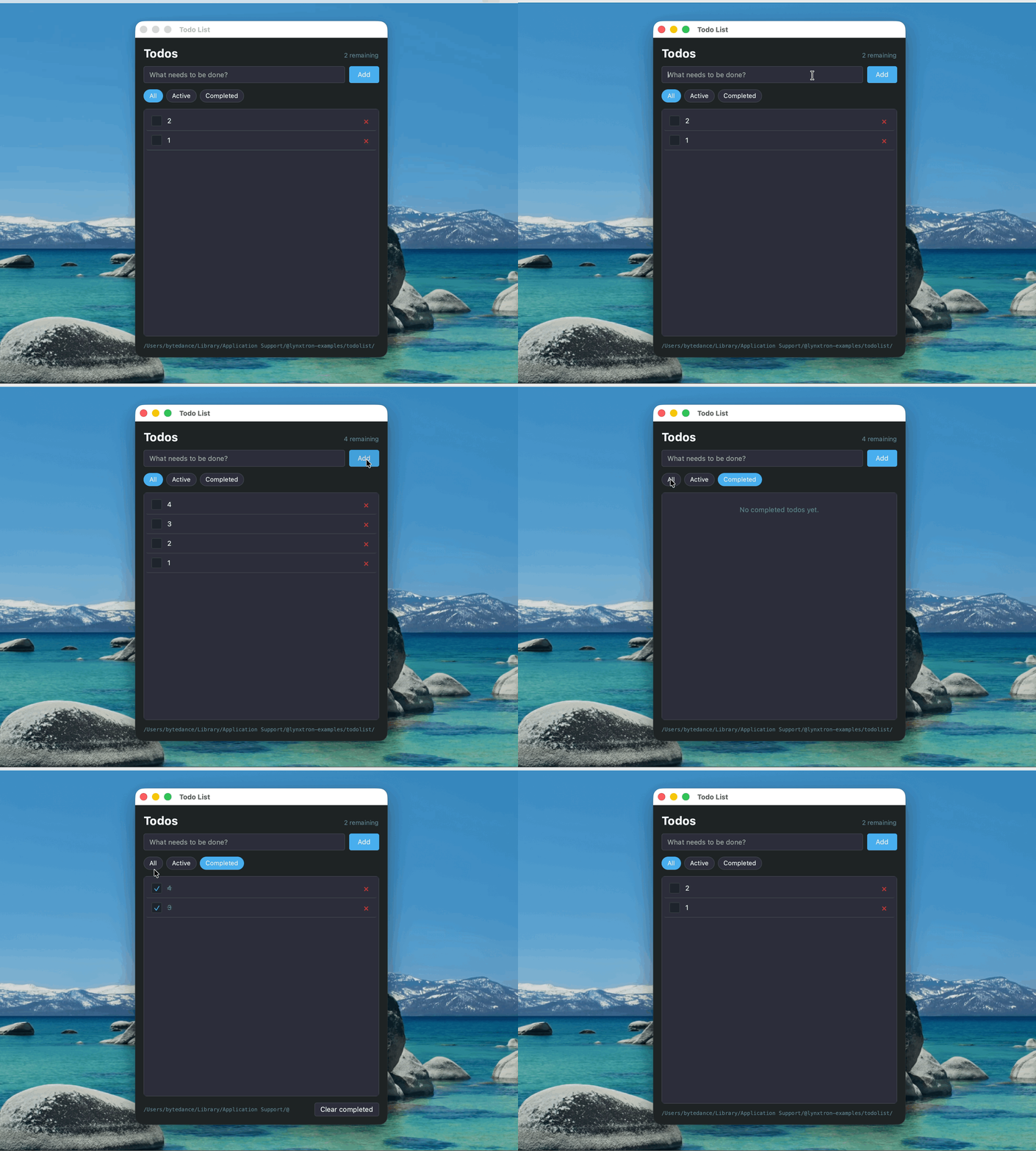
This example uses sqlite3 to build a Todo List application:
- Node.js side: persist to-do items in
todos.dbunder the app's user data directory using the callback-basedsqlite3API. - Lynx side: call Node.js logic through communication APIs to add, list, toggle, and delete items.
The following excerpt shows the example's schema initialization. The full Todo source also wraps db.run and db.all in Promises, waits for dbReady in bridge handlers, and converts completed to a boolean and created_at to createdAt when listing rows.
Related docs
Next steps
Once you are comfortable with Node.js native modules, you can try:
- Add more local capabilities: for example, use
sharpfor thumbnail generation, ornode-ptyfor an embedded terminal - Combine with Lynx native libraries: use Node.js native modules together with Lynx native libraries to build more complex desktop applications