


Communication Between Node.js and Lynx in Lynxtron
If you are familiar with Electron, you can first understand Lynxtron communication needs in two categories:
- Bidirectional message communication between the Node main process and UI: similar to IPC between Electron's main process and a
BrowserWindowrenderer. - Using Node.js capabilities directly in UI code: Electron technically supports
nodeIntegrationfor calling Node.js capabilities directly in Web code, but enabling it directly is generally not recommended. Lynxtron instead enhances preload scripts so they can use Node.js in an isolated context and expose JS objects for Lynx UI to call.
Lynxtron provides corresponding capabilities for both needs:
- Use
NativeModules.bridgechannels together with the main-processlynxBridge(lynxBridge.handle()for calls that need a reply,lynxBridge.on()for one-way messages) andLynxWindow.sendGlobalEvent()for communication between the Node main process and Lynx. - Use Lynxtron preload scripts. In a preload script, call
contextBridge.exposeInLynxBTS()to expose Node.js-side JS objects toNativeModules.nodejs.exposedin Lynx UI.
Electron Capability Mapping
Use Preload Scripts
Lynxtron's preload scripts can be understood as an enhancement of Electron preload scripts / contextBridge model for Lynx BTS: a preload script can use Node.js APIs directly and expose methods or objects for Lynx UI to call.
In Electron, the preload script and the Web page are in isolated JS contexts. The preload script and Web eventually communicate across contexts through contextBridge or IPC, with values serialized, proxied, or copied according to Electron's rules; the Web side cannot directly use the original JS objects from the preload script context.
In Lynxtron, Lynx BTS and preload scripts both run in Node.js, but in isolated JS contexts. The preload script context has Node.js capabilities and can expose JS objects through contextBridge.exposeInLynxBTS() for Lynx BTS to access directly.
Configure Preload Scripts
When creating a window, specify the preload script through lynxPreference.preload:
Expose Node.js APIs from a Preload Script
The preload script can use Node.js APIs directly, then expose them to Lynx with contextBridge.exposeInLynxBTS():
Call Exposed APIs from Lynx
Lynx BTS accesses these APIs through NativeModules.nodejs.exposed:
The exposed JS object can contain functions. Functions can take other functions as parameters, use closures from the preload script context, and return Promises. Lynx UI can call them as regular asynchronous JS APIs.
Example: File Explorer
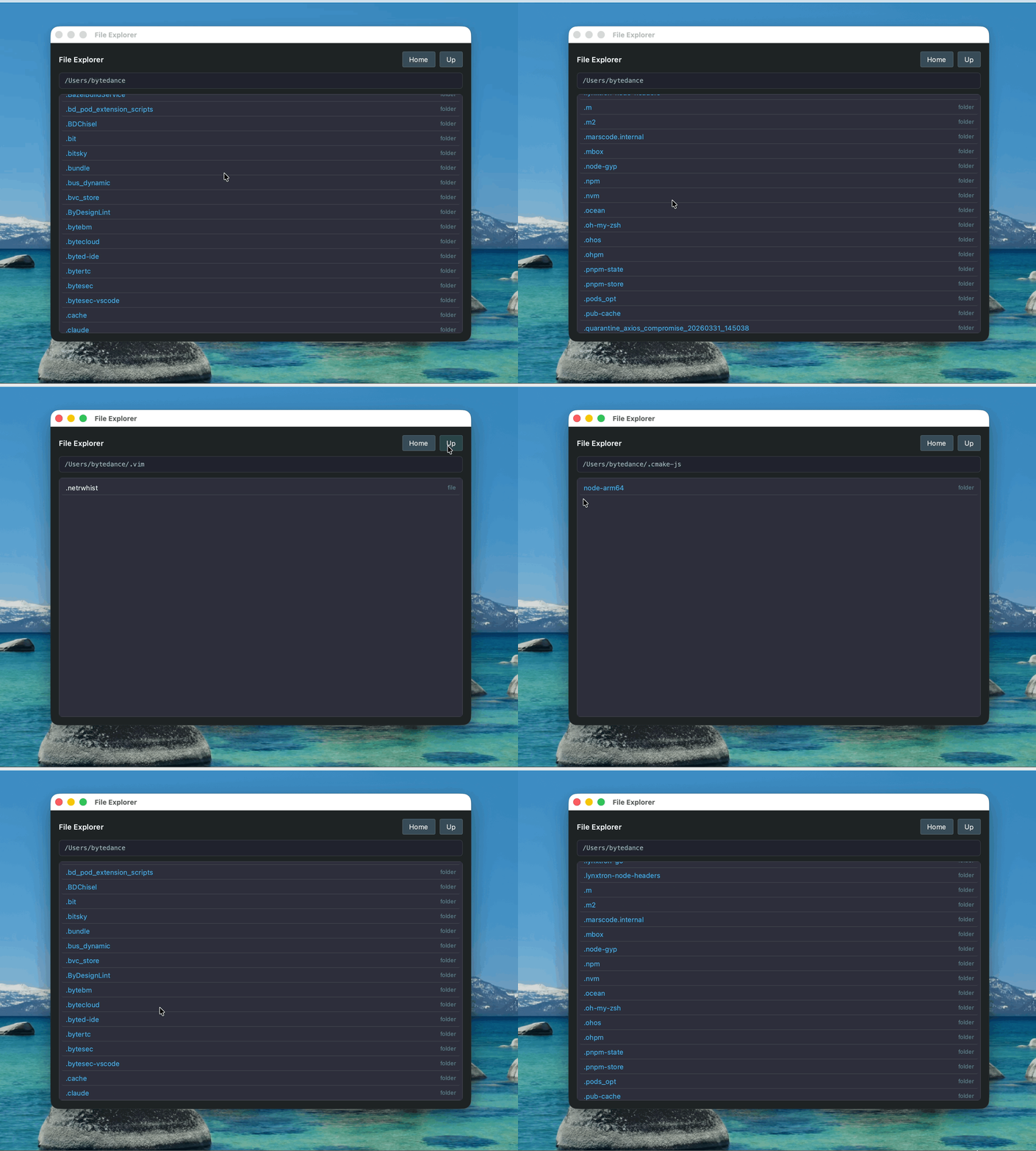
This example demonstrates using Node.js capabilities exposed by a preload script in Lynx UI:
- The preload script exposes APIs such as
readdirandhomedirwithcontextBridge.exposeInLynxBTS(). - Lynx UI calls these APIs through
NativeModules.nodejs.exposedto browse directories and view file content.
Bidirectional Message Communication Between Node Main Process and Lynx
Use this option for window control, system services, database access, main-process state management, and similar tasks. Node.js capabilities stay in the main process, while Lynx calls them through messages.
Push Messages from Node.js to Lynx
The Node main process can send events to Lynx with LynxWindow.sendGlobalEvent():
The Lynx side listens with GlobalEventEmitter:
Call Node.js from Lynx and Wait for a Result
bridge.call(method, payload, callback) returns void. Receive the result in the third argument, a callback; do not directly await bridge.call(...). To use await, wrap the callback in a Promise, as the System Monitor example does.
The Node main process registers a handler with lynxBridge.handle() to process bridge.call invocations. The return value (or a resolved Promise) is sent back to Lynx automatically, similar to ipcMain.handle() in Electron:
For asynchronous work, return a Promise and let the runtime send the reply when it resolves. Do not call event.sendReply() from a handler registered with handle: the runtime already invokes sendReply once with the handler's resolved value, so an explicit call would produce a second, out-of-order reply.
Send One-Way Messages from Lynx to Node.js
Notify Node.js with bridge.send (one-way, no return value needed).
The Node main process listens for messages on lynxBridge (which is a Node.js EventEmitter). This mirrors ipcMain.on() in Electron:
lynxBridge API
lynxBridge is a main-process singleton imported from @lynx-js/lynxtron. It is a Node.js EventEmitter, so it exposes the standard on / once / off / emit methods in addition to the invoke helpers below. In Electron terms, lynxBridge plays the role of ipcMain.
The handler signature is (event: LynxBridgeInvokeEvent, args) => unknown | Promise<unknown>. The runtime automatically calls event.sendReply() once with the handler's resolved value, so handlers registered through handle / handleOnce should express the reply as their return value (or a Promise). Manually invoking event.sendReply() from such a handler produces a duplicate reply. sendReply is intended for low-level callers that subscribe to the internal invoke event directly instead of going through handle.
Example: System Resource Monitor
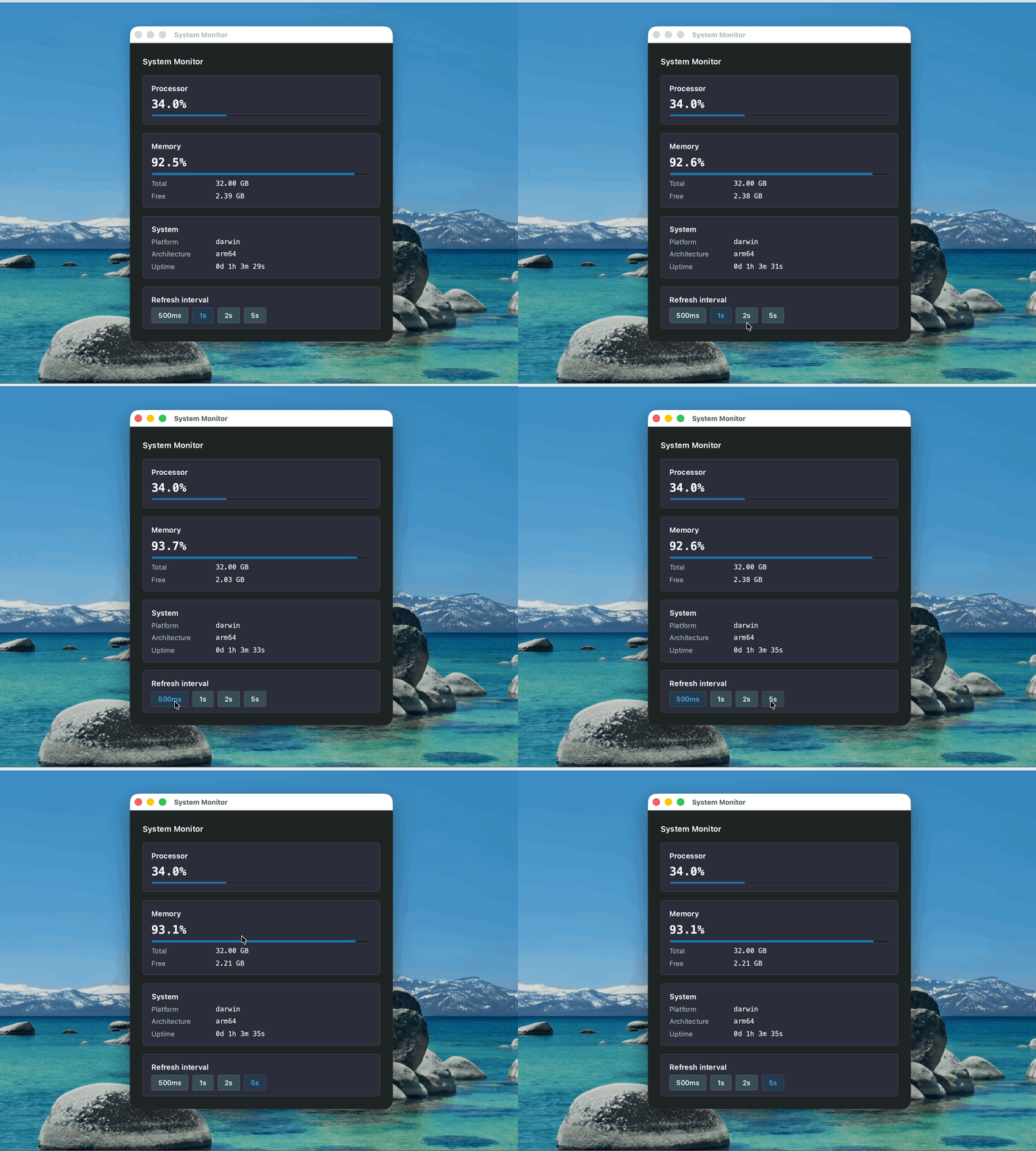
This example demonstrates bidirectional message communication between the Node main process and Lynx:
- The Node.js side uses the
osmodule to get CPU, memory, and other system information, then pushes updates to Lynx withLynxWindow.sendGlobalEvent(). - The Lynx side receives updates through
GlobalEventEmitter, and can also actively request the latest data withNativeModules.bridge.call(). - Notifications that do not need a return value, such as refresh interval changes, can be sent to the Node main process with
NativeModules.bridge.send().
Capability Reference
Why Lynxtron Is Designed This Way
Lynxtron uses two channels to cover the two common Electron capabilities because they solve different problems:
NativeModules.nodejs.exposed: direct access from Lynx BTS to JS objects exposed by preload scripts, corresponding to using Node.js capabilities in UI through Electron preload scripts /nodeIntegration.NativeModules.bridge+lynxBridge: message communication between Lynx and the Node main process, corresponding to Electron'sipcRenderer↔ipcMainIPC.
The key difference is not which global object the API is mounted on, but that Lynxtron provides a JS-object exposure path for Lynx BTS.