


Lynxtron Go
Lynxtron Go is the official playground for Lynxtron, and is itself a desktop application built with the Lynxtron framework. It lets you edit, run, and share small experiments without first creating a full project.
- Download for macOS (Apple silicon)
- Download for macOS (Intel, x64)
- Download for Windows (x64)
- View all releases
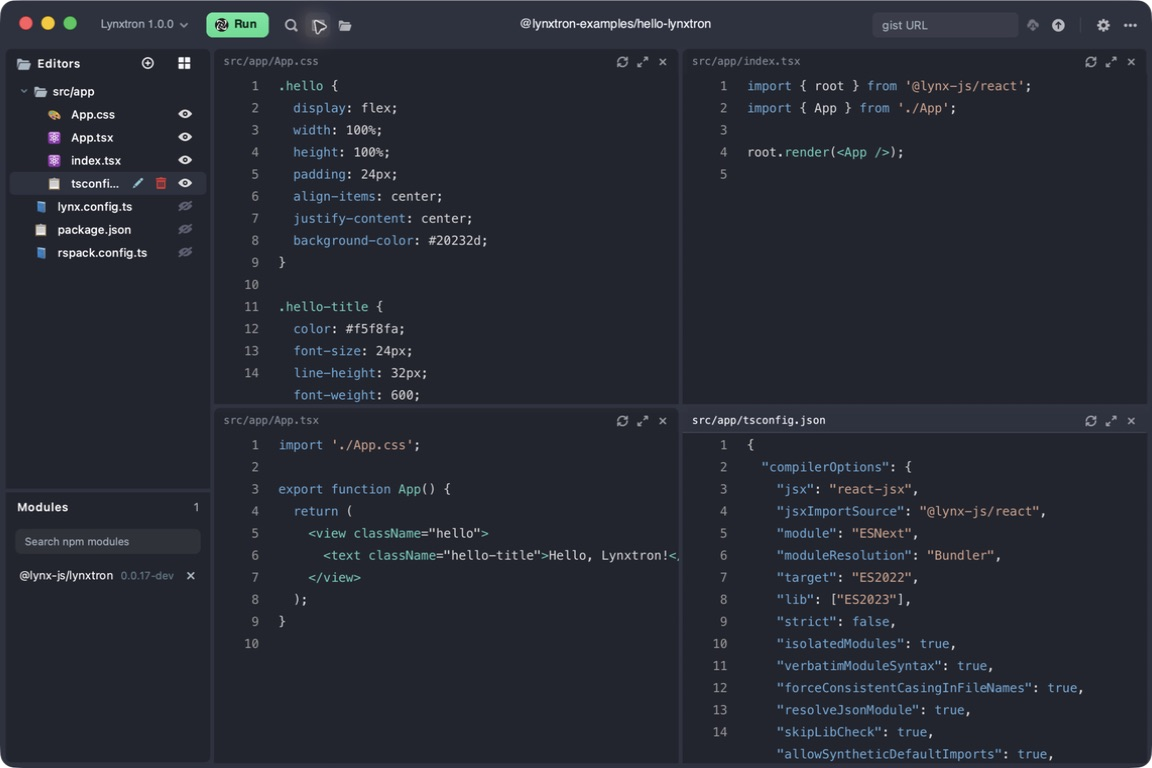
The main workspace brings the application files, package modules, and process Console into one window.
Start From a Template or Showcase
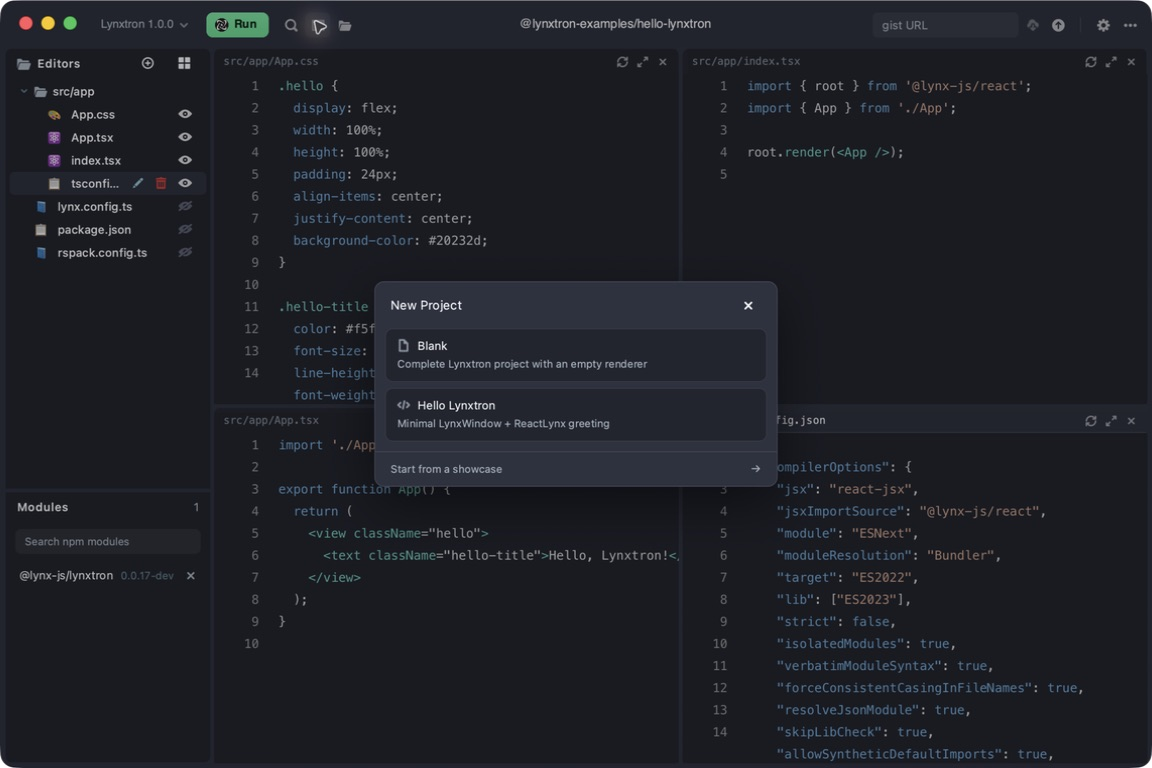
Open the … menu in the upper-right corner and select New Project. You can also use File > New Project from the menu bar, or press ⌘N (Ctrl+N on Windows). In the dialog, choose Blank for an empty application boundary, choose Hello Lynxtron for a minimal runnable application, or select Start from a showcase to open the gallery.
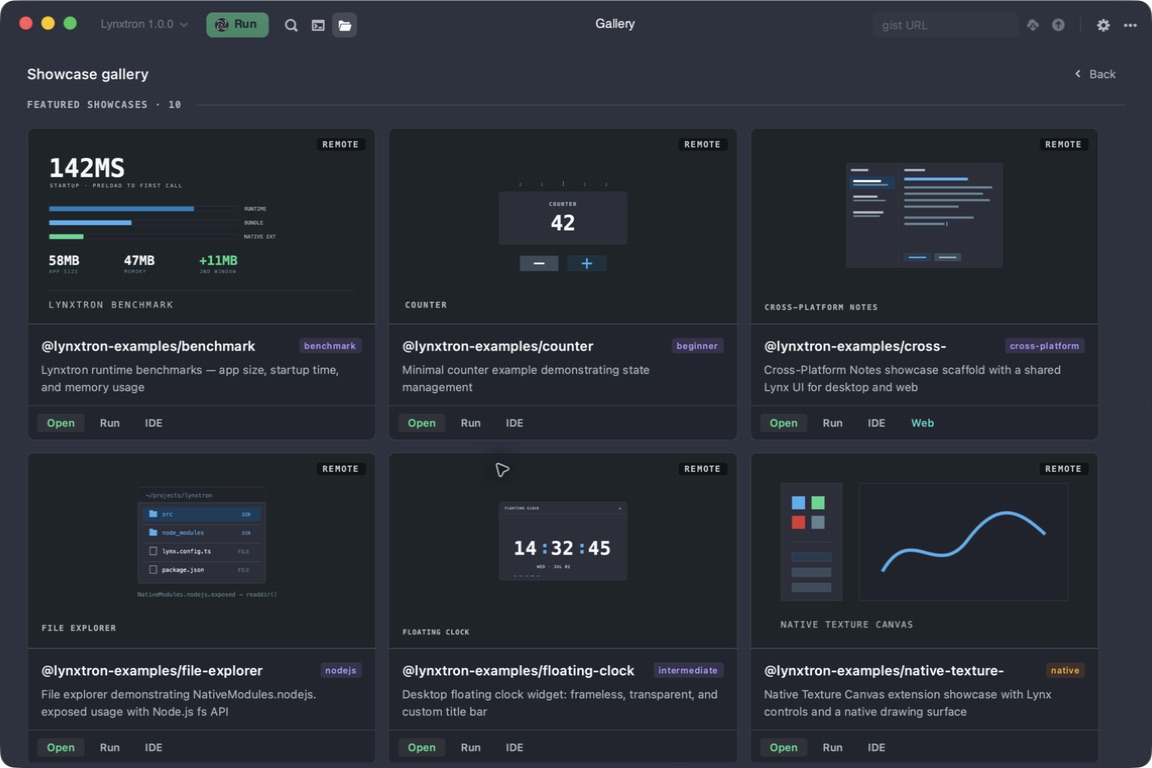
In the gallery, use Open to load a showcase into the editor or Run to launch it directly. The gallery contains focused examples maintained by the Lynxtron project for its desktop APIs and capabilities.
Edit the Complete Application Boundary
After opening an example in Lynxtron Go, select files from the Editors sidebar. In the Hello Lynxtron template, edit the Node.js main process in src/main/desktop/main.ts, the Lynx UI in src/app/App.tsx, styles in src/app/App.css, and dependencies in package.json. The UI entry point is src/app/index.tsx; this minimal template does not include a preload file. Other showcases may organize their files differently. The split editor keeps these layers visible together, while the Modules panel shows the packages available to the example.
Run and Inspect
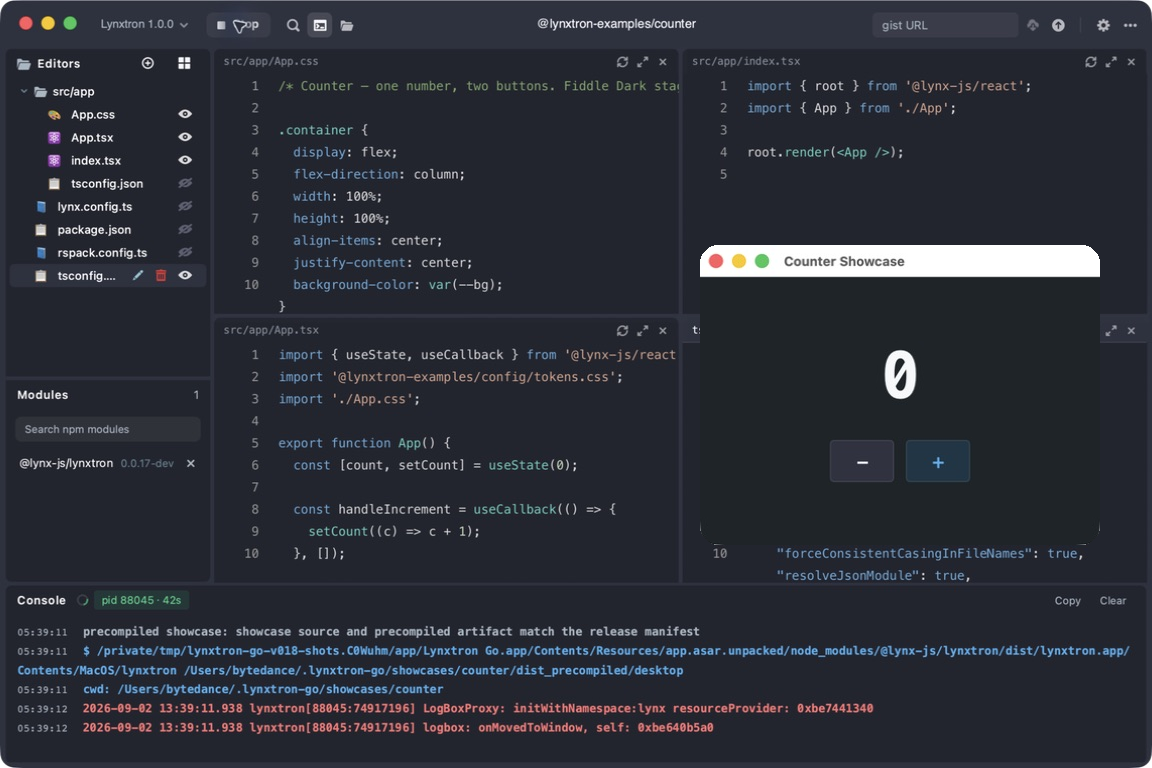
Click Run in the toolbar to start the current example in a fresh Lynxtron process. The button changes to Stop, and process output appears in the Console at the bottom of Lynxtron Go. Stop the process, edit the files, and click Run again to repeat the cycle.
Use Packages and Save Examples
Search for a package in the Modules panel to add it to the current example. Use File > Save to save the example locally, or the Gist field in the toolbar to load and publish a GitHub Gist. Lynxtron Go is intended for focused experiments and prototypes; when an idea grows into an application, continue with Lynxtron Quick Start to create a full project.
Open Documentation Examples
On a runnable example in the Lynxtron documentation, open the launch menu and choose Open in Lynxtron Go. The action sends the example bundle to the desktop app; if Lynxtron Go is not installed, it offers the appropriate download after the launch attempt.