For AI agents: the complete documentation index is available at /next/zh/llms.txt, the full documentation bundle is available at /next/zh/llms-full.txt, and this page is available as Markdown at /next/zh/lynxtron/learn/Custom-Window-Styles.md.
  • 简体中文
  • 构建自定义窗口

    和 Electron 的能力对照

    Lynxtron 的自定义窗口能力和 Electron 中的自定义窗口 / 无边框窗口能力是一致的。

    窗口形态由窗口创建参数控制,拖拽区域由 CSS 声明。区别在于 Electron 使用 BrowserWindow 和 Web 页面承载这些能力,而 Lynxtron 使用 LynxWindow 和 Lynx UI。

    能力点ElectronLynxtron
    窗口形态参数new BrowserWindow(options),如 frametransparenttitleBarStyletrafficLightPositionnew LynxWindow(options),使用同名参数
    声明自定义拖拽区域CSS:-webkit-app-region: dragCSS:-x-app-region: drag,或使用 <title-bar-view>

    对应的拖拽区域 CSS 如下:

    /* Electron */
    .titlebar {
      -webkit-app-region: drag;
    }
    
    /* Lynxtron */
    .titlebar {
      -x-app-region: drag;
    }

    示例:浮动时钟窗口

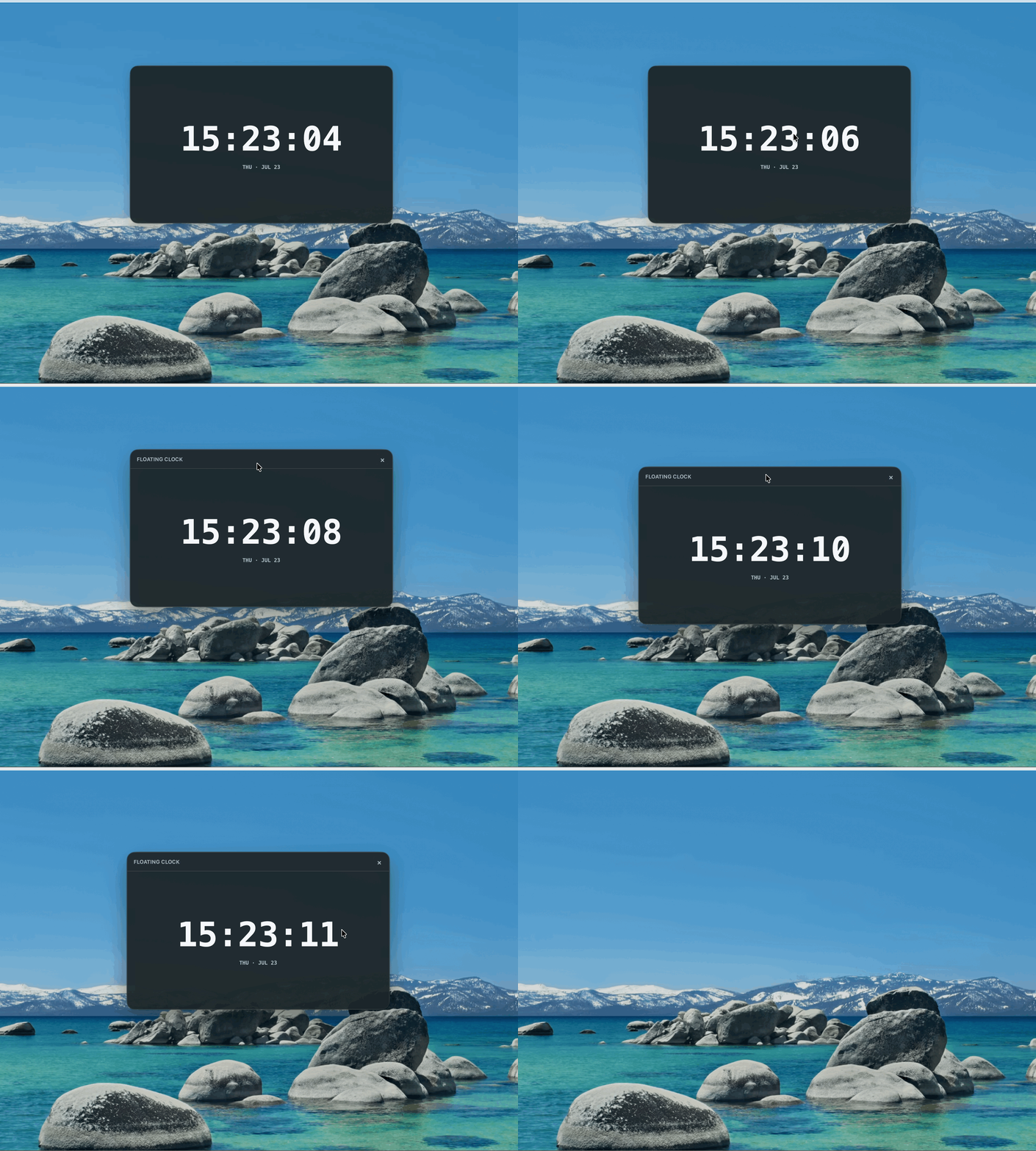
    这个 demo 使用一个浮动时钟展示自定义窗口效果:窗口本身是无边框透明窗口,时钟 UI 自己绘制;鼠标悬停时显示自定义标题栏,标题栏区域可以拖动窗口。

    定义窗口形态

    窗口形态由 LynxWindow 创建参数控制。常用参数包括:

    • frame: false:移除系统默认边框和标题栏。
    • transparent: true:创建透明窗口。
    • titleBarStyle:隐藏或调整系统标题栏。
    • trafficLightPosition:在无边框窗口中调整 macOS traffic light 按钮位置。

    例如,创建一个无边框透明窗口:

    import { app, LynxWindow } from 'lynxtron';
    
    const win = new LynxWindow({
      width: 960,
      height: 640,
      frame: false,
      transparent: true,
    });
    
    app.whenReady().then(() => {
      win.show();
    });

    定义 UI 拖拽区域

    无边框窗口移除系统标题栏后,不会默认具备系统拖拽区域。你需要在 Lynx UI 中显式声明哪些区域可以拖动窗口。

    可以使用 <title-bar-view>,也可以使用 -x-app-region: drag CSS 属性。下面示例使用 CSS 声明自定义标题栏区域:

    export function CustomTitleBar() {
      return (
        <view className="title-bar">
          <view className="title-bar-button" bindtap={handleClose}>
            <text className="title-bar-button-text">×</text>
          </view>
        </view>
      );
    }
    .title-bar {
      display: flex;
      ...
      -x-app-region: drag;
    }

    自定义标题栏里的关闭、最小化、最大化等按钮可以通过 Node.js 与 Lynx 通信调用主进程窗口 API 实现。

    相关 API

    除非另有说明,本项目采用知识共享署名 4.0 国际许可协议进行许可,代码示例采用 Apache License 2.0 许可协议进行许可。