


Node.js 原生模块
Lynxtron 使用 Node.js 原生模块的能力和 Electron 是一致的:二者都可以在随应用运行的 Node.js 环境中使用 npm 原生模块,并加载模块中的 .node 二进制产物。
区别主要在于 rebuild 目标不同。在 Electron 中,社区通常使用 @electron/rebuild 将原生模块重编译到 Electron runtime;在 Lynxtron 中,请使用 @lynx-js/lynxtron-rebuild 将原生模块重编译到 Lynxtron runtime。
什么是 Node.js 原生模块?
Node.js 原生模块是指那些不仅包含 JavaScript 代码,还包含本地编译产物(通常是 .node 文件)的 npm 包。它们通常由 C/C++ 编写,并通过 Node-API 或 node-gyp 暴露给 JavaScript 使用,适用于以下场景:
- 需要 C/C++ 扩展提供的高性能能力
- 依赖
.node二进制产物的 npm 包 - 只能在 Node.js 环境中访问的本地系统能力
原生模块必须兼容目标 Lynxtron runtime、操作系统和架构。依赖 Node.js/V8 ABI 的模块需要匹配的构建产物。 仅使用 Node-API 的模块,在 runtime 支持其 Node-API 版本且原生依赖齐全时,可以复用兼容的预编译产物;并非每个 .node 文件都需要重新编译。
如果模块是按照你本机普通 Node.js 环境编译出来的,那么在 Lynxtron 中运行时,可能会遇到 ABI 不匹配的问题,典型报错如下:
在 Electron 中,社区通常使用 @electron/rebuild 处理这件事;而在 Lynxtron 中,请使用 @lynx-js/lynxtron-rebuild 来完成重编译。
Rebuild 与 Require 原生模块
在 Lynxtron 中使用 npm 原生模块时,通常先安装模块并执行 @lynx-js/lynxtron-rebuild,再在 Node.js 环境中通过 import 或 require 引入模块。
安装需要使用的 npm 原生模块,并安装 @lynx-js/lynxtron-rebuild:
然后执行 @lynx-js/lynxtron-rebuild,为 Lynxtron 重新编译原生模块:
工具可能复用兼容的 Node-API 预编译产物,而不执行源码编译。退出码为 0 或出现 “Successfully rebuilt” 并不单独证明生成了新二进制。请检查编译日志和实际加载的 .node 路径,并在 Lynxtron 及打包后的应用中调用模块验证,不能只在系统 Node.js 中测试。
在应用的 Node.js 环境中引入原生模块:
如果需要将 Node.js 能力暴露给 Lynx UI,可以通过 Node.js 与 Lynx 通信中介绍的 bridge 消息通信或 preload scripts 完成。
示例:待办事项应用
✅ 已完成快速上手 Lynxtron
✅ 当前机器已经具备 node-gyp 所需的本地编译环境(如 Python、C/C++ Build Tools、Xcode Command Line Tools 等)
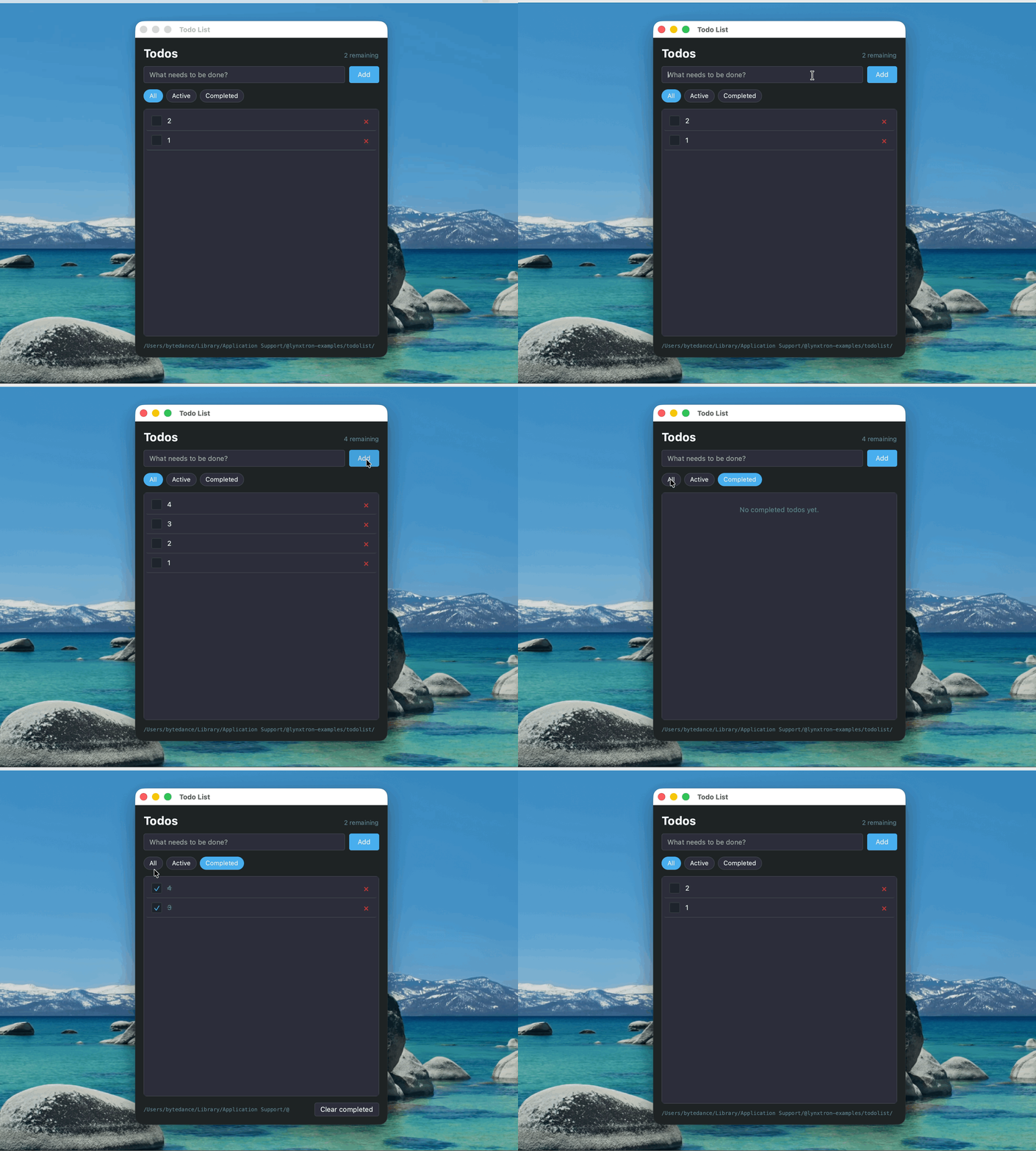
这个示例使用 sqlite3 构建一个待办事项应用:
- Node.js 端:通过基于回调的
sqlite3API,将待办事项持久化到应用用户数据目录中的todos.db。 - Lynx 端:通过通信能力调用 Node.js 逻辑,支持新增、查询、切换完成状态和删除。
以下片段展示示例的表结构初始化。完整的 Todo 源码 还将 db.run 和 db.all 包装为 Promise,在 bridge handler 中等待 dbReady,并在查询结果中将 completed 转为布尔值、将 created_at 映射为 createdAt。
相关文档
下一步
掌握了 Node.js 原生模块之后,你可以继续尝试:
- 接入更多本地能力:例如
sharp做缩略图生成,或node-pty做内置终端 - 组合使用 Lynx 原生能力库:将 Node.js 原生模块和 Lynx 原生能力库结合,做更复杂的桌面应用