

Lynx 4.0: Foldables, Media Queries, Liquid Glass, WebView, OpenUI, and More
← All Posts

Today, we are excited to announce that Lynx 4.0 is now available! Don't worry: this major version does not mean we are making breaking changes. We will share more about our new vision in an upcoming post.
This release focuses on helping Lynx adapt to foldables and other changing screen sizes, and adds CSS media queries. Meanwhile, the long-awaited native backdrop blur and Liquid Glass arrive through the newly open-sourced <blur-view>. We are also open-sourcing <webview>, and bringing new desktop CSS capabilities, OpenUI support, and improvements to ReactLynx and our AI Skills. Let's dive in!
Adaptive Design
Foldables
At its September event, Apple introduced its first foldable iPhone, iPhone Duo, bringing new requirements for apps to adapt to dynamically changing screen configurations. Through our collaboration with TikTok, Lynx 4.0 now provides foundational support for foldable devices. When the window size changes, the host updates the screen metrics, viewport, and GlobalProps for each LynxView together. These updates trigger a new layout pass; in the default reactive mode, a GlobalProps update also triggers a ReactLynx re-render. Pages that already use flexible layouts and relative units can typically adapt to size changes caused by folding and unfolding without frontend code changes. See the Foldable Device Adaptation Guide for details.

Folding

Unfolding
CSS Media Queries
To accommodate an increasingly diverse range of screen sizes and window configurations, Lynx 4.0 brings the core responsive-layout capabilities of CSS Media Queries Level 4 to Lynx, including queries based on viewport width and height, aspect ratio, orientation, and pixel density; min-, max-, and, or, and not; comma-separated query lists; and modern range syntax such as width >= 768px. It also supports adapting styles to color scheme preferences, as shown in the following example.
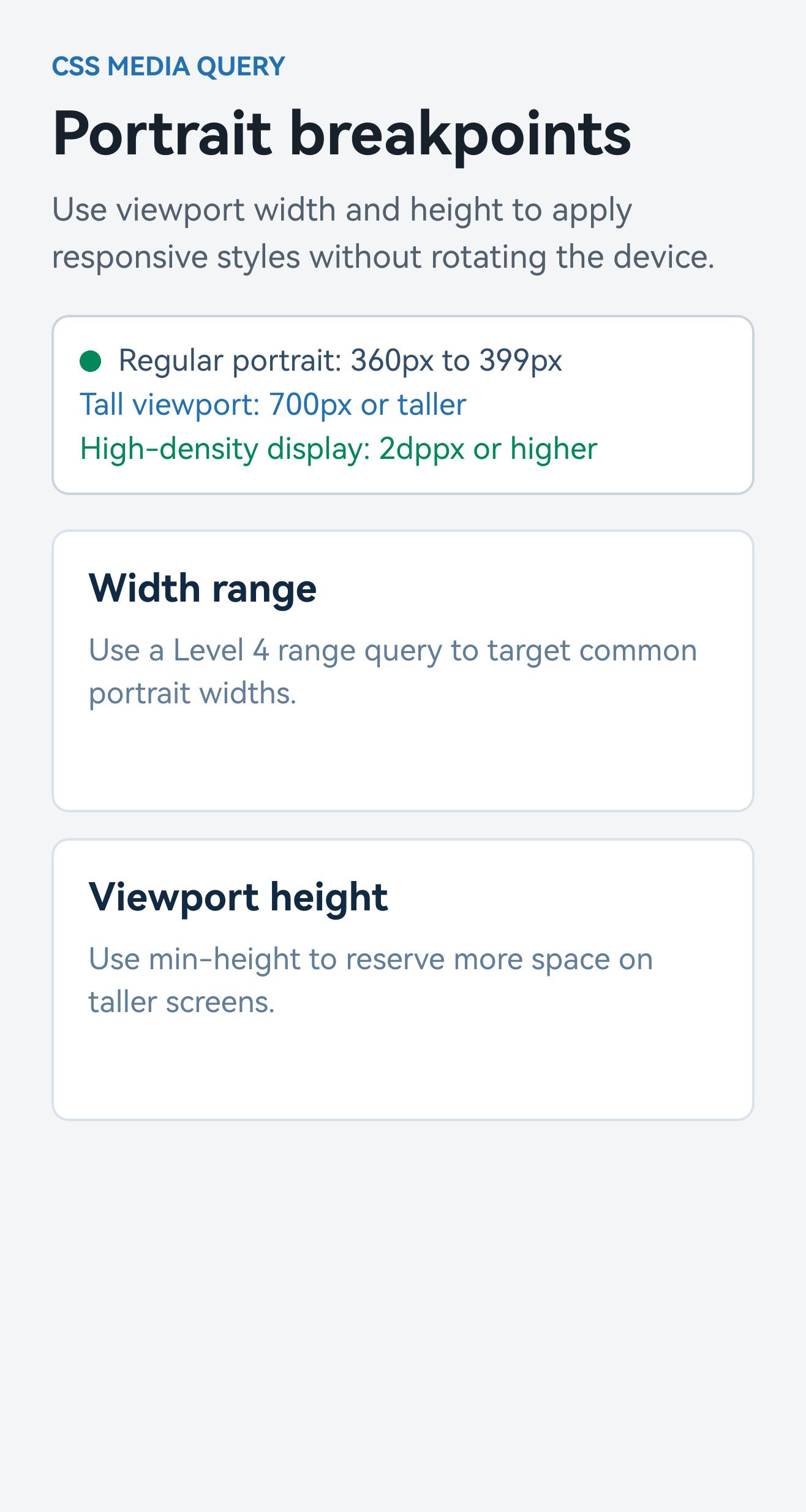
For the full syntax, units, supported features, and limitations, see Media Queries.
Native Backdrop Blur and Liquid Glass
Lynx renders directly to platform-native UI, so it can embrace native visual effects such as Liquid Glass from day one. After refining it for months in production apps, including TikTok, we are finally confident enough to ship it to the community.
Instead of providing separate primitives, we chose to encapsulate native backdrop blur on the Web, HarmonyOS, and iOS, Liquid Glass on iOS, and Lynx's Android blur implementation in an all-in-one <blur-view> element so that developers can use the same structure across platforms while progressively enhancing and gracefully degrading through platform-specific configurations.
Configure <blur-view> with blur-effect="glass" to render Liquid Glass on iOS. Lynx exposes the key configuration of UIGlassEffect through glass-style, glass-tint-color, and glass-interactive. For grouped effects backed by UIGlassContainerEffect, use blur-effect="glass-container" and control the distance at which glass elements begin to merge with spacing.
All supported platforms can render backdrop blur through <blur-view>. On Android, Lynx provides a dedicated implementation while the platform's built-in backdrop blur APIs continue to mature. Set android-capture-target to explicitly identify the background element to capture and blur:

See the <blur-view> API reference for all properties and platform support.
WebView
Lynx 4.0 adds <webview> to the open-source release, with support for Android, iOS, HarmonyOS, macOS, and Windows, allowing developers to reuse existing Web content directly in Lynx applications.
Give <webview> an explicit width and height, then set src to load a Web page on every supported platform.

On Android, iOS, and HarmonyOS, you can also load an HTML string directly through html.
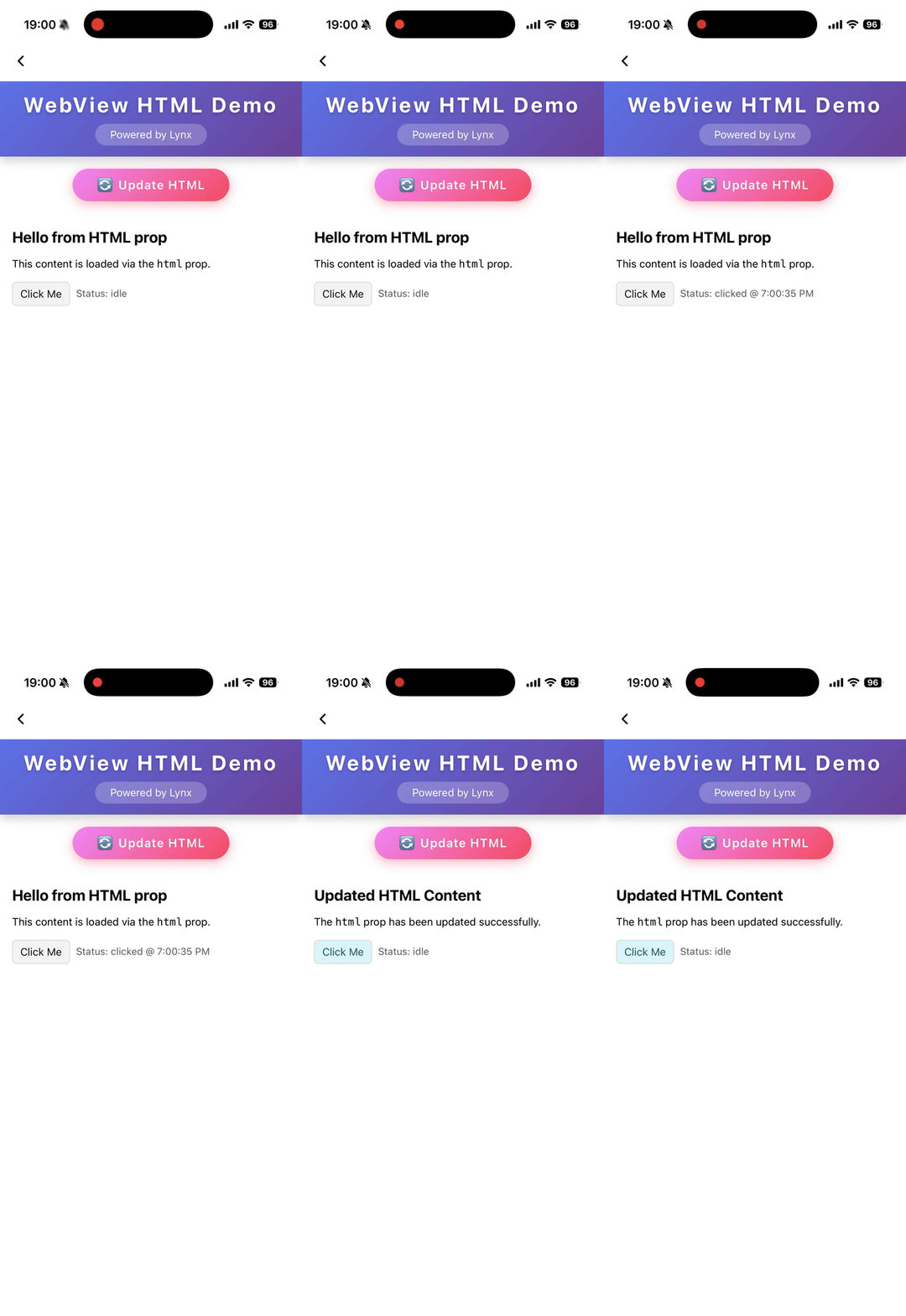
See the <webview> API reference for all properties, events, methods, and platform support.
Desktop Rendering
Lynx 4.0 expands the expressive power of CSS on desktop with custom text carets and multi-layer mask compositing in Clay on macOS and Windows.
Custom Text Carets
Four new -x-caret-* properties let you style the caret in <input> and <textarea> with a custom gradient, width, height, and corner radius:
Multi-Layer Mask Compositing
With mask-composite, you can combine multiple mask layers using add, subtract, intersect, and exclude to create cutouts and overlapping visual effects directly in CSS:
ReactLynx
createElement and cloneElement
ReactLynx now supports creating Lynx elements dynamically with createElement and cloneElement. Use these familiar React APIs when an element's type is only known at runtime, or when you need to adjust the props of an existing element:
This gives you more flexibility when building configuration-driven interfaces and reusable components. When the structure is already known at development time, we still recommend writing JSX directly so the compiler can analyze the static structure and optimize rendering. See Compiler-Informed Rendering for the trade-offs.
Unified Debug Metadata
Production errors usually point to minified JavaScript, and errors on the Main Thread report bytecode locations that do not correspond to source lines and columns. Rspeedy now emits a unified debug-metadata.json for each build, so you can:
- Map production errors to source, restoring the original file, line, and column, including for errors thrown on the Main Thread.
- Map UI nodes to source by finding the JSX that created each node in the runtime UI tree.
Lynx for AI: Generative UI and Agent Skills
We have been actively exploring generative UI and previously released support for A2UI. Today, we are adding support for the OpenUI format, along with two Skills that help agents work with these formats.
OpenUI
OpenUI provides a compact, line-oriented language designed for streaming. Instead of generating executable code, the agent describes the interface with component expressions such as Card(...) and Button(...), chosen from a library your application controls. <OpenUiRenderer> from @lynx-js/genui/openui parses the model output as it arrives and renders native UI with your registered ReactLynx components. In the example below, a mock OpenUI Lang response streams into the renderer and progressively builds a two-day itinerary. Select a button to see the Action it sends to the host.
See OpenUI in ReactLynx for integration details, or try the Lynx GenUI OpenUI Playground.
GenUI Skills
The lynx-a2ui Skill helps agents generate A2UI messages that use only the components, functions, and parameters declared in your application's catalog:
The lynx-openui Skill helps agents write OpenUI Lang that uses only the components available to the renderer:
API Docs Skill
AI coding agents often carry Web conventions over to Lynx, producing properties or layouts that Lynx does not support. The lynx-api-docs Agent Skill gives agents a project-local reference for Lynx APIs, CSS, layout, and Elements, built from the public @lynx-js/lynx-api-docs package, so they can check what Lynx supports before writing code. For example, before building a scrolling list, an agent can look up the properties, events, and layout constraints of <scroll-view>.
Like the GenUI Skills above, it is available from the community-maintained Lynx Agent Skills repository:
For more ways to set up your project for AI agents, see Lynx for AI.
Global Lynx Memory Queries
When your application hosts multiple Lynx pages, you may need to know which instances are still alive and where their memory is being used. With global Lynx memory queries on iOS and Android, you can asynchronously collect memory usage attributed to live Lynx instances in the current process. The results are grouped into categories such as Elements, UI/Views, Main Thread runtimes, and Background Thread runtimes.
Use this capability to request a snapshot when investigating memory pressure or other issues. To further trace references between JavaScript objects, use the query results to select an instance, then analyze its heap snapshot.
Get Started with Lynx 4.0
To upgrade, follow Integrate Lynx 4.0 with an Existing App to update your Lynx and PrimJS dependencies to 4.0.x, along with the supporting dependencies for your target platform. For the complete list of engine updates and fixes, see the Lynx 4.0 release notes.
Thank you to everyone who reports issues, contributes code, and shares their experience with the Lynx community. We can't wait to see what you build with Lynx 4.0!