

#DevTool 进阶配置
#接入 DevTool 开关页
我们提供了一个开关页,可以帮助你快速查看或者配置 DevTool。如果你需要,可以把它集成进 app。
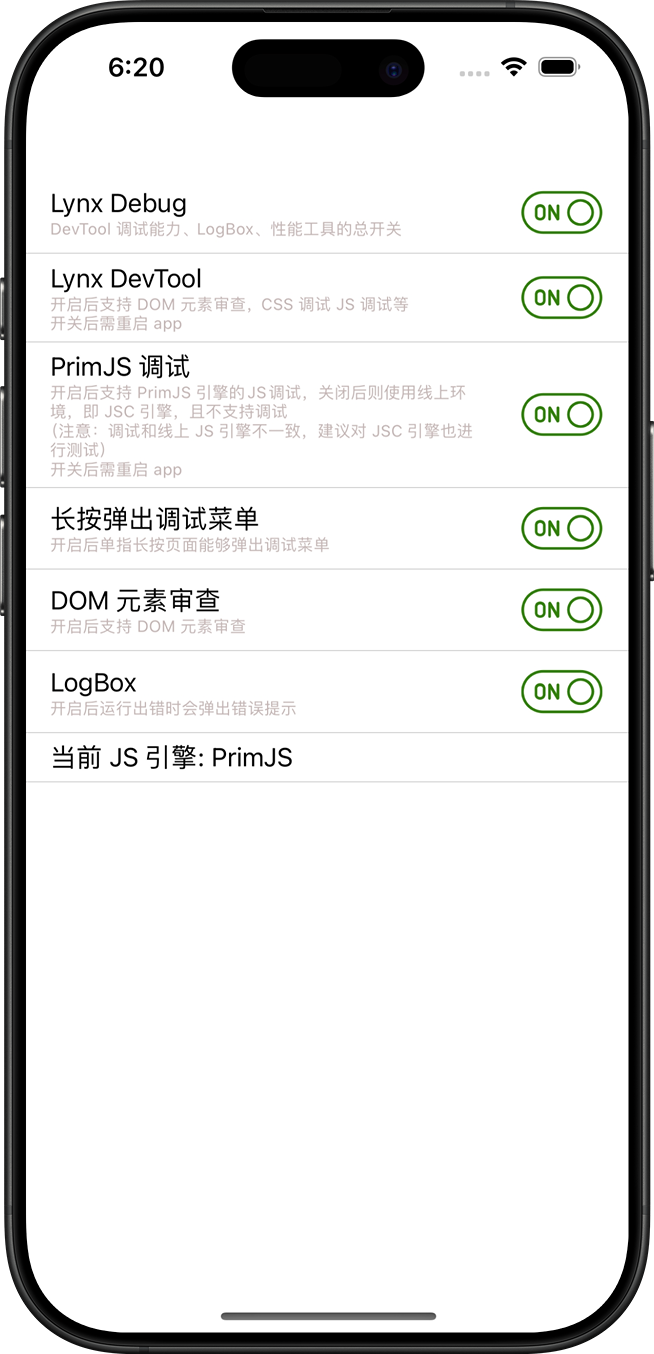
DevTool 开关页使用 Lynx 编写,DevTool 组件中已经打包了该页面的产物。
开关页接入代码示例:
Objective-C
Swift
#import <Lynx/LynxView.h>

#import "DebugSettingViewController.h"
#import "DemoLynxProvider.h"

@implementation DebugSettingViewController

- (void)viewDidLoad {
  [super viewDidLoad];

  LynxView *lynxView = [[LynxView alloc] initWithBuilderBlock:^(LynxViewBuilder *builder) {
    builder.config = [[LynxConfig alloc] initWithProvider:[[DemoLynxProvider alloc] init]];
    builder.screenSize = self.view.frame.size;
    builder.fontScale = 1.0;
  }];

  lynxView.preferredLayoutWidth = self.view.frame.size.width;
  lynxView.preferredLayoutHeight = self.view.frame.size.height;
  lynxView.layoutWidthMode = LynxViewSizeModeExact;
  lynxView.layoutHeightMode = LynxViewSizeModeExact;

  [self.view addSubview:lynxView];

  NSString *bundlePath = [[NSBundle mainBundle] pathForResource:@"LynxDebugResources" ofType: @"bundle"];
  NSData *templateData = [[NSData alloc] initWithContentsOfFile:[bundlePath stringByAppendingString:@"/switchPage/devtoolSwitch.lynx.bundle"]];
  [lynxView loadTemplate:templateData withURL:@"devtool_switch/switchPage/devtoolSwitch.lynx.bundle"];
}

@end
import UIKit
class DebugSettingViewController: UIViewController {
var url: String?
override func viewDidLoad() {
super.viewDidLoad()
let lynxView = LynxView { builder in
builder.config = LynxConfig(provider: DemoLynxProvider())
builder.screenSize = self.view.frame.size
builder.fontScale = 1.0
}
lynxView.preferredLayoutWidth = self.view.frame.size.width
lynxView.preferredLayoutHeight = self.view.frame.size.height
lynxView.layoutWidthMode = .exact
lynxView.layoutHeightMode = .exact
self.view.addSubview(lynxView)
let bundlePath = Bundle.main.path(forResource: "LynxDebugResources", ofType: "bundle")
let templateData = NSData(contentsOfFile: bundlePath!.appending("/switchPage/devtoolSwitch.lynx.bundle"))
lynxView.loadTemplate(templateData! as Data, withURL: "devtool_switch/switchPage/devtoolSwitch.lynx.bundle")
}
}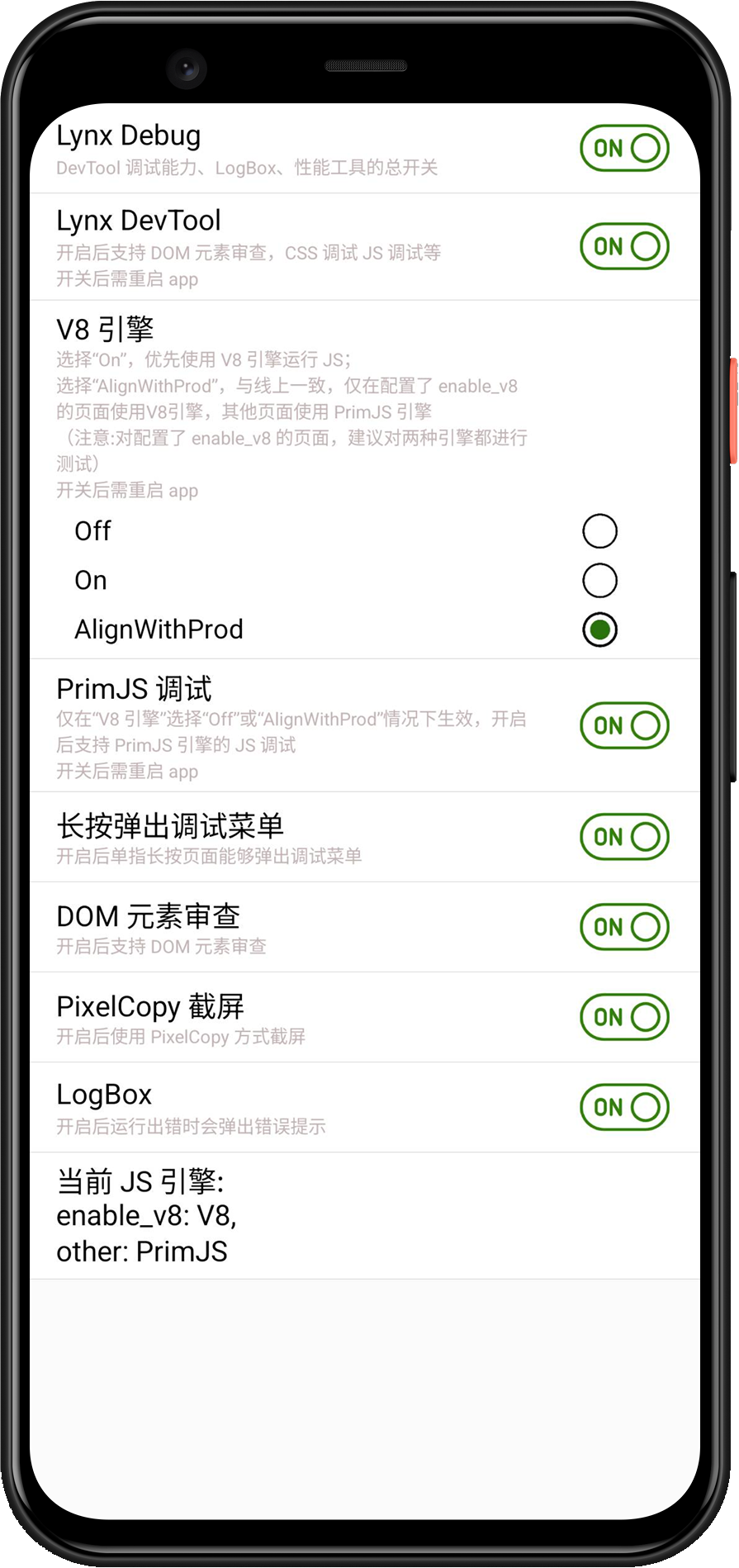
Lynx DevTool 开关页使用 Lynx 编写,DevTool 组件中已经打包了该页面的产物。
开关页接入代码示例:
Java
Kotlin
public class SwitchActivity extends AppCompatActivity {

    @Override
    protected void onCreate(Bundle savedInstanceState) {
        super.onCreate(savedInstanceState);
        LynxView lynxView = buildLynxView();
        setContentView(lynxView);
        byte[] array = null;
        try {
            InputStream inputStream = this.getAssets().open("devtool_switch/switchPage/devtoolSwitch.lynx.bundle");
            array = readBytes(inputStream);
            lynxView.renderTemplateWithBaseUrl(array, TemplateData.empty(), "devtool_switch/switchPage/devtoolSwitch.lynx.bundle");
        } catch (IOException e) {
            e.printStackTrace();
        }
    }

    private LynxView buildLynxView() {
        LynxViewBuilder viewBuilder = new LynxViewBuilder();
        viewBuilder.setTemplateProvider(new DemoTemplateProvider());
        return viewBuilder.build(this);
    }

    private byte[] readBytes(InputStream inputStream) throws IOException {
        byte[] buffer = new byte[1024];
        int bytesRead;
        ByteArrayOutputStream output = new ByteArrayOutputStream();
        while ((bytesRead = inputStream.read(buffer)) != -1) {
            output.write(buffer, 0, bytesRead);
        }
        return output.toByteArray();
    }

}
class SwitchActivity : Activity() {
    override fun onCreate(savedInstanceState: Bundle?) {
        super.onCreate(savedInstanceState)
        val lynxView = buildLynxView()
        setContentView(lynxView)
        try {
            val array = this.assets.open("devtool_switch/switchPage/devtoolSwitch.lynx.bundle").readBytes()
            lynxView.renderTemplateWithBaseUrl(
                array,
                TemplateData.empty(),
                "devtool_switch/switchPage/devtoolSwitch.lynx.bundle"
            )
        } catch (e: IOException) {
            e.printStackTrace()
        }
    }

    private fun buildLynxView(): LynxView {
        val viewBuilder = LynxViewBuilder()
        viewBuilder.setTemplateProvider(DemoTemplateProvider())
        return viewBuilder.build(this)
    }
}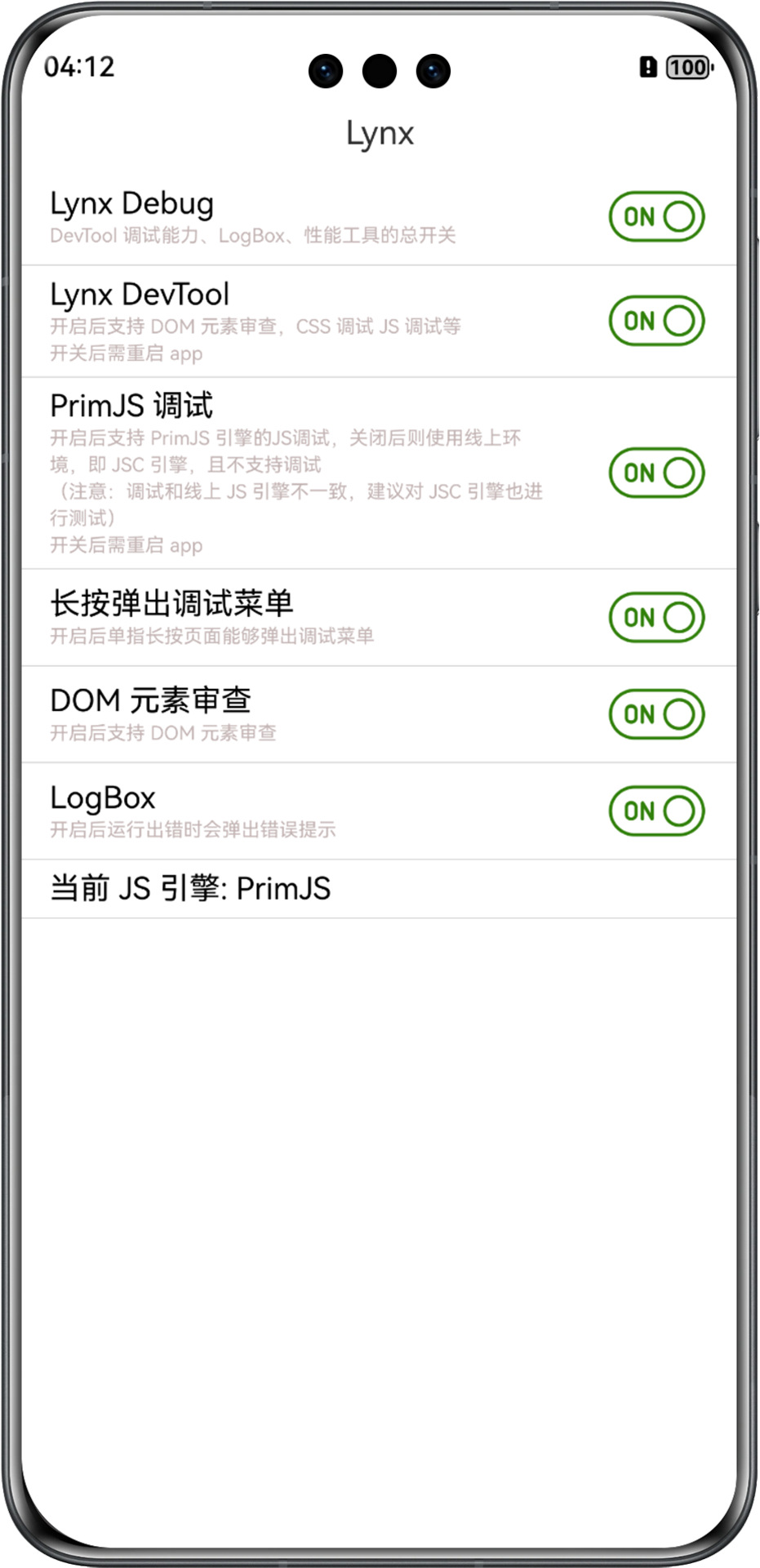
Lynx DevTool 开关页使用 Lynx 编写,DevTool 组件中已经打包了该页面的产物。
开关页接入代码示例:
ETS
class Param {
  url: string;
  constructor(url: string) {
    this.url = url;
  }
}
@Entry
@Component
struct SwitchPage {
  // ... existing code ...
  build() {
    Column() {
      Text('Lynx').fontSize(18).width('100%').height('5%').textAlign(TextAlign.Center)
      LynxView({
        clients: this.clients,
        url: this.url,
        genericResourceFetcher: this.genericFetcher,
        mediaResourceFetcher: this.mediaFetcher,
        templateResourceFetcher: this.templateFetcher,
        modules: this.modules,
        sendableModules: this.sendableModules,
        metaData: this.metaData,
        onCreate: (context: LynxContext) => {
          let param: Param = new Param(this.url);
          context.sendGlobalEvent('viewAppear', [param]);
          if (this.widthPixel > 0 && this.heightPixel > 0) {
            context.updateScreenMetrics(this.widthPixel * this.viewDensity / TEST_DENSITY,
              this.heightPixel * this.viewDensity / TEST_DENSITY);
          }
          context.setExtraTiming(this.extraTiming);
        }
      }).height(this.viewHeight).width(this.viewWidth)
    }.size({ width: '100%', height: '100%' }).alignItems(HorizontalAlign.Start)
  }
}
你也可以根据自己的需求,继续定制页面,让 DevTool 的配置更多样化。
#兼容性
LCD tables only load in the browser