

#Advanced DevTool Configurations
#Integrate DevTool Switch Page
We provide a switch page that helps you quickly view or set DevTool. If you want, you can integrate it into your app as well.
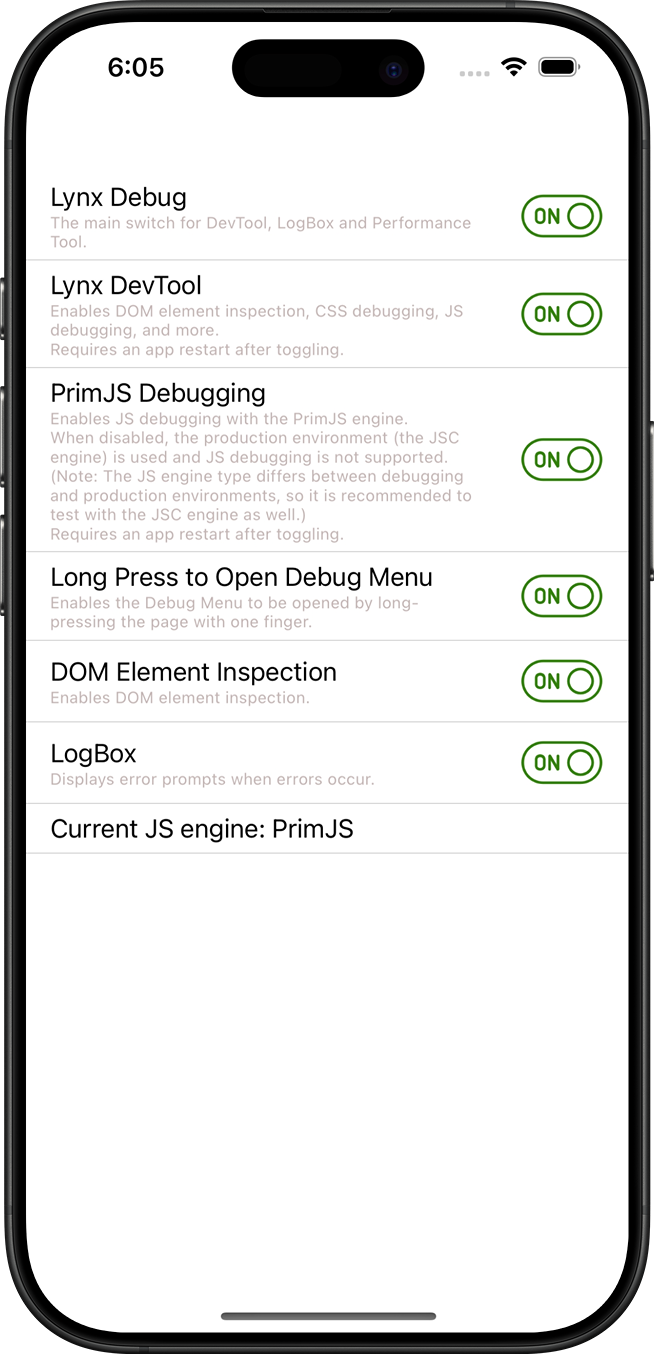
The switch setting page is written in Lynx, and the DevTool component has already packaged the page.
Code example for integrating the devtool switch page:
Objective-C
Swift
#import <Lynx/LynxView.h>

#import "DebugSettingViewController.h"
#import "DemoLynxProvider.h"

@implementation DebugSettingViewController

- (void)viewDidLoad {
  [super viewDidLoad];

  LynxView *lynxView = [[LynxView alloc] initWithBuilderBlock:^(LynxViewBuilder *builder) {
    builder.config = [[LynxConfig alloc] initWithProvider:[[DemoLynxProvider alloc] init]];
    builder.screenSize = self.view.frame.size;
    builder.fontScale = 1.0;
  }];

  lynxView.preferredLayoutWidth = self.view.frame.size.width;
  lynxView.preferredLayoutHeight = self.view.frame.size.height;
  lynxView.layoutWidthMode = LynxViewSizeModeExact;
  lynxView.layoutHeightMode = LynxViewSizeModeExact;

  [self.view addSubview:lynxView];

  NSString *bundlePath = [[NSBundle mainBundle] pathForResource:@"LynxDebugResources" ofType: @"bundle"];
  NSData *templateData = [[NSData alloc] initWithContentsOfFile:[bundlePath stringByAppendingString:@"/switchPage/devtoolSwitch.lynx.bundle"]];
  [lynxView loadTemplate:templateData withURL:@"devtool_switch/switchPage/devtoolSwitch.lynx.bundle"];
}

@end
import UIKit
class DebugSettingViewController: UIViewController {
var url: String?
override func viewDidLoad() {
super.viewDidLoad()
let lynxView = LynxView { builder in
builder.config = LynxConfig(provider: DemoLynxProvider())
builder.screenSize = self.view.frame.size
builder.fontScale = 1.0
}
lynxView.preferredLayoutWidth = self.view.frame.size.width
lynxView.preferredLayoutHeight = self.view.frame.size.height
lynxView.layoutWidthMode = .exact
lynxView.layoutHeightMode = .exact
self.view.addSubview(lynxView)
let bundlePath = Bundle.main.path(forResource: "LynxDebugResources", ofType: "bundle")
let templateData = NSData(contentsOfFile: bundlePath!.appending("/switchPage/devtoolSwitch.lynx.bundle"))
lynxView.loadTemplate(templateData! as Data, withURL: "devtool_switch/switchPage/devtoolSwitch.lynx.bundle")
}
}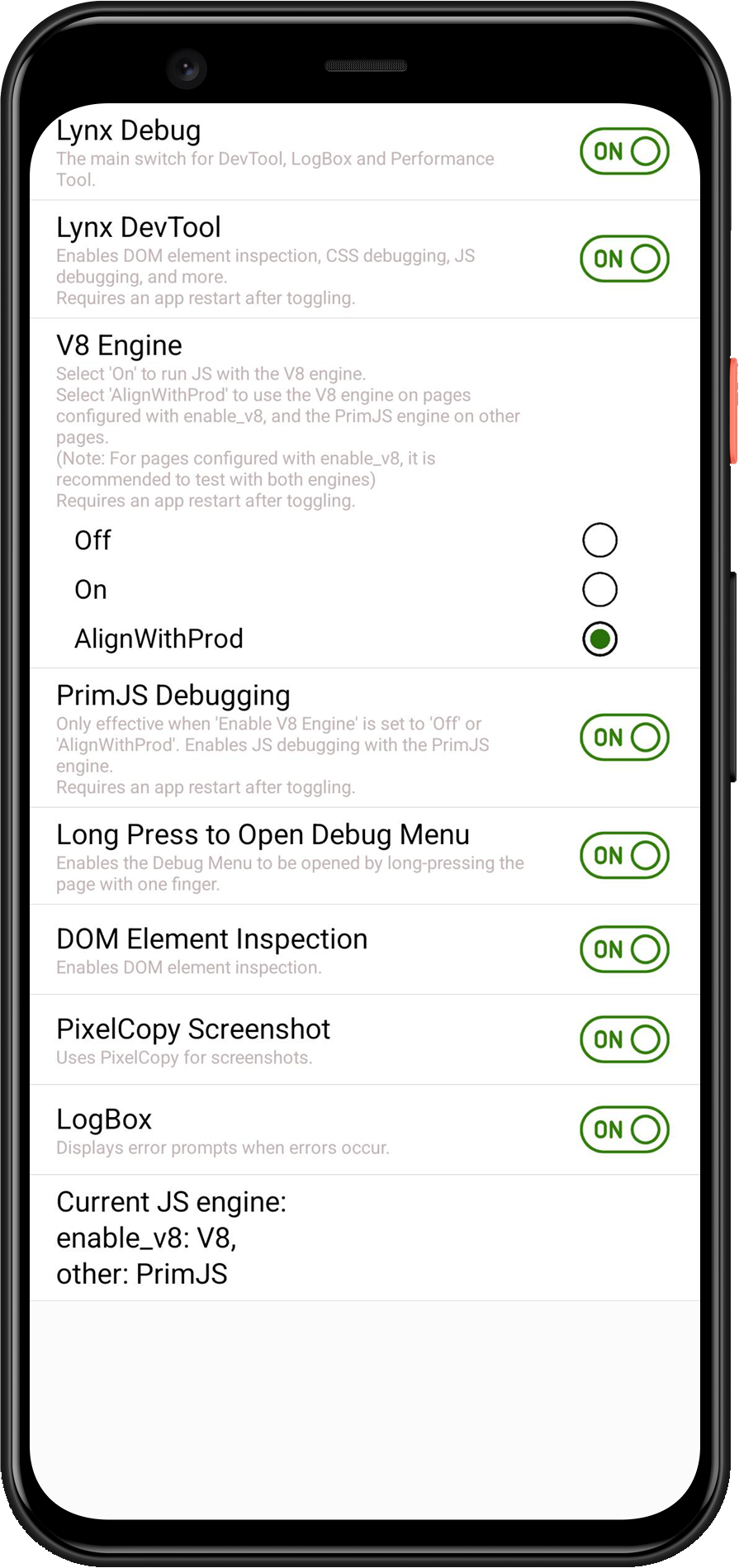
The switch setting page is written in Lynx, and the DevTool component has already packaged the page.
Code example for integrating the devtool switch page:
Java
Kotlin
public class SwitchActivity extends AppCompatActivity {

    @Override
    protected void onCreate(Bundle savedInstanceState) {
        super.onCreate(savedInstanceState);
        LynxView lynxView = buildLynxView();
        setContentView(lynxView);
        byte[] array = null;
        try {
            InputStream inputStream = this.getAssets().open("devtool_switch/switchPage/devtoolSwitch.lynx.bundle");
            array = readBytes(inputStream);
            lynxView.renderTemplateWithBaseUrl(array, TemplateData.empty(), "devtool_switch/switchPage/devtoolSwitch.lynx.bundle");
        } catch (IOException e) {
            e.printStackTrace();
        }
    }

    private LynxView buildLynxView() {
        LynxViewBuilder viewBuilder = new LynxViewBuilder();
        viewBuilder.setTemplateProvider(new DemoTemplateProvider());
        return viewBuilder.build(this);
    }

    private byte[] readBytes(InputStream inputStream) throws IOException {
        byte[] buffer = new byte[1024];
        int bytesRead;
        ByteArrayOutputStream output = new ByteArrayOutputStream();
        while ((bytesRead = inputStream.read(buffer)) != -1) {
            output.write(buffer, 0, bytesRead);
        }
        return output.toByteArray();
    }

}
class SwitchActivity : Activity() {
    override fun onCreate(savedInstanceState: Bundle?) {
        super.onCreate(savedInstanceState)
        val lynxView = buildLynxView()
        setContentView(lynxView)
        try {
            val array = this.assets.open("devtool_switch/switchPage/devtoolSwitch.lynx.bundle").readBytes()
            lynxView.renderTemplateWithBaseUrl(
                array,
                TemplateData.empty(),
                "devtool_switch/switchPage/devtoolSwitch.lynx.bundle"
            )
        } catch (e: IOException) {
            e.printStackTrace()
        }
    }

    private fun buildLynxView(): LynxView {
        val viewBuilder = LynxViewBuilder()
        viewBuilder.setTemplateProvider(DemoTemplateProvider())
        return viewBuilder.build(this)
    }
}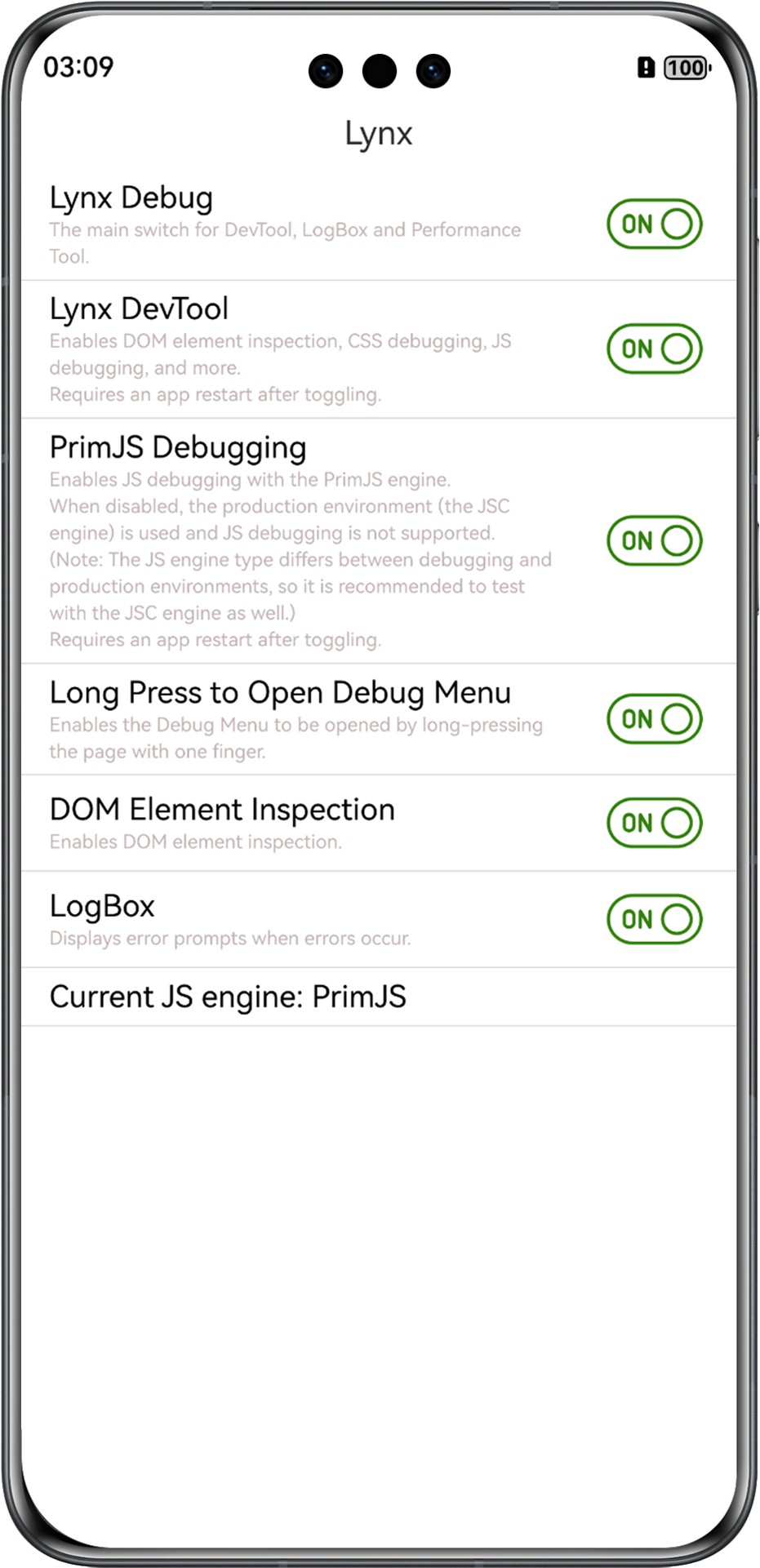
The switch setting page is written in Lynx, and the DevTool component has already packaged the page.
Code example for integrating the devtool switch page:
ETS
class Param {
  url: string;
  constructor(url: string) {
    this.url = url;
  }
}
@Entry
@Component
struct SwitchPage {
  // ... existing code ...
  build() {
    Column() {
      Text('Lynx').fontSize(18).width('100%').height('5%').textAlign(TextAlign.Center)
      LynxView({
        clients: this.clients,
        url: this.url,
        genericResourceFetcher: this.genericFetcher,
        mediaResourceFetcher: this.mediaFetcher,
        templateResourceFetcher: this.templateFetcher,
        modules: this.modules,
        sendableModules: this.sendableModules,
        metaData: this.metaData,
        onCreate: (context: LynxContext) => {
          let param: Param = new Param(this.url);
          context.sendGlobalEvent('viewAppear', [param]);
          if (this.widthPixel > 0 && this.heightPixel > 0) {
            context.updateScreenMetrics(this.widthPixel * this.viewDensity / TEST_DENSITY,
              this.heightPixel * this.viewDensity / TEST_DENSITY);
          }
          context.setExtraTiming(this.extraTiming);
        }
      }).height(this.viewHeight).width(this.viewWidth)
    }.size({ width: '100%', height: '100%' }).alignItems(HorizontalAlign.Start)
  }
}
You can also customize the page according to your needs, making the configuration of DevTool more diverse.
#Compatibility
LCD tables only load in the browser