For AI agents: the complete documentation index is available at /next/llms.txt, the full documentation bundle is available at /next/llms-full.txt, and this page is available as Markdown at /next/api/css/properties/border-radius.md.
Lynx
  • English
  • border-radius

    Introduction

    The border-radius CSS property rounds the corners of an element's outer border edge. You can set a single radius to make circular corners, or two radii to make elliptical corners.

    Examples
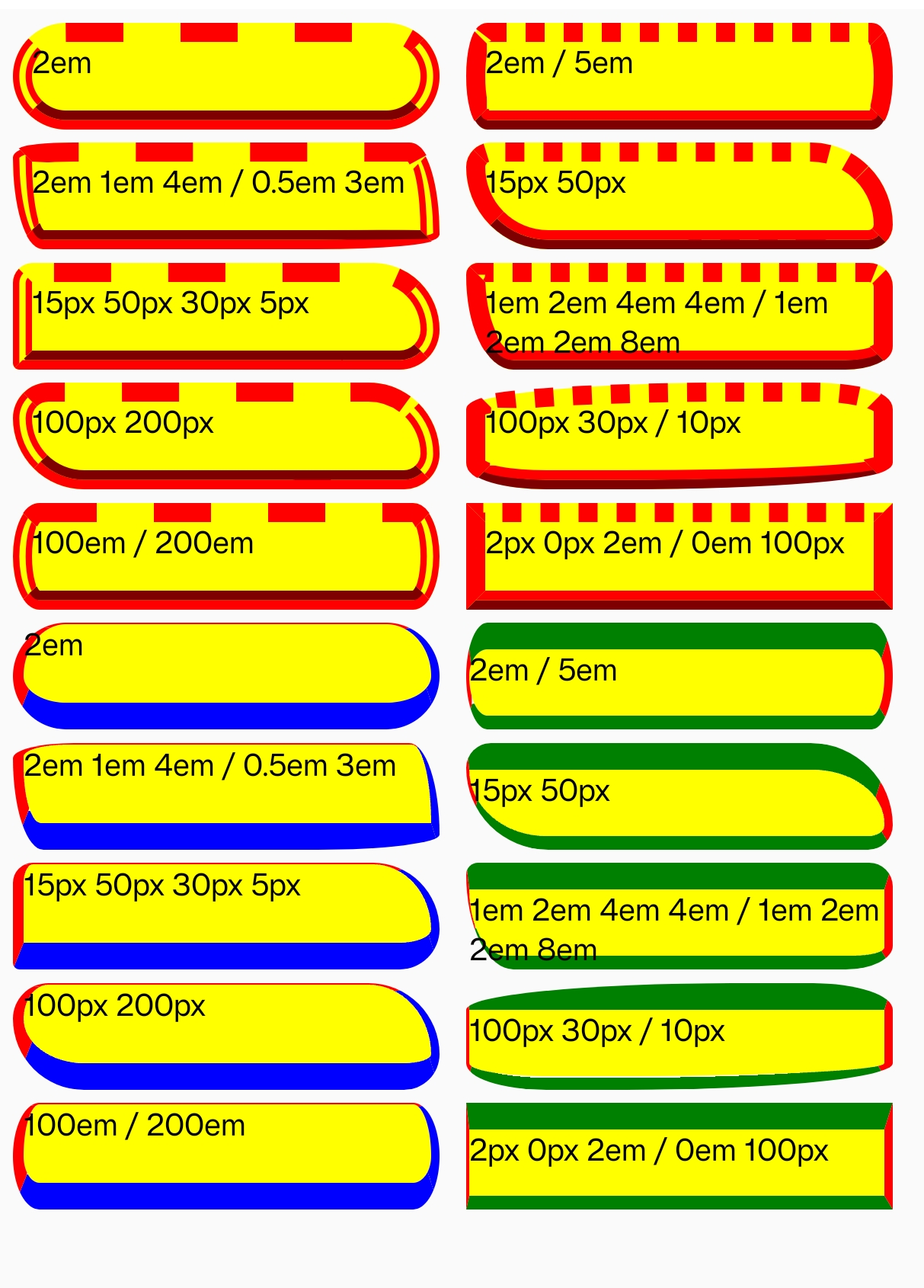
    Syntax

    /* The syntax of the first radius allows one to four values */
    /* Radius is set for all 4 sides */
    border-radius: 10px;
    
    /* top-left-and-bottom-right | top-right-and-bottom-left */
    border-radius: 10px 5%;
    
    /* top-left | top-right-and-bottom-left | bottom-right */
    border-radius: 2px 4px 2px;
    
    /* top-left | top-right | bottom-right | bottom-left */
    border-radius: 1px 0 3px 4px;
    
    /* The syntax of the second radius allows one to four values */
    /* (first radius values) / radius */
    border-radius: 10px / 20px;
    
    /* (first radius values) / top-left-and-bottom-right | top-right-and-bottom-left */
    border-radius: 10px 5% / 20px 30px;
    
    /* (first radius values) / top-left | top-right-and-bottom-left | bottom-right */
    border-radius: 10px 5px 2em / 20px 25px 30%;
    
    /* (first radius values) / top-left | top-right | bottom-right | bottom-left */
    border-radius: 10px 5% / 20px 25em 30px 35em;

    The border-radius property is specified as:

    • one, two, three, or four <length> or <percentage> values. This is used to set a single radius for the corners.
    • followed optionally by "/" and one, two, three, or four <length> or <percentage>values. This is used to set an additional radius, so you can have elliptical corners.

    Values

    • <length> Denotes the size of the circle radius, or the semi-major and semi-minor axes of the ellipse, using length values. Negative values are invalid.

    • <percentage> Denotes the size of the circle radius, or the semi-major and semi-minor axes of the ellipse, using percentage values. Percentages for the horizontal axis refer to the width of the box; percentages for the vertical axis refer to the height of the box. Negative values are invalid.

    Formal definition

    Initial value0
    Applies toall elements
    Inheritedno
    Animatableno

    Formal syntax

    border-radius =
      <length-percentage [0,∞]>{1,4} [ / <length-percentage [0,∞]>{1,4} ]?
    
    <length-percentage> =
      <length>      |
      <percentage>

    Difference from Web

    Global values are not supported, (inherit, initial, revert, unset, etc).

    Compatibility

    LCD tables only load in the browser

    Except as otherwise noted, this work is licensed under a Creative Commons Attribution 4.0 International License, and code samples are licensed under the Apache License 2.0.