

justify-content
Introduction
The CSS justify-content property defines how distributes space between and around content items along the main-axis of a flexible box layout, linear container, and the inline axis of a grid layout container.
Examples
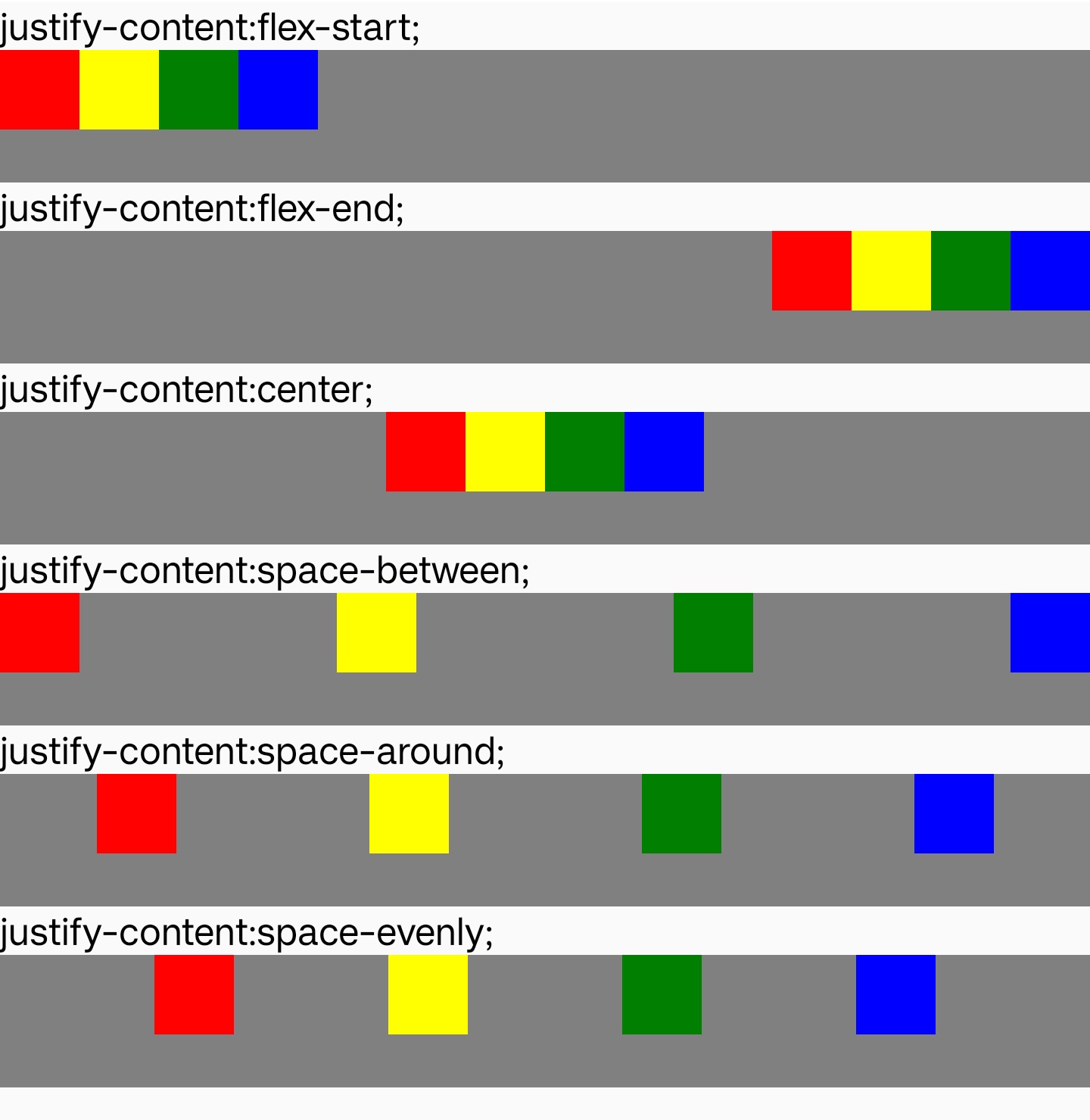
Syntax
Values
stretch
Default value.If the combined size of the items along the main axis is less than the size of the alignment container, any auto-sized items have their size increased equally (not proportionally), while still respecting the constraints imposed by max-height/max-width (or equivalent functionality), so that the combined size exactly fills the alignment container along the main axis.
start
The items are packed flush to each other toward the start edge of the alignment container in the main axis.
end
The items are packed flush to each other toward the end edge of the alignment container in the main axis.
flex-start
The items are packed flush to each other toward the edge of the alignment container depending on the flex container's main-start side. This only applies to flexible box layout items. For items that are not children of a flex container, this value is treated like start.
flex-end
The items are packed flush to each other toward the edge of the alignment container depending on the flex container's main-end side. This only applies to flexible box layout items. For items that are not children of a flex container, this value is treated like end.
center
The items are packed flush to each other toward the center of the alignment container along the main axis.
space-between
The items are evenly distributed within the alignment container along the main axis. The spacing between each pair of adjacent items is the same. The first item is flush with the main-start edge, and the last item is flush with the main-end edge.
space-around
The items are evenly distributed within the alignment container along the main axis. The spacing between each pair of adjacent items is the same. The empty space before the first and after the last item equals half of the space between each pair of adjacent items.
In linear, the space-around value behaves as flex-start or start.
space-evenly
The items are evenly distributed within the alignment container along the main axis. The spacing between each pair of adjacent items, the main-start edge and the first item, and the main-end edge and the last item, are all exactly the same.
In linear, the space-evenly value behaves as flex-start or start.
Formal definition
| Initial value | stretch |
| Applies to | flex/grid/linear containers |
| Inherited | no |
| Animatable |
Formal syntax
Difference with the web
normalis not supported. Default value isstretch.leftandrightare not supported.baseline,first baselineandlast baselineare not supported.
Compatibility
LCD tables only load in the browser