For AI agents: the complete documentation index is available at /next/llms.txt, the full documentation bundle is available at /next/llms-full.txt, and this page is available as Markdown at /next/api/elements/built-in/video.md.
Lynx
  • English
  • <video>
    4.1
    experimental XElement

    <video> is an experimental element for playing online video resources in Lynx. It supports playback controls through UIMethods and emits playback lifecycle events.

    Warning

    <video> is experimental and still in an early stage. Its API may change in future releases. Contributions and feedback are welcome in lynx_video_element_spec.md.

    Usage

    Basic
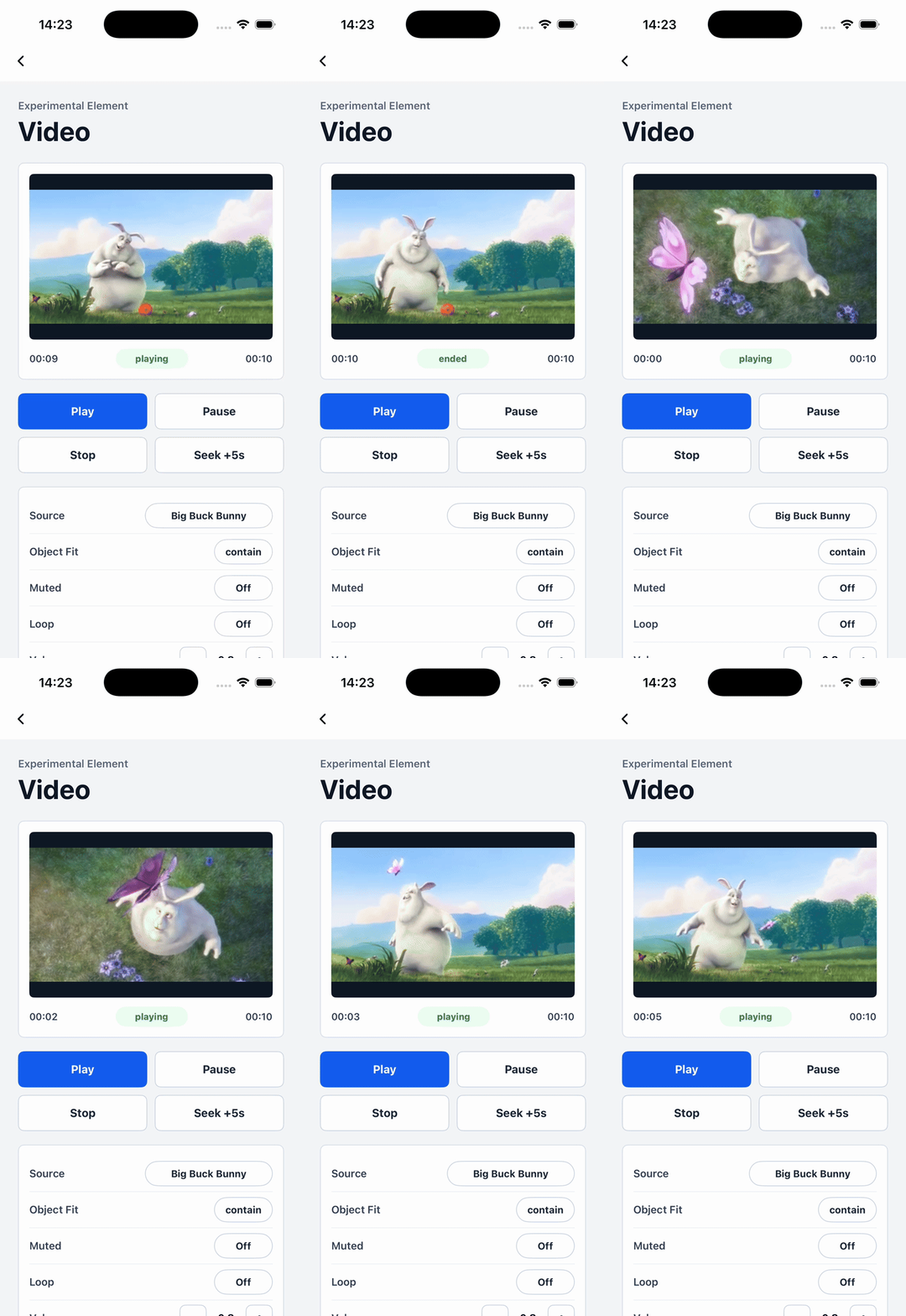
    Attributes

    src

    Android
    iOS
    Harmony
    4.1
    experimental
    src?: string;

    Video source URL. Only online network URLs are supported.

    loop

    Android
    iOS
    Harmony
    4.1
    experimental
    // @defaultValue: false
    loop?: boolean;

    Whether to loop playback.

    volume

    Android
    iOS
    Harmony
    4.1
    experimental
    // @defaultValue: 1.0
    volume?: number;

    Playback volume from 0 to 1.

    muted

    Android
    iOS
    Harmony
    4.1
    experimental
    // @defaultValue: false
    muted?: boolean;

    Whether the video is muted.

    speed

    Android
    iOS
    Harmony
    4.1
    experimental
    // @defaultValue: 1.0
    speed?: number;

    Playback speed from 0.1 to 2.0.

    object-fit

    Android
    iOS
    Harmony
    4.1
    experimental
    // @defaultValue: 'contain'
    'object-fit'?: 'contain' | 'cover' | 'fill';

    Video scaling strategy.

    mode

    Android
    iOS
    Harmony
    4.1
    experimental
    // @defaultValue: 'queue'
    mode?: 'queue' | 'direct' | 'latest';

    UIMethod execution mode.

    timeupdate-interval

    Android
    iOS
    Harmony
    4.1
    experimental
    // @defaultValue: 0.33
    'timeupdate-interval'?: number;

    Minimum interval for bindtimeupdate dispatch, in seconds.

    Events

    Frontend can bind corresponding event callbacks to listen for runtime behaviors of the element, as shown below.

    bindfirstframe

    Android
    iOS
    Harmony
    4.1
    experimental
    bindfirstframe = (e: VideoFirstFrameEvent) => {};
    FieldTypeOptionalDefaultPlatformsSinceDescription
    durationnumberNo-
    Android
    iOS
    Harmony
    4.1
    4.1Total video duration, in seconds.

    Fired when the first video frame has loaded.

    bindplaying

    Android
    iOS
    Harmony
    4.1
    experimental
    bindplaying = (e: VideoPlayingEvent) => {};

    Fired when video playback starts or resumes.

    bindpaused

    Android
    iOS
    Harmony
    4.1
    experimental
    bindpaused = (e: VideoPausedEvent) => {};

    Fired when video playback pauses.

    bindstopped

    Android
    iOS
    Harmony
    4.1
    experimental
    bindstopped = (e: VideoStoppedEvent) => {};

    Fired when video playback is stopped by the stop UIMethod.

    bindtimeupdate

    Android
    iOS
    Harmony
    4.1
    experimental
    bindtimeupdate = (e: VideoTimeUpdateEvent) => {};
    FieldTypeOptionalDefaultPlatformsSinceDescription
    currentnumberNo-
    Android
    iOS
    Harmony
    4.1
    4.1Current playback position, in seconds.
    durationnumberNo-
    Android
    iOS
    Harmony
    4.1
    4.1Total video duration, in seconds.

    Fired when the playback position updates.

    bindended

    Android
    iOS
    Harmony
    4.1
    experimental
    bindended = (e: VideoEndedEvent) => {};

    Fired when video playback fully ends.

    bindlooped

    Android
    iOS
    Harmony
    4.1
    experimental
    bindlooped = (e: VideoLoopedEvent) => {};

    Fired at the end of each loop iteration.

    binderror

    Android
    iOS
    Harmony
    4.1
    experimental
    binderror = (e: VideoErrorEvent) => {};
    FieldTypeOptionalDefaultPlatformsSinceDescription
    errorCodenumberNo-
    Android
    iOS
    Harmony
    4.1
    4.1Platform playback error code.
    errorMsgstringNo-
    Android
    iOS
    Harmony
    4.1
    4.1Platform playback error message.

    Fired when a video playback error occurs.

    bindbuffering

    Android
    iOS
    Harmony
    4.1
    experimental
    bindbuffering = (e: VideoBufferingEvent) => {};
    FieldTypeOptionalDefaultPlatformsSinceDescription
    bufferingnumberNo-
    Android
    iOS
    Harmony
    4.1
    4.1Buffered end position on the media timeline, in seconds.

    Fired while the video is buffering.

    Methods

    Frontend can invoke component methods via the SelectorQuery API.

    Method callbacks may receive the following response fields:

    FieldTypeOptionalDescription
    successbooleanYesWhether the operation succeeded when provided by the platform callback.
    errorCodenumberYesError code when the operation fails.
    msgstringYesError message when the operation fails.
    errorMsgstringYesError message when the operation fails on Harmony.

    play

    Android
    iOS
    Harmony
    4.1
    experimental
    lynx
      .createSelectorQuery()
      .select('#id')
      .invoke({
        method: 'play',
        success(res) {},
        fail(res) {},
      })
      .exec();

    Play the video.

    pause

    Android
    iOS
    Harmony
    4.1
    experimental
    lynx
      .createSelectorQuery()
      .select('#id')
      .invoke({
        method: 'pause',
        success(res) {},
        fail(res) {},
      })
      .exec();

    Pause video playback.

    stop

    Android
    iOS
    Harmony
    4.1
    experimental
    lynx
      .createSelectorQuery()
      .select('#id')
      .invoke({
        method: 'stop',
        success(res) {},
        fail(res) {},
      })
      .exec();

    Stop video playback.

    seek

    Android
    iOS
    Harmony
    4.1
    experimental
    lynx
      .createSelectorQuery()
      .select('#id')
      .invoke({
        method: 'seek',
        params: {
          position: 2,
        },
        success(res) {},
        fail(res) {},
      })
      .exec();

    Seek to the target playback position.

    FieldTypeOptionalDefaultPlatformsSinceDescription
    positionnumberNo-
    Android
    iOS
    Harmony
    4.1
    4.1Target playback position, in seconds.

    Compatibility

    LCD tables only load in the browser

    Except as otherwise noted, this work is licensed under a Creative Commons Attribution 4.0 International License, and code samples are licensed under the Apache License 2.0.