

border-style
Introduction
Used to set the styles of all four borders. This property can define the styles for the top, right, bottom, and left borders in order.
Usage Examples
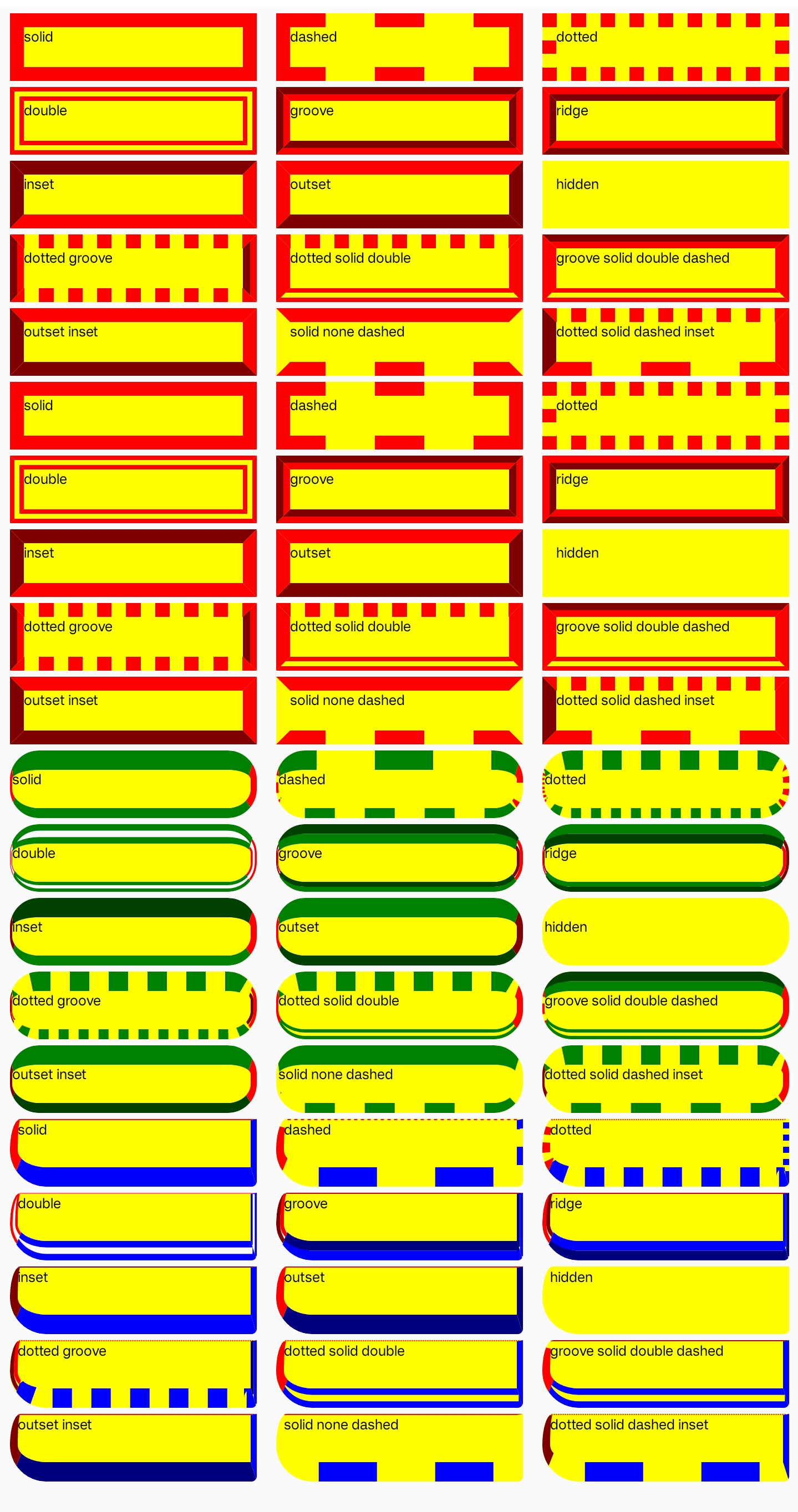
Syntax
Values
- none | hidden | dotted | dashed | solid | double | groove | ridge | inset | outset
- Supports 1-4 value syntax (top → right → bottom → left).
Formal Definition
| Initial value | solid |
| Applies to | All elements |
| Inherited | no |
| Animatable | no |
Formal Syntax
Differences from the Web
- MDN Reference
- Default value is different (Web default is
none). - When the value is
noneorhidden, the border width remains unchanged (Web sets it to0). - Does not support
inherit,initial,revert, orunsetglobal values.
Compatibility
LCD tables only load in the browser