

clip-path
Introduction
The clip-path CSS property creates a clipping region that sets what part of an element should be shown. Parts that are inside the region are shown, while those outside are hidden.
-
clip-pathtakes effect only on<view>elements. -
android If this property is not work on Android,try to add a transparent background
background-color: transparentto avoid the clipping process from being skipped by system.
Examples
inset

circle

ellipse

path
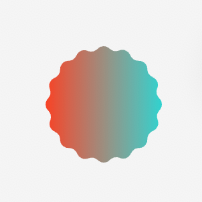
Syntax
Values
The clip-path property is specified as one of the values listed below.
none
No clipping path is created.
<basic-shape>
A shape whose size and position is defined by its border-box. One of:
inset()
Defines an inset rectangle.
<length-percentage>{1, 4}
They represent the top, right, bottom, and left offsets from the border-box that defines the positions of the edges of the inset rectangle. These arguments follow the syntax of the margin shorthand, which let
you set all four insets with one, two or four values.
round | (super-ellipse <exponents>) <border-radius>
Optional arguments to define the rounded corners for the inset rectangle. When the shape is round, the corner radius acts like <border-radius>. When the shapes is super-ellipse <exponent>, the corner curve will be an lame curve 。<border-radius> using the border-radius shorthand syntax.
<exponent>
The two number are the exponents on the two dimensions, first is for x-axis and next for y-axis.
circle()
Defines a circle using a radius and a position.
<length-percentage>
This may be a <length>, or a <percentage> defining the radius of the circle.
<position>
Moves the center of the circle. May be a <length>, or a <percentage>, or a values such as left. The <position> value defaults to center if omitted.
ellipse()
Defines an ellipse using two radii and a position.
An ellipse is essentially a squashed circle and so ellipse() acts in a very similar way to circle() except that we have to specify two radii x and y.
<radial-size>
Two radii, x and y in that order. These may be a <length>, or a <percentage>.
<position>
Moves the center of the ellipse. May be a <length>, or a <percentage>, or a values such as left. The <position> value defaults to center if omitted.
path()
Defines a shape using an SVG path definition.
path()
The path() function takes SVG path string as argument.
Formal definition
| Initial value | none |
| Applies to | view |
| Inherited | no |
| Animatable | no |
Difference with the Web
inset()function acceptssuper-ellipseas corner shape.polygon()function is not supported.<clip-rule>forpath()function is not supported.
Compatibility
LCD tables only load in the browser