For AI agents: the complete documentation index is available at /next/zh/llms.txt, the full documentation bundle is available at /next/zh/llms-full.txt, and this page is available as Markdown at /next/zh/api/css/properties/clip-path.md.
Lynx
  • 简体中文
  • clip-path

    介绍

    clip-path CSS 属性通过裁切的方式创建元件的可显示区域。区域内的部分显示,区域外的隐藏。

    Warning
    • clip-path 属性只能设置在 <view> 元件上。

    • android 该属性不生效时可以尝试给目标元件添加一个透明背景,background-color: transparent 来避免裁切流程被安卓系统跳过。

    使用示例

    inset

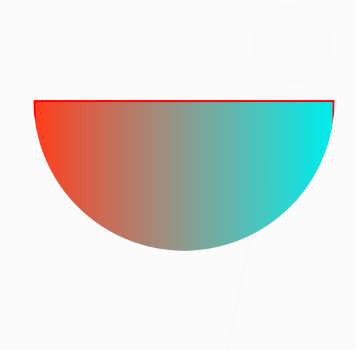
    circle

    ellipse

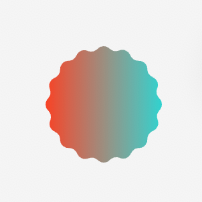
    path
    语法

    /* Keyword values */
    clip-path: none;
    
    /* <basic-shape> values */
    clip-path: inset(30px super-ellipse 3 3 50px/50px);
    clip-path: circle(50px at 0 100px);
    clip-path: ellipse(50px 60px at 10% 20%);
    clip-path: path(
      'M0.5,1 C0.5,1,0,0.7,0,0.3 A0.25,0.25,1,1,1,0.5,0.3 A0.25,0.25,1,1,1,1,0.3 C1,0.7,0.5,1,0.5,1 Z'
    );

    取值

    clip-path 属性指定为下面列出的值中的一个。

    none

    不创建裁切路径。

    <basic-shape>

    一种形状,其大小和位置由 border-box 的值作为参考框。取值可以为下值中的任意一个:

    • inset()

      定义一个矩形。

      inset( <length-percentage>{1, 4} [ round | (super-ellipse <exponents>) <border-radius>]?)
      
      <length-percentage> =
        <length>
        <percentage>
      
      <exponents> = <number>{2}
      
      <border-radius> =
        <length-percentage [0,∞]>{1,4} [ / <length-percentage [0,∞]>{1,4} ]?

      <length-percentage>{1, 4}

      为内嵌矩形框的偏移量,表示从 border-box 的上侧、右侧、下侧和左侧向内的偏移量,这些偏移量定义了内嵌矩形边缘的位置。这些参数遵循边间距简写的语法,它允许你定义具有一个、两个或四个值的 inset。

      round | (super-ellipse <exponents>) <border-radius>

      可选的圆角参数,为内嵌矩形框的圆角形状,当为 round 时其形状遵照边框半径的定义,当为 super-ellipse <exponent> 时,圆角的形状为由 <exponent> 定义的系数的拉梅曲线。<border-radius> 为使用边框半径简写语法为内嵌矩形的圆角或者拉梅曲线圆角的半径。

      <exponent>

      拉梅曲线的两个曲线系数,按照顺序依次是 m 和 n。

    • circle()

      定义一个圆形(使用一个半径和一个圆心位置)。

      circle(<length-percentage> [at <position>]?)
      
      <length-percentage> =
        <length [0,∞]>                |
        <percentage [0,∞]>
      
      <position> =
        [ left | center | right | top | bottom | <length-percentage> ]  |
        [ left | center | right ] && [ top | center | bottom ]  |
        [ left | center | right | <length-percentage> ] [ top | center | bottom | <length-percentage> ]  |
        [ [ left | right ] <length-percentage> ] && [ [ top | bottom ] <length-percentage> ]

      <length-percentage>

      这个值用于定义圆形的半径。

      <position>

      用于移动圆的中心。可以是一个 <length> 值,或者是一个 <percentage> 值,或者是类似 left 的值。如果省略了 <position> 值,则默认为中心。

    • ellipse()

      定义一个椭圆(使用两个半径和一个圆心位置)。

      椭圆本质上是一个扁平的圆形,因此 ellipse() 的行为与 circle() 非常相似,只是我们需要指定两个半径 x 和 y。

      <ellipse()> =
        ellipse( <radial-size>? [ at <position> ]? )
      
      <radial-size> =
        <length-percentage [0,∞]>{2}
      
      <position> =
        [ left | center | right | top | bottom | <length-percentage> ]  |
        [ left | center | right ] && [ top | center | bottom ]  |
        [ left | center | right | <length-percentage> ] [ top | center | bottom | <length-percentage> ]  |
        [ [ left | right ] <length-percentage> ] && [ [ top | bottom ] <length-percentage> ]
      
      <length-percentage> =
        <length>      |
        <percentage>

      <radial-size>

      两个半径,按顺序是 x 和 y。可以是 <length><percentage>

      <position>

      移动椭圆的中心。可以是 <length><percentage>,或者类似 left 这样的值。如果省略 <position> 值,则默认为中心。

    • path()

      定义一个任意形状(使用一个 SVG 路径定义)。

        <path()> =
          path(<string> )

      path()

      函数接受 SVG 路径字符串作为参数。

    形式定义

    初始值none
    适用元素view
    是否支持继承no
    是否支持动画no

    与 Web 的区别

    1. inset() 函数可以使用 super-ellipse 定义超椭圆圆角。
    2. 不支持 polygon() 函数。
    3. path() 函数不支持 <clip-rule> 定义裁切规则。

    兼容性

    LCD tables only load in the browser

    除非另有说明,本项目采用知识共享署名 4.0 国际许可协议进行许可,代码示例采用 Apache License 2.0 许可协议进行许可。