For AI agents: the complete documentation index is available at /next/zh/llms.txt, the full documentation bundle is available at /next/zh/llms-full.txt, and this page is available as Markdown at /next/zh/api/css/properties/font-weight.md.
Lynx
  • 简体中文
  • font-weight

    介绍

    font-weight 指定字体的粗细程度。

    使用示例
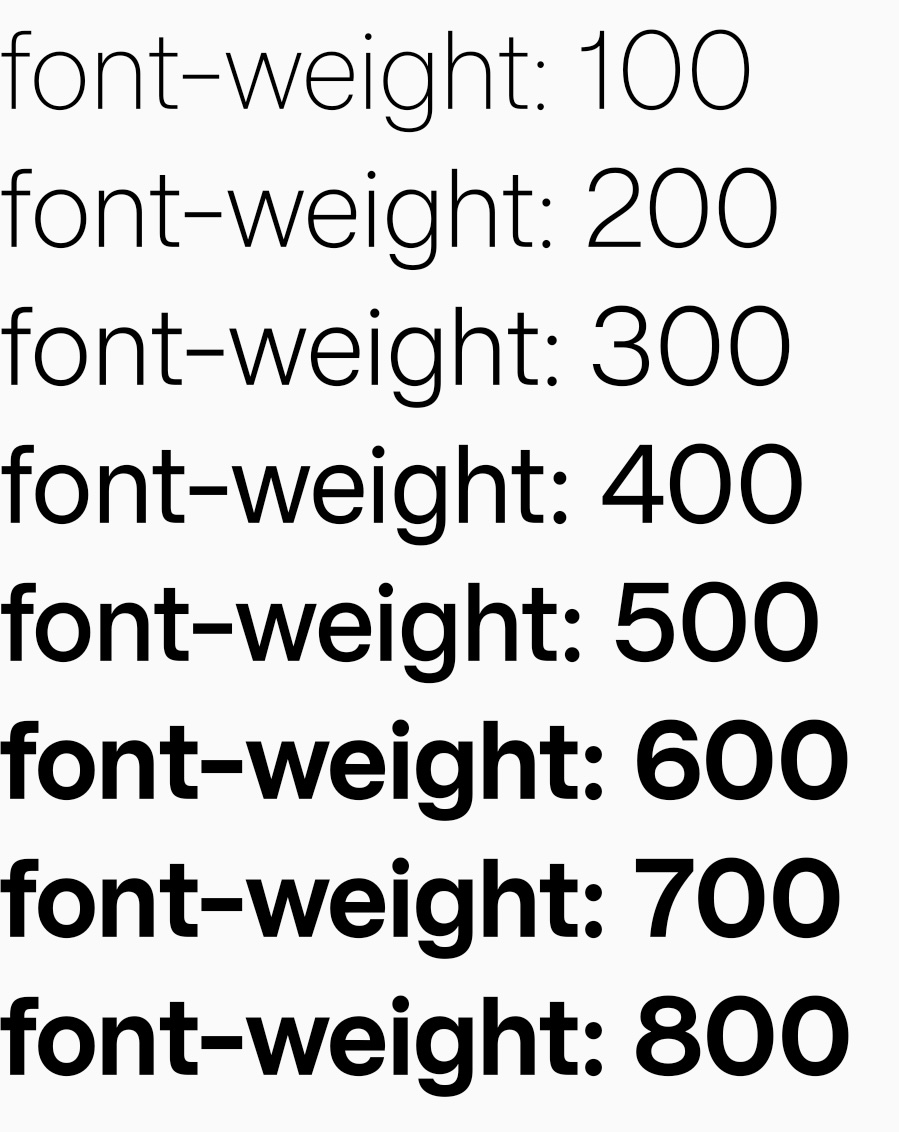
    语法

    /* Keyword values */
    font-weight: normal;
    font-weight: bold;
    
    /* Numeric keyword values */
    font-weight: 100;
    font-weight: 200;
    font-weight: 300;
    font-weight: 400;
    font-weight: 500;
    font-weight: 600;
    font-weight: 700;
    font-weight: 800;
    font-weight: 900;
    font-weight: 1000;

    取值

    • 默认值 normal
      正常粗细。与 400 等值。

    • bold
      加粗。与 700 等值。

    • <number>
      介于 100-1000 之间的数字类型。更大的数值代表字体更粗。

    注意事项

    • 使用自定义字体时,建议不要使用 font-weight,一般自定义字体都只包含 normal 类型的字形信息,会导致 font-weight 属性不生效,或回退到默认字体。

    形式定义

    初始值normal
    适用元素text
    是否支持继承yes
    是否支持动画no

    形式语法

    <font-weight> = normal | bold | [100, 1000]

    与 Web 的区别

    • 不支持关键字 borderlighter
    • 数值类型目前只支持 1001000 的整数值。
    • 字形映射失败的回退逻辑在不同平台和系统版本上会有差异。最坏情况可能会回退系统默认字体,导致自定义字体失效。

    兼容性

    LCD tables only load in the browser

    除非另有说明,本项目采用知识共享署名 4.0 国际许可协议进行许可,代码示例采用 Apache License 2.0 许可协议进行许可。