

<markdown> XElement
<markdown> 在 Lynx 中渲染 Markdown 内容,支持标题、段落、引用、列表、代码、链接、图片和表格,并提供内嵌 View、打字机动画与文本选择能力。
宿主需要集成并注册该原生元件。使用支持 <markdown> 的 Lynx Explorer 运行示例;各属性和方法的平台支持情况见兼容性。
使用指南
基础用法
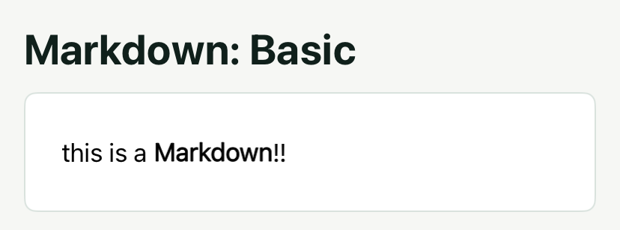
上面的代码就是最简单的使用方式,将 Markdown 格式的文本传给 <markdown> 的 content 即可。它会使用默认的样式来渲染一个静态的 Markdown 页面。
修改样式
<markdown> 内部的元素并不是一个 Lynx 元素,因此无法通过 CSS 来赋予样式,但是我们可以通过 markdown-style 属性来修改内部元素的样式。
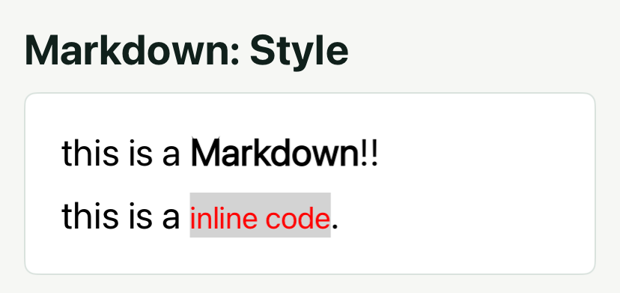
在上面的代码中我们通过 markdown-style 传入了一个 object,它表示将所有的 normalText 即普通文本的字号设置为 25px 以及将 inlineCode 即行内代码的字号设置成了 20px、颜色设置成了红色。
markdown-style 就是这样的一系列 tag 到样式配置项的映射,通过它能修改某一个语法的样式。支持的 tag 及其配置项见样式表。
<span> 标签
通过 tag 来修改样式会导致所有的同类文本样式变化:
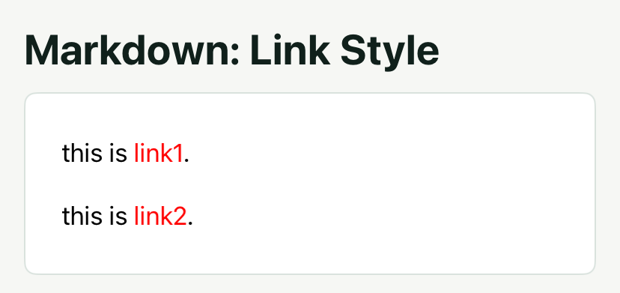
如上的代码中 link1 和 link2 都会被样式表中的 link 影响,从而被设置成红色。
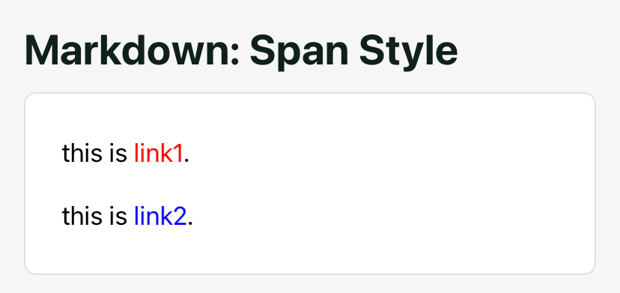
但是如果我只想修改 link1 的颜色该怎么办呢?markdown 支持了简单的 <span> 标签,我们可以在 link1 外包裹一个带有 class 的 <span> 标签,然后在 markdown-style 中配置这个 class 对应的样式。
<p> 标签
类似的,我们可以用 <p> 标签来设置段落的样式,例如行高、对齐方式:
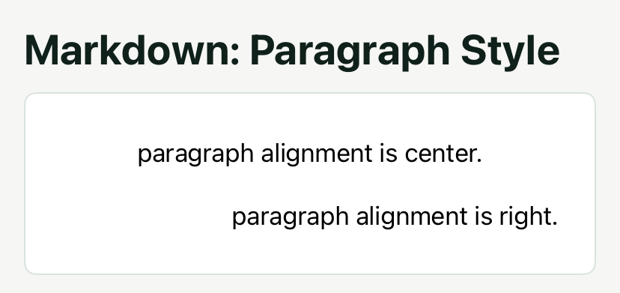
上面的写法与在 Markdown 中使用 HTML 类似,但是需要注意的是,markdown 只支持 <span> 标签用于设置文本的样式以及<p> 标签用于设置段落的样式,不支持其他标签,标签的样式也不支持内嵌,只能通过 class 在 markdown-style 中设置。
插入图片
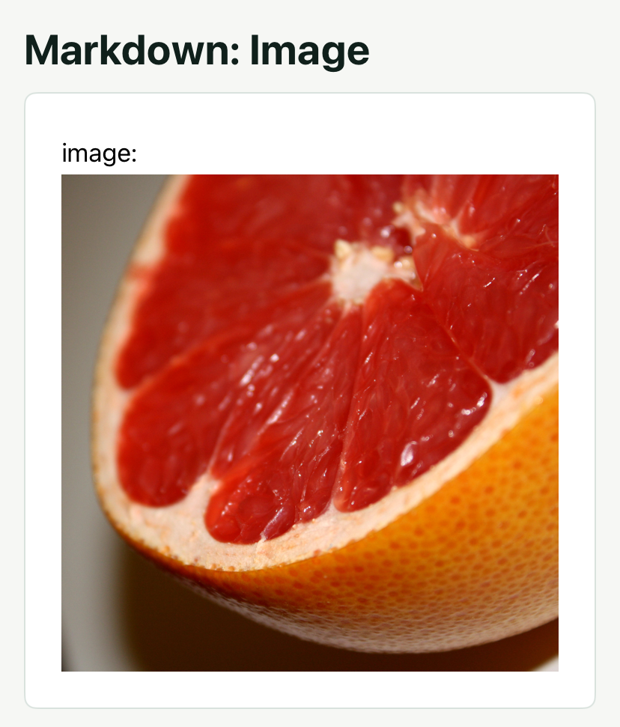
在 <markdown> 中插入图片的语法与 Markdown 一致,例如:
控制图片大小
Markdown 的语法中无法控制插入图片的大小,但是 <markdown> 支持在 URL 后添加 width 和 height 来控制图片的大小。
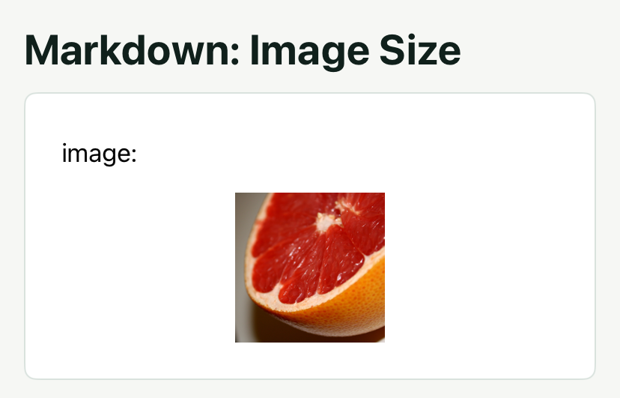
注意:width 和 height 的值只能是数字,单位为 px,并且等于号两边不允许有空格。
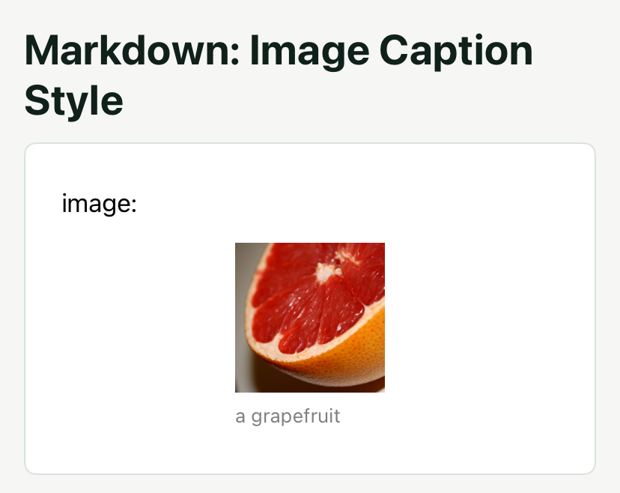
图片标题
<markdown> 支持图片标题语法,添加标题的方式与 Markdown 中一致:。
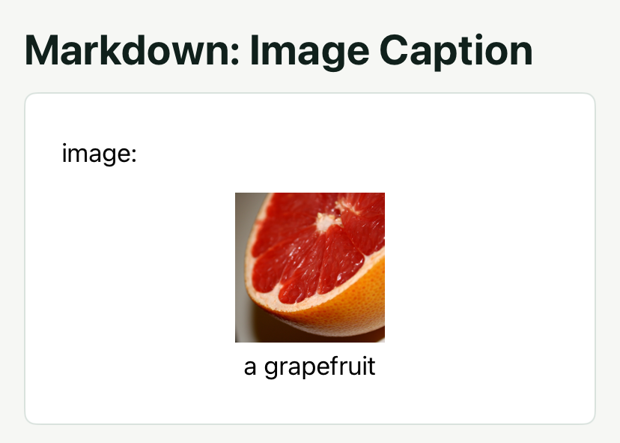
与其他文本类似,图片标题也可以通过 markdown-style 配置样式,markdown-style 中的 imageCaption 配置项就是用来配置图片标题的样式的,具体的配置项见样式表。
GIF
Android 默认支持 GIF;在 iOS 上通过 enable-gif={true} 开启动画。

插入 Lynx View
Markdown 的语法相当有限,想要实现一些复杂的效果可以通过插入一些自定义的 Lynx View 来实现。比如说插入一段 gradient 颜色的文本:
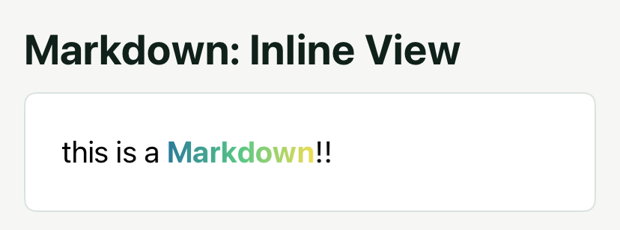
示例会将 Markdown 中的  替换成 id 为 mkd 的子 view,而这个 view 中有一段我们需要的 gradient 颜色的文本。
inlineview 可以通过 vertical-align 来设置垂直对齐方式,默认是 baseline,在上面的代码中,为了使得文本能够对齐,将 vertical-align 设置为 center。
inlineview 必须是markdown的子 view,并且设置 flatten 为 false,否则会有渲染问题。
文本标记
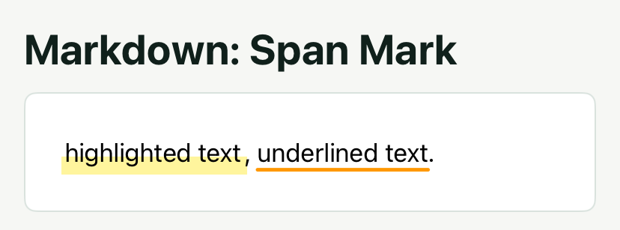
使用 span 设置高亮和下划线
为 <span> 指定 class,并在 markdown-style 中设置对应的 backgroundImage 或 textDecorationLine 等属性。
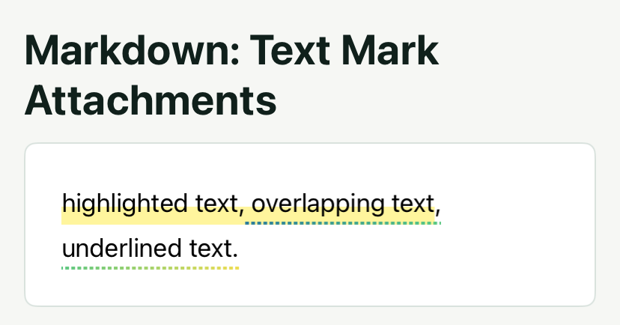
按范围添加标记
通过 text-mark-attachments 为指定范围添加高亮、边框或渐变下划线。indexType="source" 使用 Markdown 源文本索引,indexType="char" 使用解析后的字符索引。
文本截断
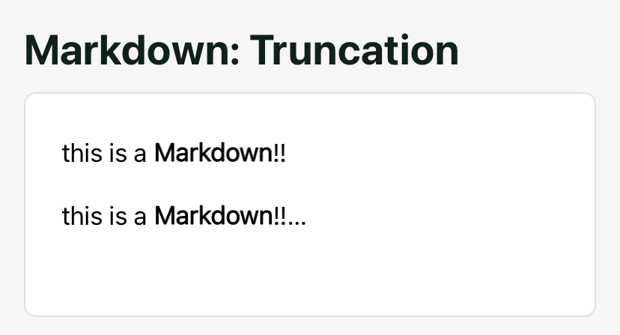
markdown 自带超出截断功能,是否添加省略号可以通过 overflow 属性来设置,默认值为 ellipsis 代表会添加省略号,设置值为 clip 代表不会添加省略号,表格不支持添加省略号。
通过 text-maxline 属性可以控制文本的最大行数,通过 height 样式可以控制文本的最大高度,二者同时存在时会同时生效。
自定义截断文本
默认截断文本是一个省略号,修改截断文本需要通过 markdown-style 来配置。 markdown-style 中有一个特殊的 tag truncation 用于设置截断文本。
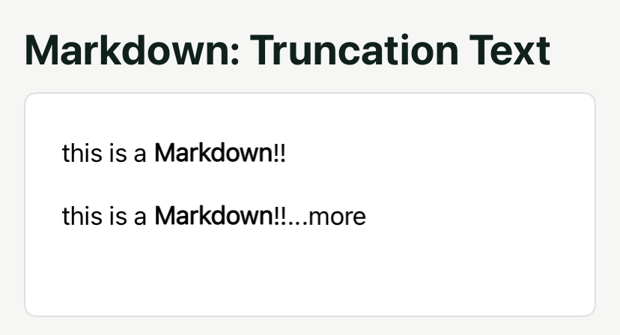
上面的代码将截断文本设置为“...more”,在截断时会在文本末尾添加“...more”而不是省略号。
自定义截断 View
截断文本也可以是一个 Lynx View,只需要将 truncation 中的 truncationType 设置为 view 同时将 content 设置为一个 view id 即可,与 inlineview 类似,content 对应的子 view 就会替换截断文本。
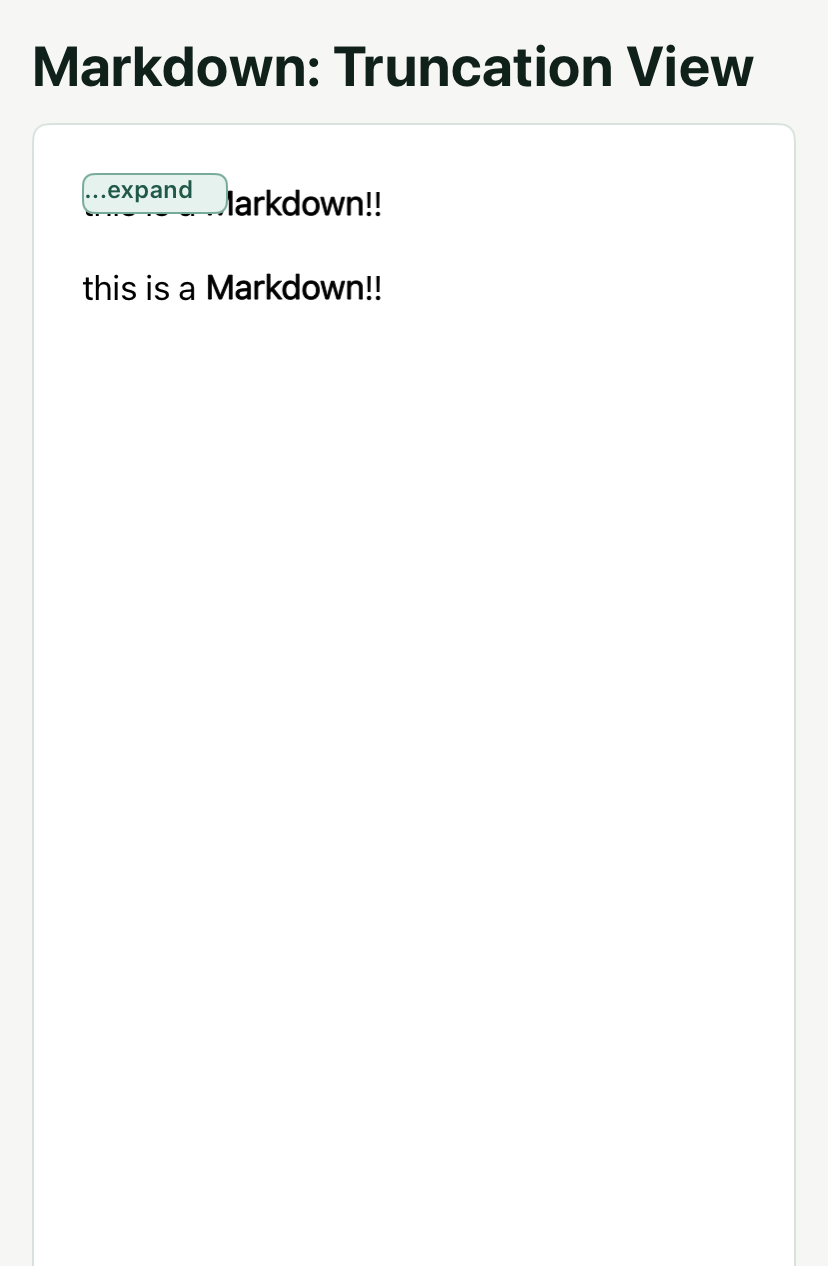
使用 Lynx View 作为截断文本可以实现更多的自定义效果,比如监听截断文本的点击事件,点击截断文本展开全部内容。
打字机
打字机动画在 AI 输出中非常常见,markdown 内置支持了打字机动画,只需要将 animation-type 设置为 typewriter 即可开启打字机动画,同时可以通过 animation-velocity 来设置打字机动画的速度,单位是字符数每秒。

自定义光标
默认的打字机光标是一个省略号,如果想要改变光标可以通过 markdown-style 来设置。markdown-style 中有一个特殊的 tag 用于设置打字机光标,即 typewriterCursor。

在 typewriterCursor 中可以通过 customCursor 来指定光标,与 inlineview 类似,customCursor 的值需要是一个 id, 而这个 id 对应的子 view 就会替换打字时的光标。
不隐藏光标
默认情况下在当前内容输出完成后,打字机光标会被隐藏。但是通常 AI 的输出是分段的,如果不希望在内容未完整时就隐藏光标,可以将 content-complete 属性设置为 false 来使得打字机光标一直显示。

文本渐隐效果
如果想要在打字过程中末尾的文本渐隐而不是在末尾使用光标,可以将 typewriterCursor 中的 customCursor 设置为"none"来禁用光标,然后通过 markdown-effect 来设置文本的渐隐效果。

在上面的代码中我们通过 markdown-effect 添加了一个文本的渐变蒙层效果,它会在末尾的 4 个字符上加上一层半透明蒙层。
这里我们还监听了 drawEnd 事件,这是因为 markdown-effect 不会在打字完成后自动消失,但是打字完成后,会触发 drawEnd 事件,在这个事件的回调里我们可以将 markdown-effect 清空,从而移除文本的渐隐效果。
与光标类似,在 content-complete 设置为 false 时,当前内容打字完成后也不会触发 drawEnd 事件,因此上面的代码会在内容完整并且打字完成后移除文本的渐隐效果。
文本选择与读取
开启文本选择
设置 text-selection={true} 开启文本选择。
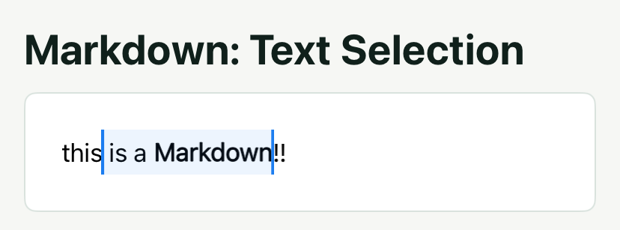
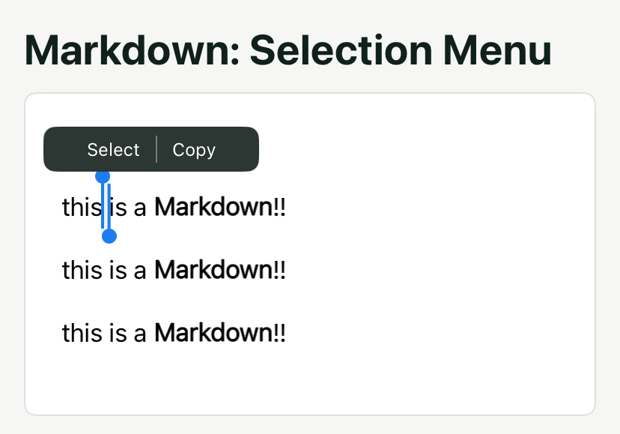
长按文字区域可以开始选择。菜单和按钮行为由前端实现,开启选择不会自动提供剪贴板菜单。
实现菜单
getTextBoundingRect 返回页面坐标。将它用于容器内绝对定位的菜单时,需要减去容器的 boundingClientRect 坐标。该示例只展示菜单;后续示例再添加按钮行为。
在选中区域有变化时,会触发 selectionchange 事件,事件的参数中会包含选中的起始位置和结束位置,如果当前选中区域为空,则起始位置和结束位置都为-1,我们可以通过判断起始位置和结束位置是否为-1来实现菜单的显示和隐藏。
在显示了菜单后,需要根据选中的区域来调整菜单的位置,这里我们可以通过 getTextBoundingRect 方法来获取选中区域的位置。这个方法需要传入选中区域的起始位置和结束位置,返回值是一个 TextBoundingRect 对象,对象中包含了选中区域的总的 boundingRect 以及每行单独的 boundingRect。
这里使用总 boundingRect 将菜单水平居中定位在选中区域上方。示例代码如下:
扩展选区
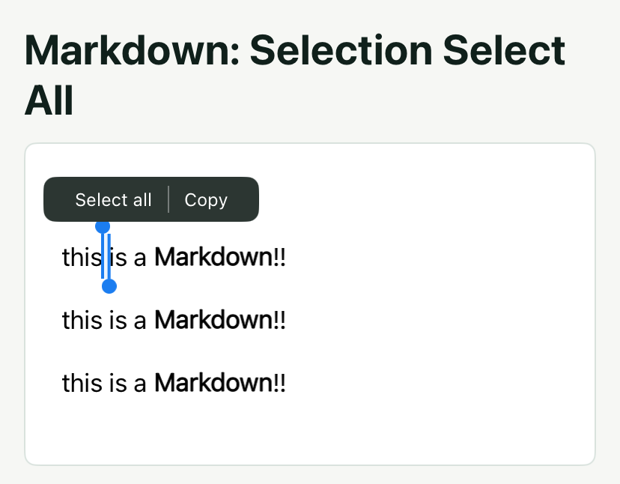
markdown 提供了一个 setTextSelection 方法来由前端设置选中区域,方法的参数为选中区域的起始触摸位置和结束触摸位置。
我们监听 全选 文本的点击事件,在点击事件的回调里把起始触摸位置设置为(0,0),结束触摸位置设置为(MAX_VALUE,MAX_VALUE),即可实现全选功能。
读取所选文本
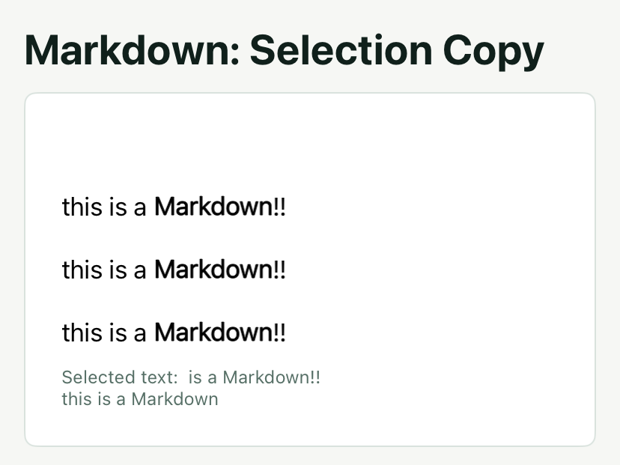
通过 getSelectedText 读取选区内的纯文本。示例的 Get text 按钮显示返回内容,然后清除选区并隐藏菜单。该方法不会写入系统剪贴板;复制到剪贴板需要调用宿主提供的 Native Module。
选择段落或句子
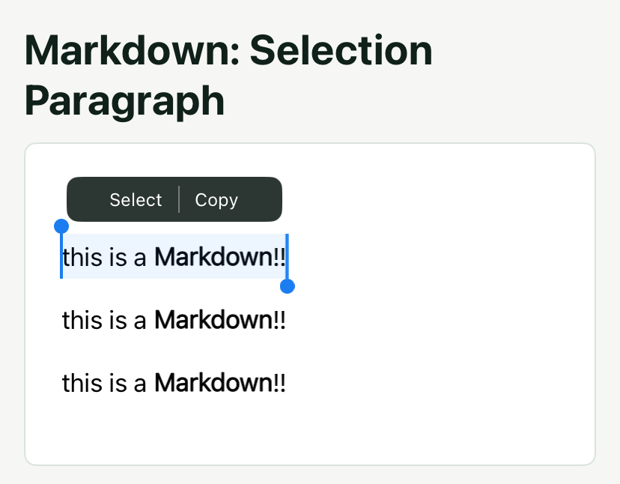
setTextSelection 接收相对于 <markdown> 的坐标。用文本边界框的中心定位段落时,先减去 <markdown> 自身的页面坐标,再传入相同的起点和终点。
默认情况下 markdown 在长按之后只会选中当前触摸位置的字符,如果想要在长按之后选中一个段落,需要在 selectionchange 事件中调整选中区域。
setTextSelection 方法还可以传入一个 selectionTextType 参数,当 start 和 end 位置相同时,这个参数才会生效,它用来指定选中的文本类型,值可以是 char,word,sentence 以及 paragraph。
将这个参数设置为 paragraph 即可选中一个段落,同理,将这个参数设置为 sentence 即可选中一个句子。
属性
前端可以在元件上设置相应属性来定义组件的运行时行为,使用方法如下。
content
markdown 内容
content-id
作为content的唯一标识符,用于在事件中消费。
markdown-style
markdown 的样式,具体格式请参考样式表
animation-type
markdown 的动画样式,可以选择指定开启打字机效果
animation-velocity
markdown 打字机效果的速度
text-maxline
markdown 文本最大行数
overflow
控制文本溢出时显示省略号还是直接裁剪,默认为 ellipsis。
initial-animation-step
指定 markdown 动画开始的位置
content-complete
标明当前content是否完整,如果为true,则会在动画结束后隐藏光标,否则会一直显示光标
typewriter-dynamic-height
配置打字机效果是否动态改变元素高度
text-selection
配置 markdown 内容是否可选择
text-mark-attachments
用于复杂高亮:多段重叠、跨行、与下划线/描边混合的场景。
content-range
配置 Markdown 源文本的解析范围。
markdown-effect
配置额外渲染效果。渐隐遮罩使用 { type: 'text-mask', color, rangeStart, rangeEnd },见文本渐隐效果。
typewriter-height-transition-duration
配置打字机高度变化时的过渡时长,单位为秒,默认值为 0。配合 typewriter-dynamic-height 使用。
enable-gif
配置iOS是否开启gif动画,安卓默认支持gif动画。
事件
前端可以在元件上绑定相应事件回调来监听组件的运行时行为,使用方法如下。
binddrawStart
markdown 开始绘制的事件
binddrawEnd
markdown 结束绘制事件
bindanimationStep
markdown 每次动画帧的回调事件
bindoverflow
markdown 文本溢出事件
bindlink
markdown 链接点击事件
bindselectionchange
markdown 光标变化事件
bindimageTap
markdown 图片点击事件
bindparseEnd
markdown 解析结束事件
bindtextClick
当 text-mark-attachments 中设置了 clickable 的附件被点击时触发,事件返回该附件的 id。
方法
前端可以通过 SelectorQuery API 执行元件的方法,使用方法如下:
pauseAnimation
暂停动画
resumeAnimation
恢复动画
getContent
获取解析后的内容
getSelectedText
获取选中的文本
setTextSelection
设置文本选择框
getTextBoundingRect
获取指定范围的文本边界框
getImages
获取 markdown 中的所有图片
getParseResult
获取指定标签的解析结果
样式表
normalText - 普通文本样式
支持的属性:
- backgroundColor (color) - 背景颜色
- color (color) - 文字颜色
- direction (enum: normal, ltr, rtl) - 文本方向
- font (font) - 字体设置
- fontSize (float) - 字体大小
- fontWeight (enum: normal, bold, 100-900) - 字体粗细
- lastLineAlignment (enum: left, center, right, justify) - 最后一行对齐
- lineHeight (float) - 行高
- lineSpace (float) - 行间距
- marginBottom (float) - 下外边距
- marginLeft (float) - 左外边距
- marginRight (float) - 右外边距
- marginTop (float) - 上外边距
- paddingBottom (float) - 下内边距
- paddingLeft (float) - 左内边距
- paddingRight (float) - 右内边距
- paddingTop (float) - 上内边距
- paragraphSpace (float) - 段落间距
- textAlign (enum: left, center, right, justify) - 文本对齐
- textIndent (float) - 文本缩进
- textMaxline (int) - 最大行数
- textOverflow (enum: clip, ellipsis) - 文本溢出处理
- wordBreak (enum: normal, break-all) - 单词换行
h1 - 一级标题样式
支持的属性:
- backgroundColor (color) - 背景颜色
- color (color) - 文字颜色
- direction (enum: normal, ltr, rtl) - 文本方向
- font (font) - 字体设置
- fontSize (float) - 字体大小
- fontWeight (enum: normal, bold, 100-900) - 字体粗细
- lastLineAlignment (enum: left, center, right, justify) - 最后一行对齐
- lineHeight (float) - 行高
- lineSpace (float) - 行间距
- marginBottom (float) - 下外边距
- marginLeft (float) - 左外边距
- marginRight (float) - 右外边距
- marginTop (float) - 上外边距
- paddingBottom (float) - 下内边距
- paddingLeft (float) - 左内边距
- paddingRight (float) - 右内边距
- paddingTop (float) - 上内边距
- paragraphSpace (float) - 段落间距
- textAlign (enum: left, center, right, justify) - 文本对齐
- textIndent (float) - 文本缩进
- textMaxline (int) - 最大行数
- textOverflow (enum: clip, ellipsis) - 文本溢出处理
- wordBreak (enum: normal, break-all) - 单词换行
h2 - 二级标题样式
支持的属性:
- backgroundColor (color) - 背景颜色
- color (color) - 文字颜色
- direction (enum: normal, ltr, rtl) - 文本方向
- font (font) - 字体设置
- fontSize (float) - 字体大小
- fontWeight (enum: normal, bold, 100-900) - 字体粗细
- lastLineAlignment (enum: left, center, right, justify) - 最后一行对齐
- lineHeight (float) - 行高
- lineSpace (float) - 行间距
- marginBottom (float) - 下外边距
- marginLeft (float) - 左外边距
- marginRight (float) - 右外边距
- marginTop (float) - 上外边距
- paddingBottom (float) - 下内边距
- paddingLeft (float) - 左内边距
- paddingRight (float) - 右内边距
- paddingTop (float) - 上内边距
- paragraphSpace (float) - 段落间距
- textAlign (enum: left, center, right, justify) - 文本对齐
- textIndent (float) - 文本缩进
- textMaxline (int) - 最大行数
- textOverflow (enum: clip, ellipsis) - 文本溢出处理
- wordBreak (enum: normal, break-all) - 单词换行
h3 - 三级标题样式
支持的属性:
- backgroundColor (color) - 背景颜色
- color (color) - 文字颜色
- direction (enum: normal, ltr, rtl) - 文本方向
- font (font) - 字体设置
- fontSize (float) - 字体大小
- fontWeight (enum: normal, bold, 100-900) - 字体粗细
- lastLineAlignment (enum: left, center, right, justify) - 最后一行对齐
- lineHeight (float) - 行高
- lineSpace (float) - 行间距
- marginBottom (float) - 下外边距
- marginLeft (float) - 左外边距
- marginRight (float) - 右外边距
- marginTop (float) - 上外边距
- paddingBottom (float) - 下内边距
- paddingLeft (float) - 左内边距
- paddingRight (float) - 右内边距
- paddingTop (float) - 上内边距
- paragraphSpace (float) - 段落间距
- textAlign (enum: left, center, right, justify) - 文本对齐
- textIndent (float) - 文本缩进
- textMaxline (int) - 最大行数
- textOverflow (enum: clip, ellipsis) - 文本溢出处理
- wordBreak (enum: normal, break-all) - 单词换行
h4 - 四级标题样式
支持的属性:
- backgroundColor (color) - 背景颜色
- color (color) - 文字颜色
- direction (enum: normal, ltr, rtl) - 文本方向
- font (font) - 字体设置
- fontSize (float) - 字体大小
- fontWeight (enum: normal, bold, 100-900) - 字体粗细
- lastLineAlignment (enum: left, center, right, justify) - 最后一行对齐
- lineHeight (float) - 行高
- lineSpace (float) - 行间距
- marginBottom (float) - 下外边距
- marginLeft (float) - 左外边距
- marginRight (float) - 右外边距
- marginTop (float) - 上外边距
- paddingBottom (float) - 下内边距
- paddingLeft (float) - 左内边距
- paddingRight (float) - 右内边距
- paddingTop (float) - 上内边距
- paragraphSpace (float) - 段落间距
- textAlign (enum: left, center, right, justify) - 文本对齐
- textIndent (float) - 文本缩进
- textMaxline (int) - 最大行数
- textOverflow (enum: clip, ellipsis) - 文本溢出处理
- wordBreak (enum: normal, break-all) - 单词换行
h5 - 五级标题样式
支持的属性:
- backgroundColor (color) - 背景颜色
- color (color) - 文字颜色
- direction (enum: normal, ltr, rtl) - 文本方向
- font (font) - 字体设置
- fontSize (float) - 字体大小
- fontWeight (enum: normal, bold, 100-900) - 字体粗细
- lastLineAlignment (enum: left, center, right, justify) - 最后一行对齐
- lineHeight (float) - 行高
- lineSpace (float) - 行间距
- marginBottom (float) - 下外边距
- marginLeft (float) - 左外边距
- marginRight (float) - 右外边距
- marginTop (float) - 上外边距
- paddingBottom (float) - 下内边距
- paddingLeft (float) - 左内边距
- paddingRight (float) - 右内边距
- paddingTop (float) - 上内边距
- paragraphSpace (float) - 段落间距
- textAlign (enum: left, center, right, justify) - 文本对齐
- textIndent (float) - 文本缩进
- textMaxline (int) - 最大行数
- textOverflow (enum: clip, ellipsis) - 文本溢出处理
- wordBreak (enum: normal, break-all) - 单词换行
h6 - 六级标题样式
支持的属性:
- backgroundColor (color) - 背景颜色
- color (color) - 文字颜色
- direction (enum: normal, ltr, rtl) - 文本方向
- font (font) - 字体设置
- fontSize (float) - 字体大小
- fontWeight (enum: normal, bold, 100-900) - 字体粗细
- lastLineAlignment (enum: left, center, right, justify) - 最后一行对齐
- lineHeight (float) - 行高
- lineSpace (float) - 行间距
- marginBottom (float) - 下外边距
- marginLeft (float) - 左外边距
- marginRight (float) - 右外边距
- marginTop (float) - 上外边距
- paddingBottom (float) - 下内边距
- paddingLeft (float) - 左内边距
- paddingRight (float) - 右内边距
- paddingTop (float) - 上内边距
- paragraphSpace (float) - 段落间距
- textAlign (enum: left, center, right, justify) - 文本对齐
- textIndent (float) - 文本缩进
- textMaxline (int) - 最大行数
- textOverflow (enum: clip, ellipsis) - 文本溢出处理
- wordBreak (enum: normal, break-all) - 单词换行
link - 链接样式
支持的属性:
- backgroundColor (color) - 背景颜色
- color (color) - 文字颜色
- font (font) - 字体设置
- fontSize (float) - 字体大小
- fontWeight (enum: normal, bold, 100-900) - 字体粗细
- textDecorationColor (color) - 文本装饰颜色
- textDecorationLine (enum: none, underline, overline, line-through) - 文本装饰线
- textDecorationStyle (enum: none, solid, double, dotted, dashed, wavy) - 文本装饰样式
- textDecorationThickness (float) - 文本装饰厚度
inlineCode - 行内代码样式
支持的属性:
- backgroundColor (color) - 背景颜色
- borderColor (color) - 边框颜色
- borderRadius (float) - 边框圆角
- borderWidth (float) - 边框宽度
- color (color) - 文字颜色
- font (font) - 字体设置
- fontSize (float) - 字体大小
- fontWeight (enum: normal, bold, 100-900) - 字体粗细
- marginLeft (float) - 左外边距
- marginRight (float) - 右外边距
- paddingLeft (float) - 左内边距
- paddingRight (float) - 右内边距
codeBlock - 代码块样式
支持的属性:
- backgroundColor (color) - 背景颜色
- borderColor (color) - 边框颜色
- borderRadius (float) - 边框圆角
- borderType (enum: none, solid) - 边框类型
- borderWidth (float) - 边框宽度
- color (color) - 文字颜色
- direction (enum: normal, ltr, rtl) - 文本方向
- font (font) - 字体设置
- fontSize (float) - 字体大小
- fontWeight (enum: normal, bold, 100-900) - 字体粗细
- lastLineAlignment (enum: left, center, right, justify) - 最后一行对齐
- lineHeight (float) - 行高
- lineSpace (float) - 行间距
- marginBottom (float) - 下外边距
- marginLeft (float) - 左外边距
- marginRight (float) - 右外边距
- marginTop (float) - 上外边距
- maxWidth (float) - 最大宽度
- paddingBottom (float) - 下内边距
- paddingLeft (float) - 左内边距
- paddingRight (float) - 右内边距
- paddingTop (float) - 上内边距
- paragraphSpace (float) - 段落间距
- scrollX (bool) - 水平滚动
- textAlign (enum: left, center, right, justify) - 文本对齐
- textIndent (float) - 文本缩进
- textMaxline (int) - 最大行数
- textOverflow (enum: clip, ellipsis) - 文本溢出处理
- wordBreak (enum: normal, break-all) - 单词换行
quote - 引用样式
支持的属性:
- backgroundColor (color) - 背景颜色
- borderColor (color) - 边框颜色
- borderRadius (float) - 边框圆角
- borderType (enum: none, solid) - 边框类型
- borderWidth (float) - 边框宽度
- color (color) - 文字颜色
- direction (enum: normal, ltr, rtl) - 文本方向
- font (font) - 字体设置
- fontSize (float) - 字体大小
- fontWeight (enum: normal, bold, 100-900) - 字体粗细
- indent (float) - 缩进
- lastLineAlignment (enum: left, center, right, justify) - 最后一行对齐
- lineHeight (float) - 行高
- lineSpace (float) - 行间距
- marginBottom (float) - 下外边距
- marginLeft (float) - 左外边距
- marginRight (float) - 右外边距
- marginTop (float) - 上外边距
- paddingBottom (float) - 下内边距
- paddingLeft (float) - 左内边距
- paddingRight (float) - 右内边距
- paddingTop (float) - 上内边距
- paragraphSpace (float) - 段落间距
- textAlign (enum: left, center, right, justify) - 文本对齐
- textIndent (float) - 文本缩进
- textMaxline (int) - 最大行数
- textOverflow (enum: clip, ellipsis) - 文本溢出处理
- wordBreak (enum: normal, break-all) - 单词换行
orderedList - 有序列表样式
支持的属性:
- backgroundColor (color) - 背景颜色
- color (color) - 文字颜色
- direction (enum: normal, ltr, rtl) - 文本方向
- font (font) - 字体设置
- fontSize (float) - 字体大小
- fontWeight (enum: normal, bold, 100-900) - 字体粗细
- indent (float) - 缩进
- lastLineAlignment (enum: left, center, right, justify) - 最后一行对齐
- lineHeight (float) - 行高
- lineSpace (float) - 行间距
- marginBottom (float) - 下外边距
- marginLeft (float) - 左外边距
- marginRight (float) - 右外边距
- marginTop (float) - 上外边距
- numberColor (color) - 数字颜色
- numberFont (font) - 数字字体
- numberFontSize (float) - 数字字体大小
- numberMarginRight (float) - 数字右边距
- numberType (enum: number, alphabet, roman-numerals, mixed) - 数字类型
- paddingBottom (float) - 下内边距
- paddingLeft (float) - 左内边距
- paddingRight (float) - 右内边距
- paddingTop (float) - 上内边距
- paragraphSpace (float) - 段落间距
- textAlign (enum: left, center, right, justify) - 文本对齐
- textIndent (float) - 文本缩进
- textMaxline (int) - 最大行数
- textOverflow (enum: clip, ellipsis) - 文本溢出处理
- wordBreak (enum: normal, break-all) - 单词换行
unorderedList - 无序列表样式
支持的属性:
- backgroundColor (color) - 背景颜色
- color (color) - 文字颜色
- direction (enum: normal, ltr, rtl) - 文本方向
- font (font) - 字体设置
- fontSize (float) - 字体大小
- fontWeight (enum: normal, bold, 100-900) - 字体粗细
- indent (float) - 缩进
- lastLineAlignment (enum: left, center, right, justify) - 最后一行对齐
- lineHeight (float) - 行高
- lineSpace (float) - 行间距
- marginBottom (float) - 下外边距
- marginLeft (float) - 左外边距
- marginRight (float) - 右外边距
- marginTop (float) - 上外边距
- markColor (color) - 标记颜色
- markMarginRight (float) - 标记右边距
- markSize (float) - 标记大小
- markType (enum: ring, circle, square, mixed) - 标记类型
- paddingBottom (float) - 下内边距
- paddingLeft (float) - 左内边距
- paddingRight (float) - 右内边距
- paddingTop (float) - 上内边距
- paragraphSpace (float) - 段落间距
- textAlign (enum: left, center, right, justify) - 文本对齐
- textMaxline (int) - 最大行数
- textOverflow (enum: clip, ellipsis) - 文本溢出处理
- wordBreak (enum: normal, break-all) - 单词换行
table - 表格样式
支持的属性:
- altColor (color) - 替代颜色
- backgroundColor (color) - 背景颜色
- borderColor (color) - 边框颜色
- borderRadius (float) - 边框圆角
- borderWidth (float) - 边框宽度
- marginBottom (float) - 下外边距
- marginLeft (float) - 左外边距
- marginRight (float) - 右外边距
- marginTop (float) - 上外边距
- maxWidth (float) - 最大宽度
- minWidth (float) - 最小宽度
- paddingBottom (float) - 下内边距
- paddingLeft (float) - 左内边距
- paddingRight (float) - 右内边距
- paddingTop (float) - 上内边距
- scrollX (bool) - 水平滚动
- tableBackground (enum: none, solid, chess-board) - 表格背景
- tableBorder (enum: none, full-rect, underline) - 表格边框
tableCell - 表格单元格样式
支持的属性:
- backgroundColor (color) - 背景颜色
- color (color) - 文字颜色
- direction (enum: normal, ltr, rtl) - 文本方向
- font (font) - 字体设置
- fontSize (float) - 字体大小
- fontWeight (enum: normal, bold, 100-900) - 字体粗细
- lastLineAlignment (enum: left, center, right, justify) - 最后一行对齐
- lineHeight (float) - 行高
- lineSpace (float) - 行间距
- marginBottom (float) - 下外边距
- marginLeft (float) - 左外边距
- marginRight (float) - 右外边距
- marginTop (float) - 上外边距
- maxWidth (float) - 最大宽度
- paddingBottom (float) - 下内边距
- paddingLeft (float) - 左内边距
- paddingRight (float) - 右内边距
- paddingTop (float) - 上内边距
- textAlign (enum: left, center, right, justify) - 文本对齐
- textIndent (float) - 文本缩进
- wordBreak (enum: normal, break-all) - 单词换行
split - 分割线样式
支持的属性:
- borderColor (color) - 颜色
- borderWidth (float) - 宽度
- marginBottom (float) - 下外边距
- marginTop (float) - 上外边距
typewriterCursor - 打字机光标样式
支持的属性:
- customCursor (string) - 自定义光标
- verticalAlign (enum: baseline, top, center, bottom) - 光标垂直对齐
truncation - 截断样式
支持的属性:
- content (string) - 截断内容
- truncationType (enum: text, view) - 截断类型
listItem - 列表项样式
支持的属性:
- marginBottom (float) - 下外边距
- marginTop (float) - 上外边距
- paddingBottom (float) - 下内边距
- paddingTop (float) - 上内边距
tableHeader - 表格头样式
支持的属性:
- backgroundColor (color) - 背景颜色
- color (color) - 文字颜色
- direction (enum: normal, ltr, rtl) - 文本方向
- font (font) - 字体设置
- fontSize (float) - 字体大小
- fontWeight (enum: normal, bold, 100-900) - 字体粗细
- lastLineAlignment (enum: left, center, right, justify) - 最后一行对齐
- lineHeight (float) - 行高
- lineSpace (float) - 行间距
- paddingBottom (float) - 下内边距
- paddingLeft (float) - 左内边距
- paddingRight (float) - 右内边距
- paddingTop (float) - 上内边距
- paragraphSpace (float) - 段落间距
- textAlign (enum: left, center, right, justify) - 文本对齐
- textIndent (float) - 文本缩进
- textMaxline (int) - 最大行数
- textOverflow (enum: clip, ellipsis) - 文本溢出处理
- verticalAlign (enum: baseline, top, center, bottom) - 垂直对齐
- wordBreak (enum: normal, break-all) - 单词换行
image - 图片样式
支持的属性:
- altImage (string) - 替代图片
- enableAltText (bool) - 启用替代文本
- height (float) - 高度
- width (float) - 宽度
quoteBorderLine - 引用边框线样式
支持的属性:
- color (color) - 文字颜色
- lineType (enum: none, solid, dashed) - 线条类型
- radius (float) - 半径
- shrink (float) - 收缩
- width (float) - 宽度
unorderedListMarker - 无序列表标记样式
支持的属性:
- color (color) - 文字颜色
- height (float) - 高度
- marginBottom (float) - 下外边距
- marginLeft (float) - 左外边距
- marginRight (float) - 右外边距
- marginTop (float) - 上外边距
- markType (enum: ring, circle, square, mixed) - 标记类型
- width (float) - 宽度
<span> - span样式
支持的属性:
- backgroundColor (color) - 背景颜色
- backgroundImage (string) - 背景图片
- borderColor (color) - 边框颜色
- borderRadius (float) - 边框圆角
- borderWidth (float) - 边框宽度
- color (color) - 文字颜色
- direction (enum: normal, ltr, rtl) - 文本方向
- font (font) - 字体设置
- fontSize (float) - 字体大小
- fontWeight (enum: normal, bold, 100-900) - 字体粗细
- marginLeft (float) - 左外边距
- marginRight (float) - 右外边距
- paddingLeft (float) - 左内边距
- paddingRight (float) - 右内边距
- textDecorationColor (color) - 文本装饰线颜色
- textDecorationLine (enum: none, underline, overline, line-through) - 文本装饰线类型
- textDecorationStyle (enum: none, solid, double, dotted, dashed, wavy) - 文本装饰线样式
- textDecorationThickness (float) - 文本装饰线宽度
<p> - 段落样式
支持的属性:
- direction (enum: normal, ltr, rtl) - 文本方向
- lastLineAlignment (enum: left, center, right, justify) - 最后一行对齐
- lineHeight (float) - 行高
- lineSpace (float) - 行间距
- marginBottom (float) - 下外边距
- marginTop (float) - 上外边距
- paddingBottom (float) - 下内边距
- paddingTop (float) - 上内边距
- paragraphSpace (float) - 段落间距
- textAlign (enum: left, center, right, justify) - 文本对齐
- textIndent (float) - 文本缩进
- textMaxline (int) - 最大行数
- textOverflow (enum: clip, ellipsis) - 文本溢出处理
- wordBreak (enum: normal, break-all) - 单词换行
orderedListNumber - 有序列表数字样式
支持的属性:
- backgroundColor (color) - 背景颜色
- color (color) - 文字颜色
- font (font) - 字体设置
- fontSize (float) - 字体大小
- fontWeight (enum: normal, bold, 100-900) - 字体粗细
- lineHeight (float) - 行高
- marginBottom (float) - 下外边距
- marginLeft (float) - 左外边距
- marginRight (float) - 右外边距
- marginTop (float) - 上外边距
imageCaption - 图片标题样式
支持的属性:
- captionPosition (enum: top, bottom) - 标题位置
- color (color) - 文字颜色
- direction (enum: normal, ltr, rtl) - 文本方向
- font (font) - 字体设置
- fontSize (float) - 字体大小
- fontWeight (enum: normal, bold, 100-900) - 字体粗细
- lineHeight (float) - 行高
- textAlign (enum: left, center, right, justify) - 文本对齐
兼容性
LCD tables only load in the browser