For AI agents: the complete documentation index is available at /next/zh/llms.txt, the full documentation bundle is available at /next/zh/llms-full.txt, and this page is available as Markdown at /next/zh/api/css/properties/line-height.md.
Lynx
  • 简体中文
  • line-height

    介绍

    line-height 属性用于设置多行文本的间距。

    使用示例
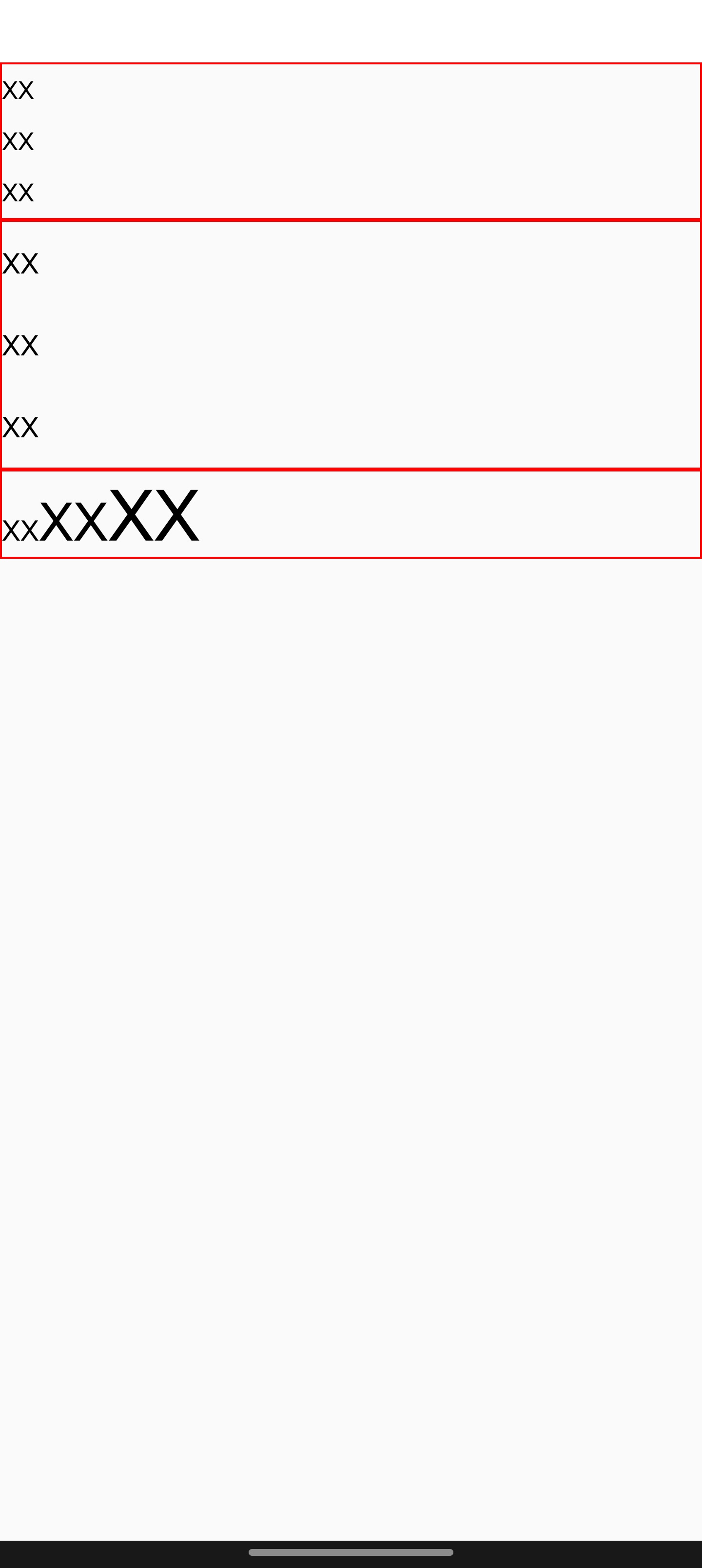
    语法

    line-height: normal;
    
    /* Unitless values: use this number multiplied
    by the element's font size */
    line-height: 3.5;

    取值

    • normal
      默认值。

    • <number>
      无单位的数字,表示行高为该数字乘以该元件的字体大小 (font-size)。

    • <length>
      指定行高的具体数值。

    形式定义

    初始值normal
    适用元素text
    是否支持继承yes
    是否支持动画no

    形式语法

    normal | <length> | <number>

    与 Web 的区别

    • line-height 属性只影响 <text> 元件,设置在其他标签上不会生效。

    注意事项

    • line-height 的值最好大于 font-size 的值,否则文本上下可能会被截断。

    • line-height 属于段落属性,不会作用于 inline text 上。

    兼容性

    LCD tables only load in the browser

    除非另有说明,本项目采用知识共享署名 4.0 国际许可协议进行许可,代码示例采用 Apache License 2.0 许可协议进行许可。