For AI agents: the complete documentation index is available at /next/zh/llms.txt, the full documentation bundle is available at /next/zh/llms-full.txt, and this page is available as Markdown at /next/zh/api/css/properties/text-shadow.md.
Lynx
  • 简体中文
  • text-shadow

    介绍

    text-shadow 属性为文字添加阴影。阴影值由元件在 X 和 Y 方向的偏移量、模糊半径和颜色值组成。

    使用示例
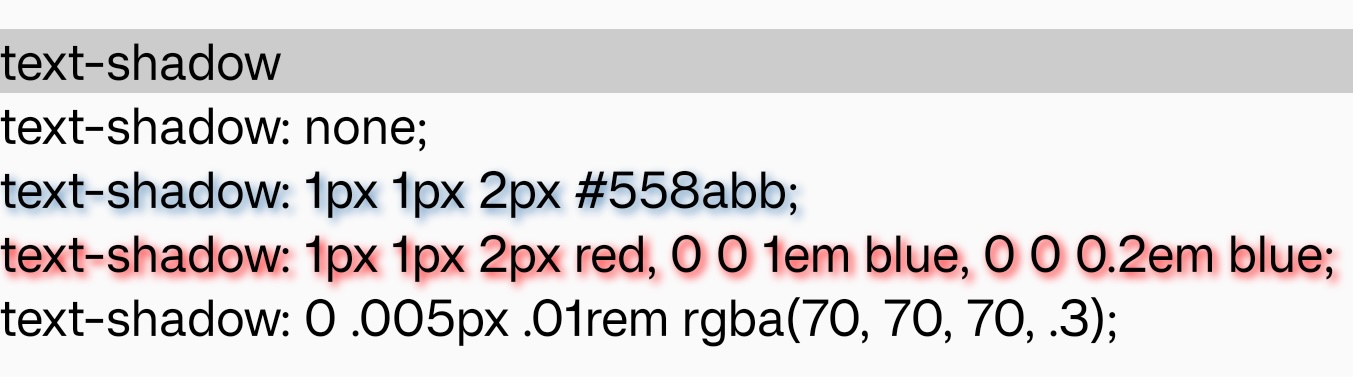
    语法

    /* offset-x | offset-y | blur-radius | color */
    text-shadow: 1px 1px 2px black;
    
    /* color | offset-x | offset-y | blur-radius */
    text-shadow: #fc0 1px 0 10px;
    
    /* offset-x | offset-y | color */
    text-shadow: 5px 5px #558abb;
    
    /* color | offset-x | offset-y */
    text-shadow: white 2px 5px;
    
    /* offset-x | offset-y
    /* Use defaults for color and blur-radius */
    text-shadow: 5px 10px;

    形式定义

    初始值空值
    适用元素text
    是否支持继承yes
    是否支持动画no

    形式语法

    none | [ <length>{3} <color> ]

    与 Web 的区别

    • 暂时只支持指定单层阴影,即使指定了多层阴影,也只有第一层会生效。

    • 指定阴影时,offset-x, offset-y, blur-radiuscolor 都不能省略。

    注意事项

    • 在某些 Android 平台上,blur-radius 的值为 0 时,阴影可能无法绘制。

    兼容性

    LCD tables only load in the browser

    除非另有说明,本项目采用知识共享署名 4.0 国际许可协议进行许可,代码示例采用 Apache License 2.0 许可协议进行许可。