

margin
Introduction
The margin CSS shorthand property sets the margin area on all four sides of an element.
This property is a shorthand for the following CSS properties: margin-top, margin-right, margin-bottom, margin-left.
Examples
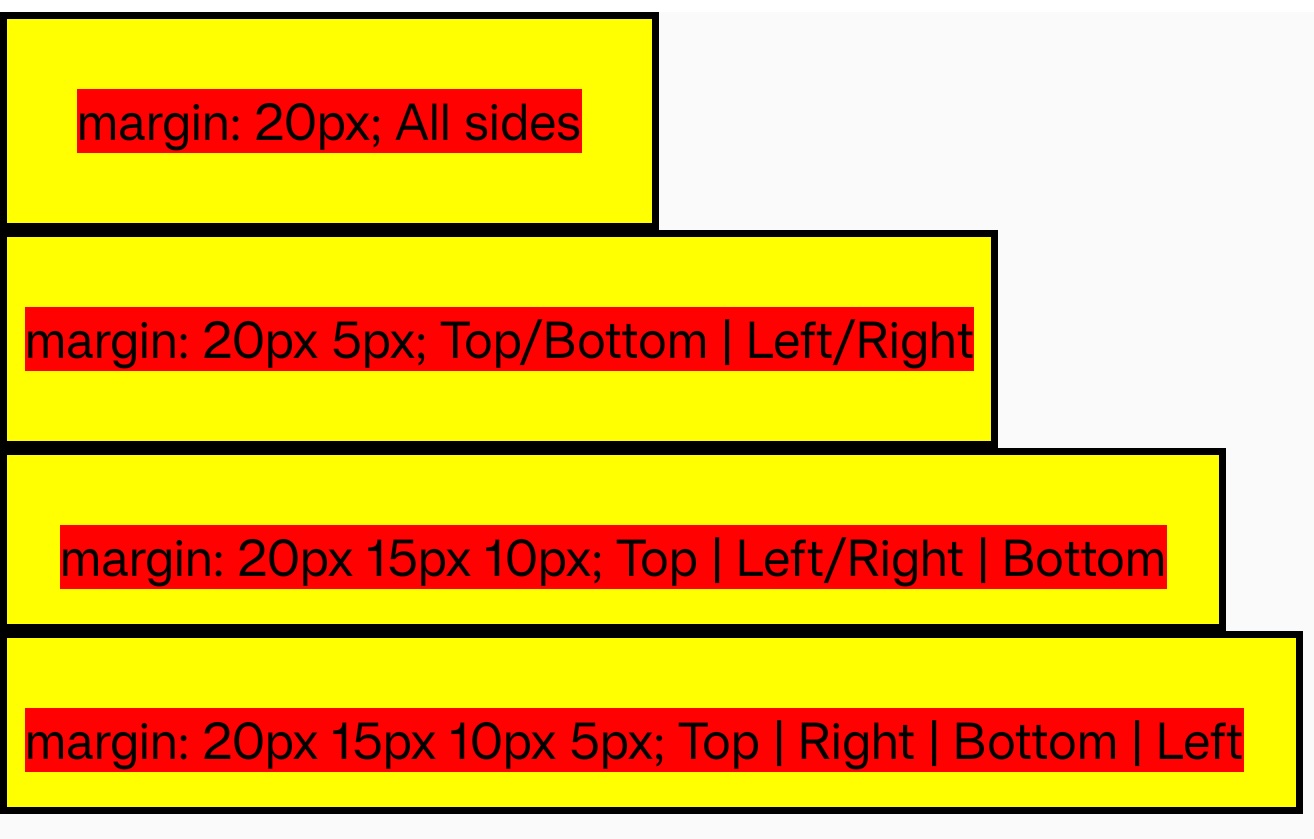
Syntax
The margin property may be specified using one, two, three, or four values. Each value is a <length>, a <percentage>, or the keyword auto. Negative values draw the element closer to its neighbors than it would be by default.
-
When one value is specified, it applies the same margin to all four sides.
-
When two values are specified, the first margin applies to the top and bottom, the second to the left and right.
-
When three values are specified, the first margin applies to the top, the second to the right and left, the third to the bottom.
-
When four values are specified, the margins apply to the top, right, bottom, and left in that order (clockwise).
Values
0px
Default value.
<length>
<length> means that the size of the margin as a fixed value.
<percentage>
The size of the margin as a percentage, relative to the inline size (width) of the containing block.
auto
Selects a suitable margin to use. For example, in certain cases this value can be used to center an element.
Currently, Lynx supports using auto in flex, grid and linear children that are not with position:fixed/absolute/sticky.
Additionally, in linear layout, it only supports using auto on the cross axis. We plan to support using auto on the main axis in the future.
Formal definition
| Initial value | as each of the properties of the shorthand:
|
| Applies to | all elements |
| Inherited | no |
| Animatable | |
| Percentages | refer to the width of the containing block |
Formal syntax
Difference with the Web
- In Lynx, margins will not collapse at any time.
- Currently, Lynx supports using
autoin flex, grid and linear children that are not withposition:fixed/absolute/sticky. Additionally, in linear layout, it only supports usingautoon the cross axis. We plan to support usingautoon the main axis in the future.
Compatibility
LCD tables only load in the browser