For AI agents: the complete documentation index is available at /next/llms.txt, the full documentation bundle is available at /next/llms-full.txt, and this page is available as Markdown at /next/api/css/properties/transform-origin.md.
Lynx
  • English
  • transform-origin

    Introduction

    The transform-origin CSS property sets the origin for an element's transformations.

    Examples
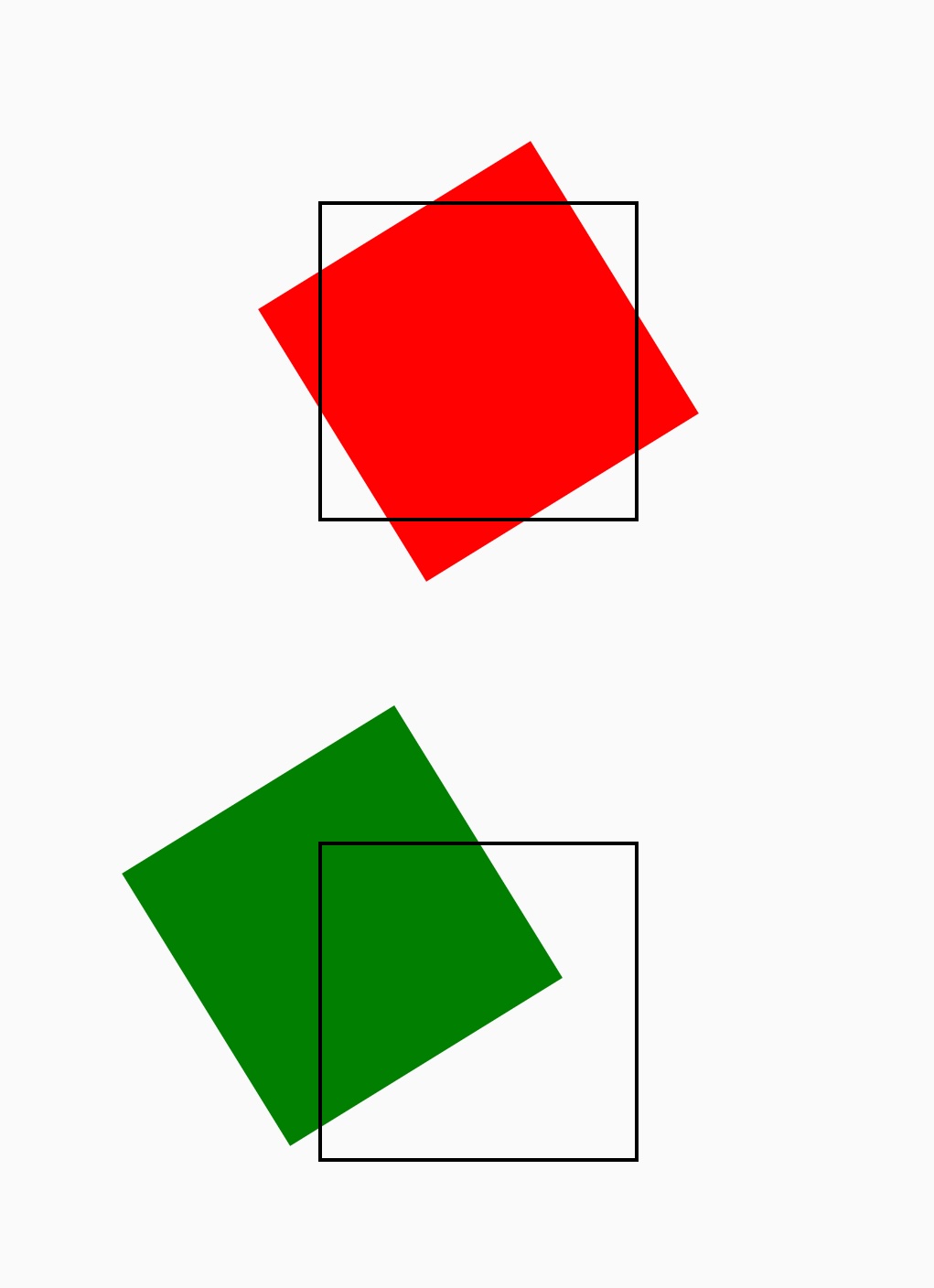
    Syntax

    /* x-offset | default */
    transform-origin: 2px;
    transform-origin: bottom;
    
    /* x-offset | y-offset */
    transform-origin: 3cm 2px;
    
    /* x-offset-keyword | y-offset */
    transform-origin: left 2px;
    
    /* x-offset-keyword | y-offset-keyword */
    transform-origin: right top;
    
    /* x-offset | y-offset */
    transform-origin: 2px 30%;
    
    /* x-offset-keyword | y-offset */
    transform-origin: left 5px;
    
    /* x-offset-keyword | y-offset-keyword */
    transform-origin: right bottom;

    Values

    The value of the transform-origin can be one or two. The first value represents x-offset, the second value represents y-offset, separated by a space.

    x-offset

    The value of x-offset can be length <length>, percentage <x-percentage>, keyword <x-offset-keyword>

    • length Length value, the unit is px,rem,rpx, etc.

    • x-percentage Percentage relative to parent ViewWidth.

    • x-offset-keyword

    KeywordValue
    left0%
    center50%
    right100%

    y-offset

    The value of y-offset can be length <length>, percentage <y-percentage>, keyword <y-offset-keyword>

    • length Length value, the unit is px,rem,rpx, etc.

    • y-percentage Percentage relative to parent ViewHeight.

    • y-offset-keyword

    KeywordValue
    top0%
    center50%
    bottom100%

    Formal definition

    Initial valueempty value
    Applies toall elements
    Inheritedno
    Animatableyes

    Difference from W3C

    • Transform-origin is not supported for z-axis

    Note

    • The first value of transform-origin always means x-offset, the second value always means y-offset, please do not write inverse.

    Compatibility

    LCD tables only load in the browser

    Except as otherwise noted, this work is licensed under a Creative Commons Attribution 4.0 International License, and code samples are licensed under the Apache License 2.0.