For AI agents: the complete documentation index is available at /next/llms.txt, the full documentation bundle is available at /next/llms-full.txt, and this page is available as Markdown at /next/api/css/properties/flex-basis.md.
Lynx
  • English
  • flex-basis

    Introduction

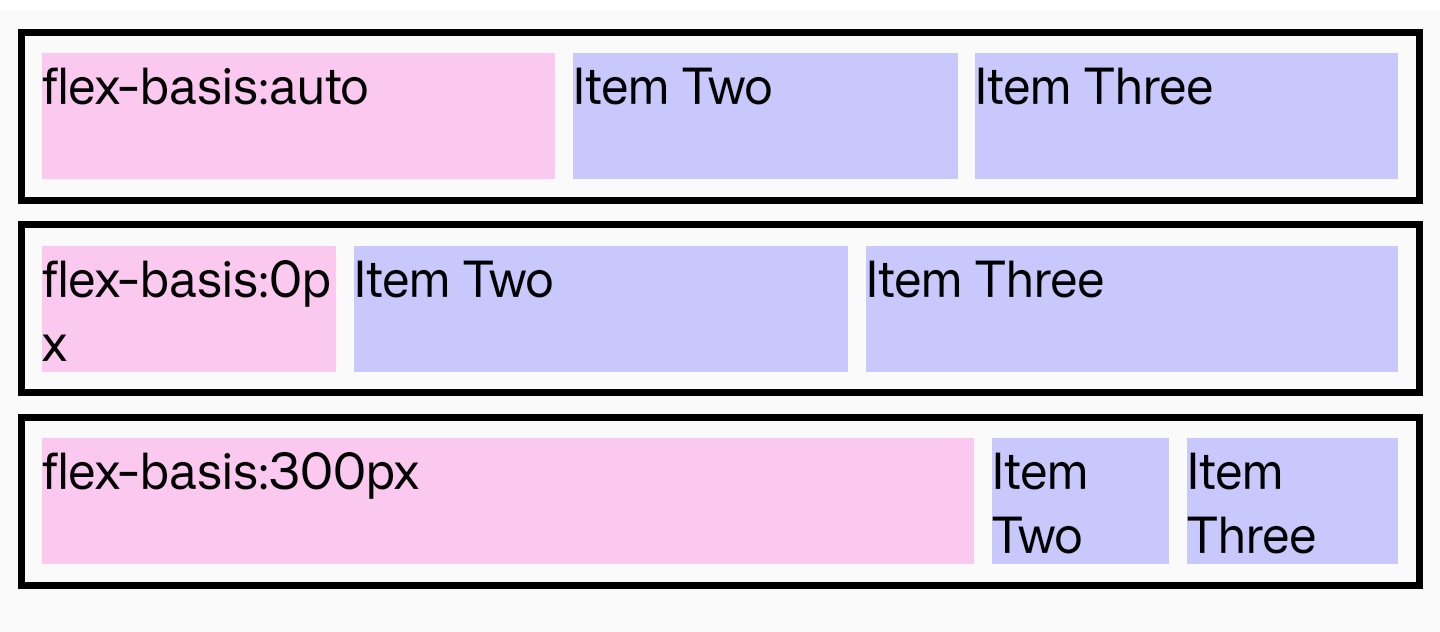
    The flex-basis CSS property sets the initial main size of a flex item. In case both flex-basis (other than auto) and width or height in case of flex-direction: column are set for an element, flex-basis has priority.

    Examples
    Syntax

    /* Specify <'width'> */
    flex-basis: 10em;
    flex-basis: 3px;
    flex-basis: 50%;
    flex-basis: auto;

    Values

    • auto

      Default value. refer to width and height.

    • <length>

      sets an absolute value.

    • <percentage>

      sets a percentage of the width or height of a containing block's content area.

    Formal definition

    Initial valueauto
    Applies toflex items
    Inheritedno
    Animatableyes
    Percentagesrefer to containing block's content area

    Formal syntax

    flex-basis = auto | <length-percentage [0,∞]>
    
    <length-percentage> =
      <length>      |
      <percentage>

    Difference with the web

    Compatibility

    LCD tables only load in the browser

    Except as otherwise noted, this work is licensed under a Creative Commons Attribution 4.0 International License, and code samples are licensed under the Apache License 2.0.