

<markdown> XElement
<markdown> renders Markdown content in Lynx, including headings, paragraphs, block quotes, lists, code, links, images, and tables. It also supports embedded Lynx views, typewriter animation, and text selection.
The host must integrate and register this native element. Run the examples in a Lynx Explorer build that includes <markdown>. See Compatibility for platform support of individual attributes and methods.
Usage
Basic
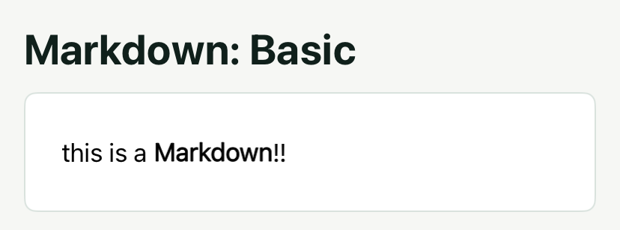
The above code demonstrates the simplest way to use it. Simply pass the Markdown-formatted text to the content prop of <markdown>. It will render a static Markdown page using the default styles.
Modify Styles
The inner elements of <markdown> are not Lynx elements, so they cannot be styled using CSS. However, we can use the markdown-style attribute to modify the styles of inner elements.
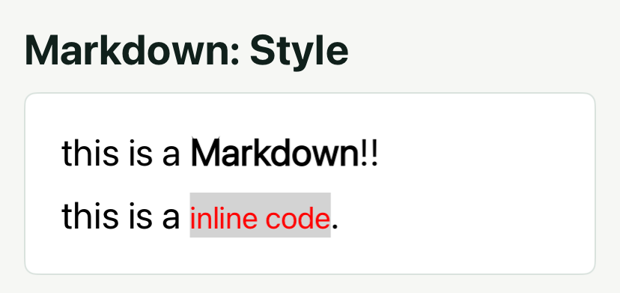
In the above code, we passed an object through the markdown-style attribute. This object represents the style configuration for all normalText elements (i.e., regular text) and inlineCode elements (i.e., inline code). In this case, we set the font size of all normalText elements to 25px and the font size of all inlineCode elements to 20px, with a color of red.
markdown-style is just such a series of tag-to-style configuration mappings. By using it, we can modify the style of a specific syntax. See Stylesheets for the supported tags and their configuration options.
<span> tag
By using tags, we can modify the style of all text of the same type. For example:
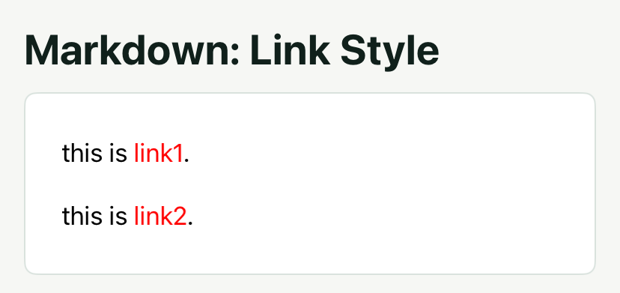
In the above code, both link1 and link2 will be affected by the link in the style sheet and thus set to red.
But what if we only want to modify the color of link1? <markdown> supports the simple <span> tag. We can wrap link1 with a <span> tag that has a class, and then configure the style corresponding to this class in markdown-style.
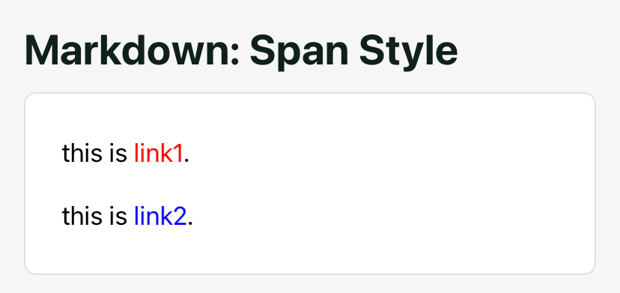
In the above code, we wrapped link1 with a <span> tag that has a class red, and then set the style of this class in markdown-style.
<p> tag
Similarly, we can use the <p> tag to set the style of paragraphs, such as line height and alignment:
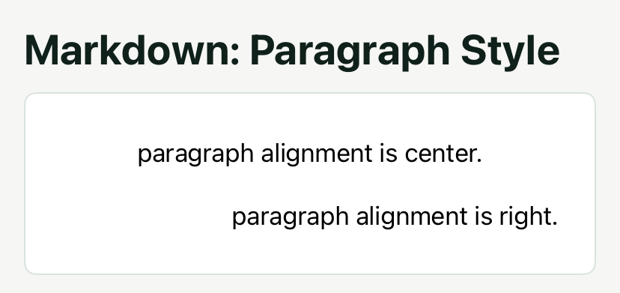
The supported HTML tags are <span> for text styles and <p> for paragraph styles. Define their styles through a class in markdown-style; inline HTML styles and other HTML tags are not supported.
Images
Inserting images in <markdown> is just like Markdown. For example:
Image Size
Markdown does not support directly controlling the size of inserted images. However, <markdown> supports adding width and height to the image URL to control the size of the image.
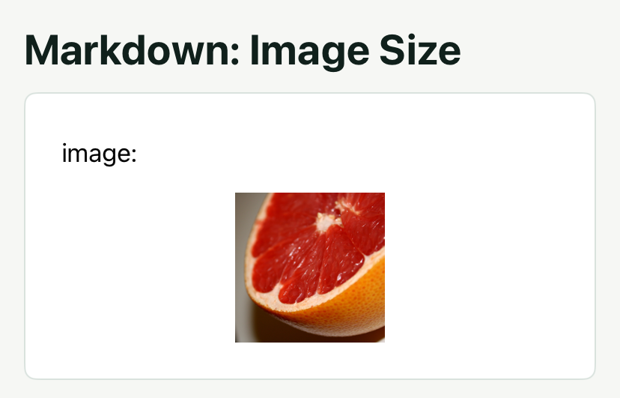
The values of width and height must be numbers in px, with no spaces around the equals sign.
Image Captions
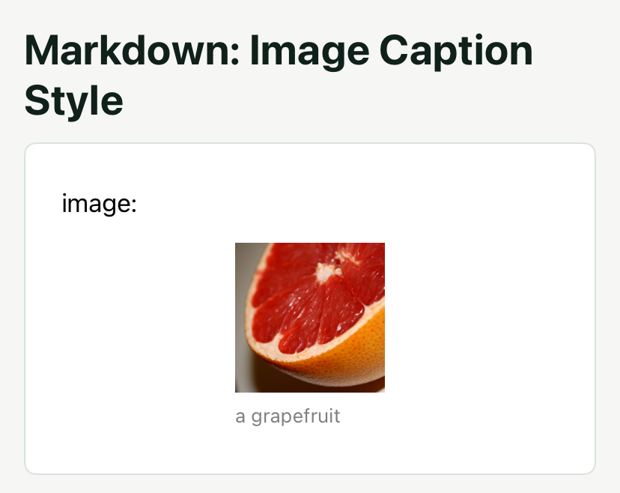
<markdown> supports image caption syntax, just like Markdown. Adding a caption is as simple as .
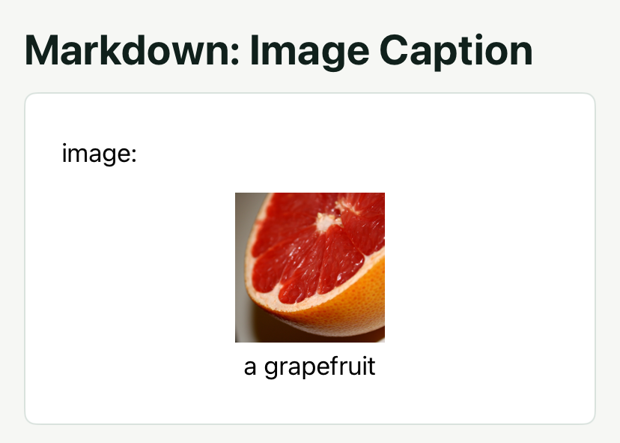
Similar to other text, the image caption can also have its style configured through markdown-style. The imageCaption configuration item in markdown-style is used to set the style of the image caption. For specific configuration items, see Style Sheet.
GIF
Android supports GIF animation by default. Set enable-gif={true} to enable it on iOS.

Embedded Lynx Views
Markdown's syntax is quite limited, and to implement some complex cases, we can insert some custom Lynx Views. For example, we can insert a gradient color text:
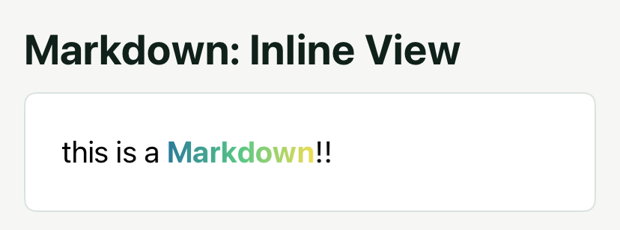
In the above code, we inserted a gradient color text by using . The mkd view is a child view of markdown, and it contains the gradient color text we need.
inlineview can be set vertical-align to configure the vertical alignment. The default value is baseline, and in the above code, we set it to center to make the text align properly.
inlineview must be a child view of markdown, and flatten must be set to false to avoid rendering issues.
Text Marks
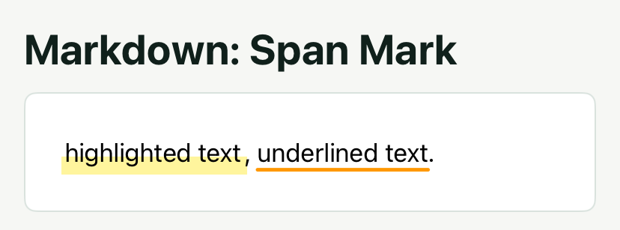
Highlight and Underline a Span
Assign a class to <span>, then configure its backgroundImage, textDecorationLine, and related properties in markdown-style.
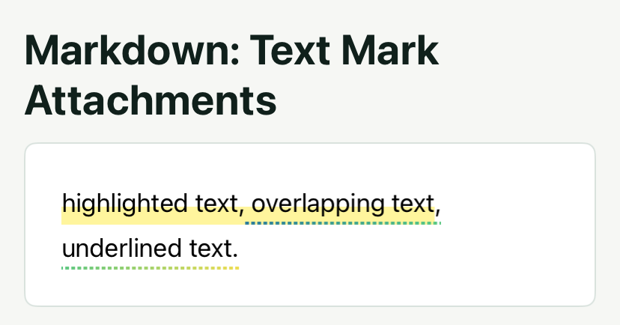
Mark a Text Range
Use text-mark-attachments to apply highlights, borders, or gradient underlines to a range. indexType="source" indexes the Markdown source; indexType="char" indexes parsed characters.
Truncation
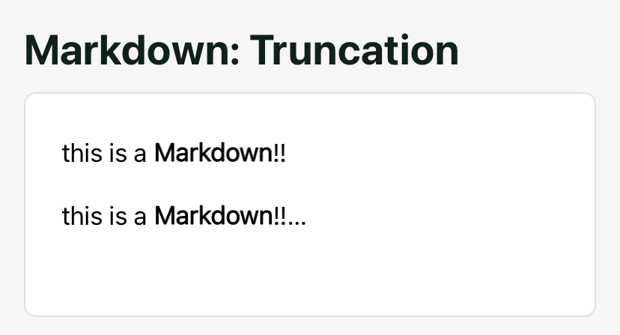
markdown comes with a built-in truncation feature. Whether to add an ellipsis can be set through the overflow property. The default value is ellipsis, which means an ellipsis will be added. Setting it to clip means no ellipsis will be added. Tables do not support adding ellipses.
You can control the maximum number of text lines through the text-maxline property, and control the maximum text height through the height style. When both are present, they will take effect simultaneously.
Custom Truncation Text
By default, the truncation text is an ellipsis. To modify the truncation text, you need to configure it through markdown-style. markdown-style has a special tag truncation used to set the truncation text.
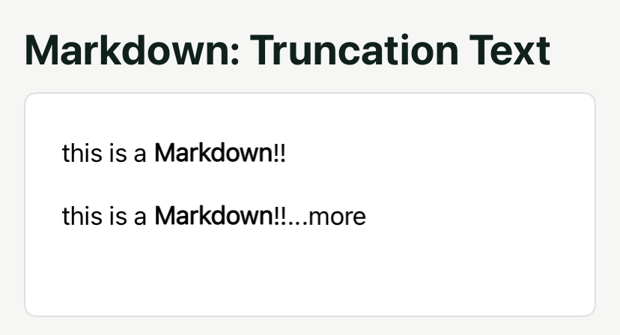
The above code sets the truncation text to "...more", which will be added at the end of the truncated text instead of an ellipsis.
Custom Truncation View
The truncation text can also be a Lynx View. You only need to set truncationType to view in truncation and set content to a view id. Similar to inlineview, the child view corresponding to content will replace the truncation text.
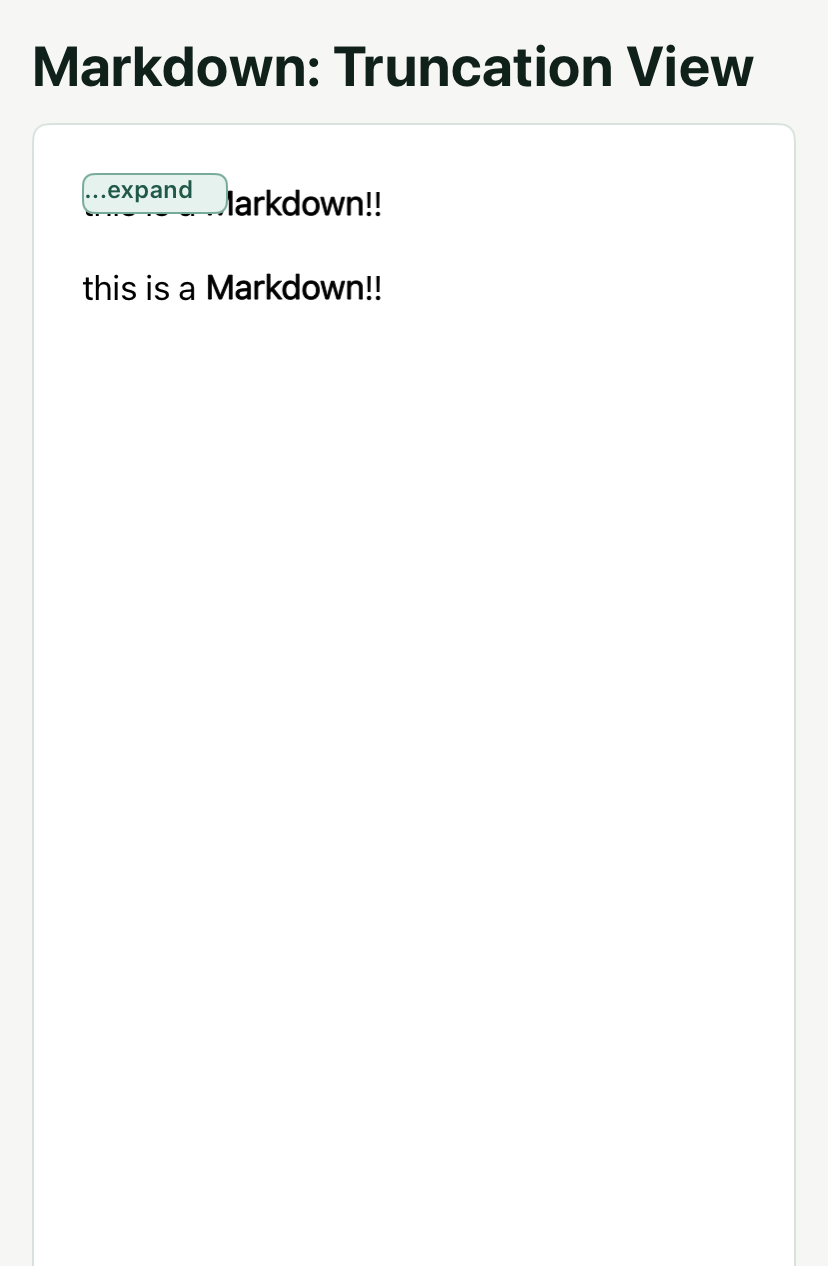
Using Lynx View as truncation text allows for more custom effects, such as listening to click events on the truncation text and expanding all content when clicked.
Typewriter
Typewriter animations are very common in AI outputs. markdown directly supports typewriter animations. We can enable the typewriter animation by setting animation-type to typewriter. Meanwhile, we can set the speed of the typewriter animation using animation-velocity, with the unit being characters per second.

Custom Cursor
By default, the typewriter cursor is an ellipsis. If you want to change the cursor, you can set it through markdown-style. markdown-style has a special tag for setting the typewriter cursor, which is typewriterCursor.

In typewriterCursor, you can specify the cursor through customCursor. Similar to inlineview, the value of customCursor needs to be an id, and the child view with this id will replace the cursor during typing.
Keep the Cursor Visible
By default, the typewriter cursor will be hidden after the current content is output. However, in some cases, we may not want the cursor to be hidden until the content is complete. In this case, we can set content-complete to false to make the cursor always visible.

Text Fade Effect
If you want the text to fade out at the end of the typing instead of using a cursor at the end, you can set customCursor in typewriterCursor to "none" to disable the cursor, and then use markdown-effect to set the fade effect of the text.

In the above code, we added a text mask effect through markdown-effect. It will add a semi-transparent mask layer on the last 4 characters of the text.
Here we also listen to the drawEnd event, which is because markdown-effect will not be automatically removed after the typing is complete, but the drawEnd event will be triggered after the typing is complete, and in the callback of this event, we can clear markdown-effect to remove the fade effect of the text.
Like the cursor, when content-complete is set to false, the drawEnd event will not be triggered after the typing is complete. Therefore, the above code will remove the fade effect of the text after the content is complete and the typing is complete.
Text Selection
Enable Selection
Set text-selection={true} to allow users to select text.
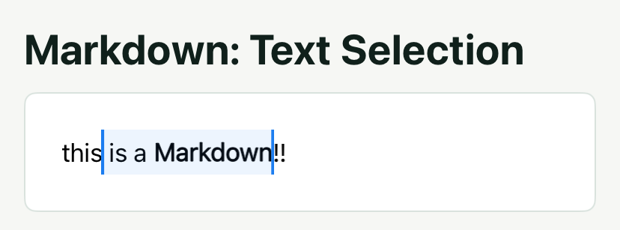
Long-press the text to start a selection. Provide your own menu and actions; enabling selection does not add a clipboard menu.
Implement a Menu
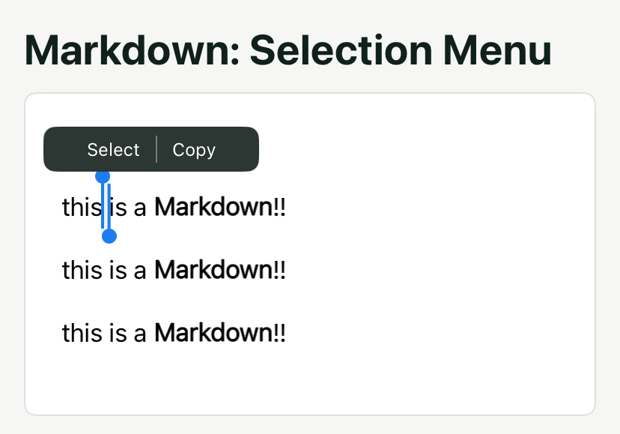
getTextBoundingRect returns page coordinates. Subtract the containing view’s boundingClientRect coordinates before positioning an absolute menu inside it. This example displays the menu; the following examples add button actions.
When the selected area changes, the selectionchange event will be triggered, and the event parameters will contain the start position and end position of the selected area. If the current selected area is empty, both the start position and end position will be -1. We can use this to determine whether to display or hide the menu.
After displaying the menu, we need to adjust the position of the menu based on the selected area. We can use the getTextBoundingRect method to get the position of the selected area. This method needs to pass in the start position and end position of the selected area, and the return value is a TextBoundingRect object. The object contains the total bounding rect of the selected area and the bounding rect of each line of the selected area.
Use the total bounding rectangle to center the menu above the selection:
Extend the Selection
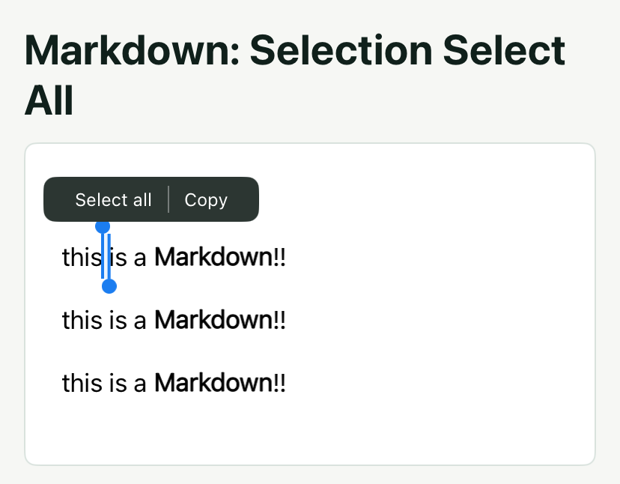
markdown component provides a setTextSelection method to set the selected area from the front end. The parameters of the method are the starting touch position and the ending touch position of the selected area.
We listen to the click event of the "select all" text, and in the callback of the click event, we set the starting touch position to (0, 0) and the ending touch position to (MAX_VALUE, MAX_VALUE).
Read Selected Text
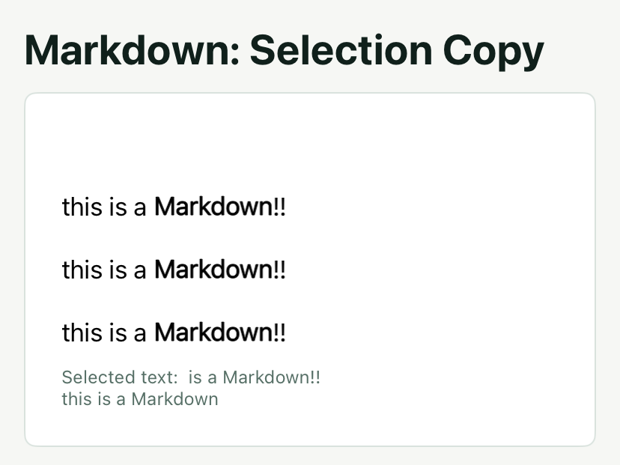
Use getSelectedText to read plain text from the selection. The example displays the returned text when you tap Get text, then clears the selection and hides the menu. This method does not write to the system clipboard. To copy the text, call a Native Module provided by the host.
Select a Paragraph or Sentence
setTextSelection takes coordinates relative to <markdown>. When selecting a paragraph from the center of a text bounding rectangle, subtract the markdown element’s page coordinates before passing equal start and end points.
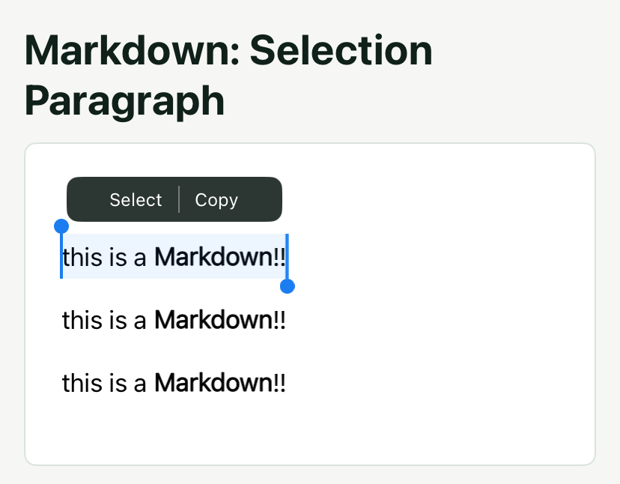
By default, markdown only selects the character at the touch position when long pressed. If you want to select a paragraph or sentence, you need to adjust the selected area in the selectionchange event.
setTextSelection method also has a selectionTextType parameter. When the start and end positions are the same, this parameter will take effect. It is used to specify the type of selected text, which can be char, word, sentence, and paragraph.
By setting this parameter to paragraph, you can select a paragraph. Similarly, by setting this parameter to sentence, you can select a sentence.
Properties
The frontend can set the corresponding properties on the component to define the runtime behavior of the component, as shown below.
content
markdown content
content-id
Used as a unique identifier for content, for consumption in events.
markdown-style
markdown style, for specific formats please refer to Stylesheets
animation-type
markdown animation style, optional typewriter effect
animation-velocity
Speed of markdown typewriter effect
text-maxline
maximum number of markdown text lines
overflow
Choose an ellipsis or clipping when text overflows. Defaults to ellipsis.
initial-animation-step
Specifies the start position of markdown animation
content-complete
Indicates if the current content is complete. If true, the cursor will be hidden after the animation ends, otherwise, the cursor remains visible
typewriter-dynamic-height
Configures typewriter effect to dynamically change element height
text-selection
Configures whether the markdown content is selectable
text-mark-attachments
Used for complex highlighting: overlapping segments, line-wrapping, combined with underlines or strokes.
content-range
Configures the parsing range for markdown content
markdown-effect
Configure additional rendering effects. A text mask uses { type: 'text-mask', color, rangeStart, rangeEnd }; see Text Fade Effect.
typewriter-height-transition-duration
Set the transition duration in seconds when typewriter content changes height. The default is 0. Use with typewriter-dynamic-height.
enable-gif
Configure whether to enable GIF animation on iOS. Android supports GIF animation by default.
Events
The frontend can bind corresponding event callbacks on the component to monitor the runtime behavior of the component, as shown below.
binddrawStart
Event for markdown drawing start
binddrawEnd
Event for markdown drawing end
bindanimationStep
Callback event for each markdown animation frame
bindoverflow
Event for markdown text overflow
bindlink
Event for markdown link click
bindselectionchange
Event for markdown cursor change
bindimageTap
Event for markdown image click
bindparseEnd
Event for markdown parsing end
bindtextClick
Triggered when an attachment with clickable set in text-mark-attachments is clicked; the event returns the id of that attachment.
Methods
The frontend can use the SelectorQuery API to execute the component's methods, as shown below:
pauseAnimation
Pause animation
resumeAnimation
Resume animation
getContent
Get parsed content
getSelectedText
Get selected text
setTextSelection
Set text selection box
getTextBoundingRect
Get bounding rect of the given range.
getImages
Get all images in the markdown
getParseResult
Get parsing results for specified tags
Stylesheets
normalText - Normal Text Style
Supported properties:
- backgroundColor (color) - Background color
- color (color) - Text color
- direction (enum: normal, ltr, rtl) - Text direction
- font (font) - Font
- fontSize (float) - Font size
- fontWeight (enum: normal, bold, 100-900) - Font weight
- lastLineAlignment (enum: left, center, right, justify) - Last line alignment
- lineHeight (float) - Line height
- lineSpace (float) - Line spacing
- marginBottom (float) - Bottom margin
- marginLeft (float) - Left margin
- marginRight (float) - Right margin
- marginTop (float) - Top margin
- paddingBottom (float) - Bottom padding
- paddingLeft (float) - Left padding
- paddingRight (float) - Right padding
- paddingTop (float) - Top padding
- paragraphSpace (float) - Paragraph spacing
- textAlign (enum: left, center, right, justify) - Text alignment
- textIndent (float) - Text indent
- textMaxline (int) - Maximum lines
- textOverflow (enum: clip, ellipsis) - Text overflow
- wordBreak (enum: normal, break-all) - Word break
h1 - Level 1 Heading Style
Supported properties:
- backgroundColor (color) - Background color
- color (color) - Text color
- direction (enum: normal, ltr, rtl) - Text direction
- font (font) - Font settings
- fontSize (float) - Font size
- fontWeight (enum: normal, bold, 100-900) - Font weight
- lastLineAlignment (enum: left, center, right, justify) - Last line alignment
- lineHeight (float) - Line height
- lineSpace (float) - Line spacing
- marginBottom (float) - Bottom margin
- marginLeft (float) - Left margin
- marginRight (float) - Right margin
- marginTop (float) - Top margin
- paddingBottom (float) - Bottom padding
- paddingLeft (float) - Left padding
- paddingRight (float) - Right padding
- paddingTop (float) - Top padding
- paragraphSpace (float) - Paragraph spacing
- textAlign (enum: left, center, right, justify) - Text alignment
- textIndent (float) - Text indent
- textMaxline (int) - Maximum lines
- textOverflow (enum: clip, ellipsis) - Text overflow handling
- wordBreak (enum: normal, break-all) - Word break
h2 - Level 2 Heading Style
Supported properties:
- backgroundColor (color) - Background color
- color (color) - Text color
- direction (enum: normal, ltr, rtl) - Text direction
- font (font) - Font settings
- fontSize (float) - Font size
- fontWeight (enum: normal, bold, 100-900) - Font weight
- lastLineAlignment (enum: left, center, right, justify) - Last line alignment
- lineHeight (float) - Line height
- lineSpace (float) - Line spacing
- marginBottom (float) - Bottom margin
- marginLeft (float) - Left margin
- marginRight (float) - Right margin
- marginTop (float) - Top margin
- paddingBottom (float) - Bottom padding
- paddingLeft (float) - Left padding
- paddingRight (float) - Right padding
- paddingTop (float) - Top padding
- paragraphSpace (float) - Paragraph spacing
- textAlign (enum: left, center, right, justify) - Text alignment
- textIndent (float) - Text indent
- textMaxline (int) - Maximum lines
- textOverflow (enum: clip, ellipsis) - Text overflow handling
- wordBreak (enum: normal, break-all) - Word break
h3 - Level 3 Heading Style
Supported properties:
- backgroundColor (color) - Background color
- color (color) - Text color
- direction (enum: normal, ltr, rtl) - Text direction
- font (font) - Font settings
- fontSize (float) - Font size
- fontWeight (enum: normal, bold, 100-900) - Font weight
- lastLineAlignment (enum: left, center, right, justify) - Last line alignment
- lineHeight (float) - Line height
- lineSpace (float) - Line spacing
- marginBottom (float) - Bottom margin
- marginLeft (float) - Left margin
- marginRight (float) - Right margin
- marginTop (float) - Top margin
- paddingBottom (float) - Bottom padding
- paddingLeft (float) - Left padding
- paddingRight (float) - Right padding
- paddingTop (float) - Top padding
- paragraphSpace (float) - Paragraph spacing
- textAlign (enum: left, center, right, justify) - Text alignment
- textIndent (float) - Text indent
- textMaxline (int) - Maximum lines
- textOverflow (enum: clip, ellipsis) - Text overflow handling
- wordBreak (enum: normal, break-all) - Word break
h4 - Level 4 Heading Style
Supported properties:
- backgroundColor (color) - Background color
- color (color) - Text color
- direction (enum: normal, ltr, rtl) - Text direction
- font (font) - Font settings
- fontSize (float) - Font size
- fontWeight (enum: normal, bold, 100-900) - Font weight
- lastLineAlignment (enum: left, center, right, justify) - Last line alignment
- lineHeight (float) - Line height
- lineSpace (float) - Line spacing
- marginBottom (float) - Bottom margin
- marginLeft (float) - Left margin
- marginRight (float) - Right margin
- marginTop (float) - Top margin
- paddingBottom (float) - Bottom padding
- paddingLeft (float) - Left padding
- paddingRight (float) - Right padding
- paddingTop (float) - Top padding
- paragraphSpace (float) - Paragraph spacing
- textAlign (enum: left, center, right, justify) - Text alignment
- textIndent (float) - Text indent
- textMaxline (int) - Maximum lines
- textOverflow (enum: clip, ellipsis) - Text overflow handling
- wordBreak (enum: normal, break-all) - Word break
h5 - Level 5 Heading Style
Supported properties:
- backgroundColor (color) - Background color
- color (color) - Text color
- direction (enum: normal, ltr, rtl) - Text direction
- font (font) - Font settings
- fontSize (float) - Font size
- fontWeight (enum: normal, bold, 100-900) - Font weight
- lastLineAlignment (enum: left, center, right, justify) - Last line alignment
- lineHeight (float) - Line height
- lineSpace (float) - Line spacing
- marginBottom (float) - Bottom margin
- marginLeft (float) - Left margin
- marginRight (float) - Right margin
- marginTop (float) - Top margin
- paddingBottom (float) - Bottom padding
- paddingLeft (float) - Left padding
- paddingRight (float) - Right padding
- paddingTop (float) - Top padding
- paragraphSpace (float) - Paragraph spacing
- textAlign (enum: left, center, right, justify) - Text alignment
- textIndent (float) - Text indent
- textMaxline (int) - Maximum lines
- textOverflow (enum: clip, ellipsis) - Text overflow handling
- wordBreak (enum: normal, break-all) - Word break
h6 - Level 6 Heading Style
Supported properties:
- backgroundColor (color) - Background color
- color (color) - Text color
- direction (enum: normal, ltr, rtl) - Text direction
- font (font) - Font settings
- fontSize (float) - Font size
- fontWeight (enum: normal, bold, 100-900) - Font weight
- lastLineAlignment (enum: left, center, right, justify) - Last line alignment
- lineHeight (float) - Line height
- lineSpace (float) - Line spacing
- marginBottom (float) - Bottom margin
- marginLeft (float) - Left margin
- marginRight (float) - Right margin
- marginTop (float) - Top margin
- paddingBottom (float) - Bottom padding
- paddingLeft (float) - Left padding
- paddingRight (float) - Right padding
- paddingTop (float) - Top padding
- paragraphSpace (float) - Paragraph spacing
- textAlign (enum: left, center, right, justify) - Text alignment
- textIndent (float) - Text indent
- textMaxline (int) - Maximum lines
- textOverflow (enum: clip, ellipsis) - Text overflow handling
- wordBreak (enum: normal, break-all) - Word break
link - Link Style
Supported properties:
- backgroundColor (color) - Background color
- color (color) - Text color
- font (font) - Font settings
- fontSize (float) - Font size
- fontWeight (enum: normal, bold, 100-900) - Font weight
- textDecorationColor (color) - Text decoration color
- textDecorationLine (enum: none, underline, overline, line-through) - Text decoration line
- textDecorationStyle (enum: none, solid, double, dotted, dashed, wavy) - Text decoration style
- textDecorationThickness (float) - Text decoration thickness
inlineCode - Inline Code Style
Supported properties:
- backgroundColor (color) - Background color
- borderColor (color) - Border color
- borderRadius (float) - Border radius
- borderWidth (float) - Border width
- color (color) - Text color
- font (font) - Font settings
- fontSize (float) - Font size
- fontWeight (enum: normal, bold, 100-900) - Font weight
- marginLeft (float) - Left margin
- marginRight (float) - Right margin
- paddingLeft (float) - Left padding
- paddingRight (float) - Right padding
codeBlock - Code Block Style
Supported properties:
- backgroundColor (color) - Background color
- borderColor (color) - Border color
- borderRadius (float) - Border radius
- borderType (enum: none, solid) - Border type
- borderWidth (float) - Border width
- color (color) - Text color
- direction (enum: normal, ltr, rtl) - Text direction
- font (font) - Font settings
- fontSize (float) - Font size
- fontWeight (enum: normal, bold, 100-900) - Font weight
- lastLineAlignment (enum: left, center, right, justify) - Last line alignment
- lineHeight (float) - Line height
- lineSpace (float) - Line spacing
- marginBottom (float) - Bottom margin
- marginLeft (float) - Left margin
- marginRight (float) - Right margin
- marginTop (float) - Top margin
- maxWidth (float) - Maximum width
- paddingBottom (float) - Bottom padding
- paddingLeft (float) - Left padding
- paddingRight (float) - Right padding
- paddingTop (float) - Top padding
- paragraphSpace (float) - Paragraph spacing
- scrollX (bool) - Horizontal scroll
- textAlign (enum: left, center, right, justify) - Text alignment
- textIndent (float) - Text indent
- textMaxline (int) - Maximum lines
- textOverflow (enum: clip, ellipsis) - Text overflow handling
- wordBreak (enum: normal, break-all) - Word break
quote - Quote Style
Supported properties:
- backgroundColor (color) - Background color
- borderColor (color) - Border color
- borderRadius (float) - Border radius
- borderType (enum: none, solid) - Border type
- borderWidth (float) - Border width
- color (color) - Text color
- direction (enum: normal, ltr, rtl) - Text direction
- font (font) - Font settings
- fontSize (float) - Font size
- fontWeight (enum: normal, bold, 100-900) - Font weight
- indent (float) - Indent
- lastLineAlignment (enum: left, center, right, justify) - Last line alignment
- lineHeight (float) - Line height
- lineSpace (float) - Line spacing
- marginBottom (float) - Bottom margin
- marginLeft (float) - Left margin
- marginRight (float) - Right margin
- marginTop (float) - Top margin
- paddingBottom (float) - Bottom padding
- paddingLeft (float) - Left padding
- paddingRight (float) - Right padding
- paddingTop (float) - Top padding
- paragraphSpace (float) - Paragraph spacing
- textAlign (enum: left, center, right, justify) - Text alignment
- textIndent (float) - Text indent
- textMaxline (int) - Maximum lines
- textOverflow (enum: clip, ellipsis) - Text overflow handling
- wordBreak (enum: normal, break-all) - Word break
orderedList - Ordered List Style
Supported properties:
- backgroundColor (color) - Background color
- color (color) - Text color
- direction (enum: normal, ltr, rtl) - Text direction
- font (font) - Font settings
- fontSize (float) - Font size
- fontWeight (enum: normal, bold, 100-900) - Font weight
- indent (float) - Indent
- lastLineAlignment (enum: left, center, right, justify) - Last line alignment
- lineHeight (float) - Line height
- lineSpace (float) - Line spacing
- marginBottom (float) - Bottom margin
- marginLeft (float) - Left margin
- marginRight (float) - Right margin
- marginTop (float) - Top margin
- numberColor (color) - Number color
- numberFont (font) - Number font
- numberFontSize (float) - Number font size
- numberMarginRight (float) - Number right margin
- numberType (enum: number, alphabet, roman-numerals, mixed) - Number type
- paddingBottom (float) - Bottom padding
- paddingLeft (float) - Left padding
- paddingRight (float) - Right padding
- paddingTop (float) - Top padding
- paragraphSpace (float) - Paragraph spacing
- textAlign (enum: left, center, right, justify) - Text alignment
- textIndent (float) - Text indent
- textMaxline (int) - Maximum lines
- textOverflow (enum: clip, ellipsis) - Text overflow handling
- wordBreak (enum: normal, break-all) - Word break
unorderedList - Unordered List Style
Supported properties:
- backgroundColor (color) - Background color
- color (color) - Text color
- direction (enum: normal, ltr, rtl) - Text direction
- font (font) - Font settings
- fontSize (float) - Font size
- fontWeight (enum: normal, bold, 100-900) - Font weight
- indent (float) - Indent
- lastLineAlignment (enum: left, center, right, justify) - Last line alignment
- lineHeight (float) - Line height
- lineSpace (float) - Line spacing
- marginBottom (float) - Bottom margin
- marginLeft (float) - Left margin
- marginRight (float) - Right margin
- marginTop (float) - Top margin
- markColor (color) - Mark color
- markMarginRight (float) - Mark right margin
- markSize (float) - Mark size
- markType (enum: ring, circle, square, mixed) - Mark type
- paddingBottom (float) - Bottom padding
- paddingLeft (float) - Left padding
- paddingRight (float) - Right padding
- paddingTop (float) - Top padding
- paragraphSpace (float) - Paragraph spacing
- textAlign (enum: left, center, right, justify) - Text alignment
- textMaxline (int) - Maximum lines
- textOverflow (enum: clip, ellipsis) - Text overflow handling
- wordBreak (enum: normal, break-all) - Word break
table - Table Style
Supported properties:
- altColor (color) - Alternative color
- backgroundColor (color) - Background color
- borderColor (color) - Border color
- borderRadius (float) - Border radius
- borderWidth (float) - Border width
- marginBottom (float) - Bottom margin
- marginLeft (float) - Left margin
- marginRight (float) - Right margin
- marginTop (float) - Top margin
- maxWidth (float) - Maximum width
- minWidth (float) - Minimum width
- paddingBottom (float) - Bottom padding
- paddingLeft (float) - Left padding
- paddingRight (float) - Right padding
- paddingTop (float) - Top padding
- scrollX (bool) - Horizontal scroll
- tableBackground (enum: none, solid, chess-board) - Table background
- tableBorder (enum: none, full-rect, underline) - Table border
tableCell - Table Cell Style
Supported properties:
- backgroundColor (color) - Background color
- color (color) - Text color
- direction (enum: normal, ltr, rtl) - Text direction
- font (font) - Font settings
- fontSize (float) - Font size
- fontWeight (enum: normal, bold, 100-900) - Font weight
- lastLineAlignment (enum: left, center, right, justify) - Last line alignment
- lineHeight (float) - Line height
- lineSpace (float) - Line spacing
- marginBottom (float) - Bottom margin
- marginLeft (float) - Left margin
- marginRight (float) - Right margin
- marginTop (float) - Top margin
- maxWidth (float) - Maximum width
- paddingBottom (float) - Bottom padding
- paddingLeft (float) - Left padding
- paddingRight (float) - Right padding
- paddingTop (float) - Top padding
- textAlign (enum: left, center, right, justify) - Text alignment
- textIndent (float) - Text indent
- wordBreak (enum: normal, break-all) - Word break
split - Divider Style
Supported properties:
- borderColor (color) - Color
- borderWidth (float) - Width
- marginBottom (float) - Bottom margin
- marginTop (float) - Top margin
typewriterCursor - Typewriter Cursor Style
Supported properties:
- customCursor (string) - Custom cursor
- verticalAlign (enum: baseline, top, center, bottom) - Cursor vertical alignment
truncation - Truncation Style
Supported properties:
- content (string) - Truncation content
- truncationType (enum: text, view) - Truncation type
listItem - List Item Style
Supported properties:
- marginBottom (float) - Bottom margin
- marginTop (float) - Top margin
- paddingBottom (float) - Bottom padding
- paddingTop (float) - Top padding
tableHeader - Table Header Style
Supported properties:
- backgroundColor (color) - Background color
- color (color) - Text color
- direction (enum: normal, ltr, rtl) - Text direction
- font (font) - Font settings
- fontSize (float) - Font size
- fontWeight (enum: normal, bold, 100-900) - Font weight
- lastLineAlignment (enum: left, center, right, justify) - Last line alignment
- lineHeight (float) - Line height
- lineSpace (float) - Line spacing
- paddingBottom (float) - Bottom padding
- paddingLeft (float) - Left padding
- paddingRight (float) - Right padding
- paddingTop (float) - Top padding
- paragraphSpace (float) - Paragraph spacing
- textAlign (enum: left, center, right, justify) - Text alignment
- textIndent (float) - Text indent
- textMaxline (int) - Maximum lines
- textOverflow (enum: clip, ellipsis) - Text overflow handling
- verticalAlign (enum: baseline, top, center, bottom) - Vertical alignment
- wordBreak (enum: normal, break-all) - Word break
image - Image Style
Supported properties:
- altImage (string) - Alternative image
- enableAltText (bool) - Enable alternative text
- height (float) - Height
- width (float) - Width
quoteBorderLine - Quote Border Line Style
Supported properties:
- color (color) - Text color
- lineType (enum: none, solid, dashed) - Line type
- radius (float) - Radius
- shrink (float) - Shrink
- width (float) - Width
unorderedListMarker - Unordered List Marker Style
Supported properties:
- color (color) - Text color
- height (float) - Height
- marginBottom (float) - Bottom margin
- marginLeft (float) - Left margin
- marginRight (float) - Right margin
- marginTop (float) - Top margin
- markType (enum: ring, circle, square, mixed) - Mark type
- width (float) - Width
<span> - Span Style
Supported properties:
- backgroundColor (color) - Background color
- backgroundImage (string) - Background image
- borderColor (color) - Border color
- borderRadius (float) - Border radius
- borderWidth (float) - Border width
- color (color) - Text color
- direction (enum: normal, ltr, rtl) - Text direction
- font (font) - Font settings
- fontSize (float) - Font size
- fontWeight (enum: normal, bold, 100-900) - Font weight
- marginLeft (float) - Left margin
- marginRight (float) - Right margin
- paddingLeft (float) - Left padding
- paddingRight (float) - Right padding
- textDecorationColor (color) - Text decoration line color
- textDecorationLine (enum: none, underline, overline, line-through) - Text decoration line type
- textDecorationStyle (enum: none, solid, double, dotted, dashed, wavy) - Text decoration line style
- textDecorationThickness (float) - Text decoration line width
<p> - Paragraph Style
Supported properties:
- direction (enum: normal, ltr, rtl) - Text direction
- lastLineAlignment (enum: left, center, right, justify) - Last line alignment
- lineHeight (float) - Line height
- lineSpace (float) - Line spacing
- marginBottom (float) - Bottom margin
- marginTop (float) - Top margin
- paddingBottom (float) - Bottom padding
- paddingTop (float) - Top padding
- paragraphSpace (float) - Paragraph spacing
- textAlign (enum: left, center, right, justify) - Text alignment
- textIndent (float) - Text indent
- textMaxline (int) - Maximum lines
- textOverflow (enum: clip, ellipsis) - Text overflow handling
- wordBreak (enum: normal, break-all) - Word break
orderedListNumber - Ordered List Number Style
Supported properties:
- backgroundColor (color) - Background color
- color (color) - Text color
- font (font) - Font settings
- fontSize (float) - Font size
- fontWeight (enum: normal, bold, 100-900) - Font weight
- lineHeight (float) - Line height
- marginBottom (float) - Bottom margin
- marginLeft (float) - Left margin
- marginRight (float) - Right margin
- marginTop (float) - Top margin
imageCaption - Image Caption Style
Supported properties:
- captionPosition (enum: top, bottom) - Caption position
- color (color) - Text color
- direction (enum: normal, ltr, rtl) - Text direction
- font (font) - Font settings
- fontSize (float) - Font size
- fontWeight (enum: normal, bold, 100-900) - Font weight
- lineHeight (float) - Line height
- textAlign (enum: left, center, right, justify) - Text alignment
Compatibility
LCD tables only load in the browser