For AI agents: the complete documentation index is available at /next/zh/llms.txt, the full documentation bundle is available at /next/zh/llms-full.txt, and this page is available as Markdown at /next/zh/api/css/properties/height.md.
Lynx
  • 简体中文
  • height

    介绍

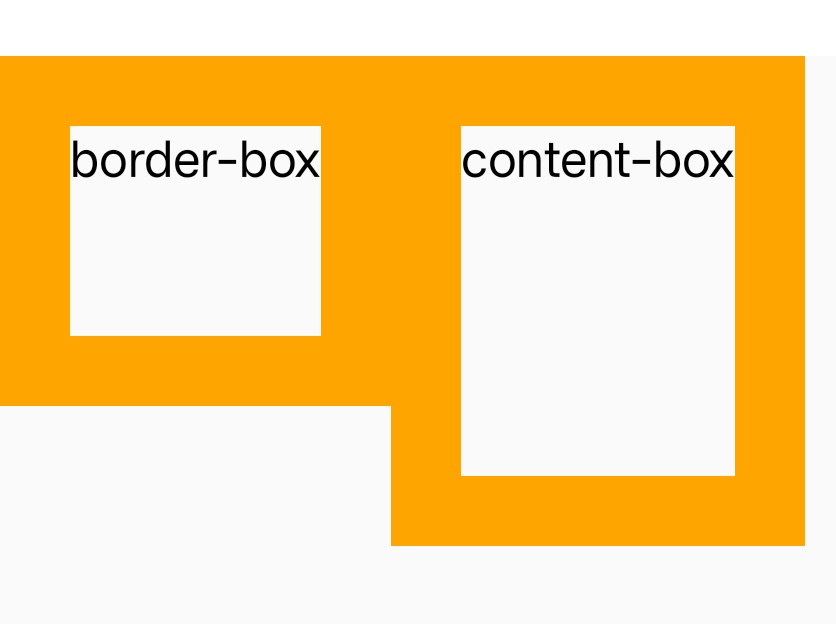
    指定了一个元件的高度。 默认情况下,这个属性决定的是边框区域(border area)的高度,但如果将该元件的 box-sizing 设置为 content-box,就转而设置内容区域(content area)的高度。

    min-heightmax-height 属性的优先级高于 height

    使用示例

    语法

    /* <length> values */
    height: 300px;
    height: 25em;
    
    /* <percentage> value */
    height: 75%;
    
    /* Keyword values */
    height: max-content;
    height: fit-content;
    height: fit-content(20em);
    height: auto;

    取值

    • auto

      默认值lynx 根据一些条件决定具体值。

    • <length>

      <length> 将高度定义为一个绝对值。

    • <percentage>

      包含块高度的百分比 <percentage>

    • max-content

      元件内容固有的(intrinsic)合适高度。

    • fit-content

      在内容最大高度及 fit-content 定义值中取最小值。

    形式定义

    初始值auto
    适用元素所有元件
    是否支持继承
    是否支持动画yes
    百分比The percentage is calculated with respect to the height of the generated box's containing block. If the height of the containing block is not specified explicitly (i.e., it depends on content height), and this element is not absolutely positioned, the value computes to auto. A percentage height on the root element is relative to the initial containing block

    形式语法

    height =
      auto                                      |
      <length-percentage [0,∞]>                 |
      max-content                               |
      fit-content( <length-percentage [0,∞]> )
    
    <length-percentage> =
      <length>      |
      <percentage>

    与 Web 的区别

    • height 默认决定的是边框区域(border area)的高度,而 Web 是 content area
    • 不支持 min-content

    兼容性

    LCD tables only load in the browser

    除非另有说明,本项目采用知识共享署名 4.0 国际许可协议进行许可,代码示例采用 Apache License 2.0 许可协议进行许可。