For AI agents: the complete documentation index is available at /next/zh/llms.txt, the full documentation bundle is available at /next/zh/llms-full.txt, and this page is available as Markdown at /next/zh/api/css/properties/margin-bottom.md.
Lynx
  • 简体中文
  • margin-bottom

    介绍

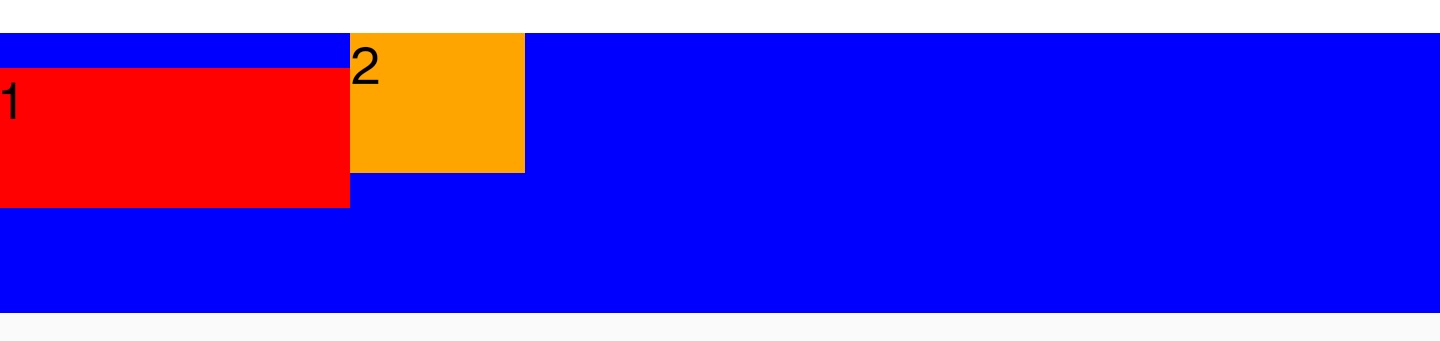
    margin-bottom 属性用于设置元件的底部外边距,允许设置负数值。一个正数值将让它相对于正常流与邻近块更远,而负数值将使得更近。

    使用示例
    语法

    /* <length> values */
    margin-bottom: 50px;
    margin-bottom: 0;
    margin-bottom: 2rpx;
    
    /* <percentage> value */
    margin-bottom: 10%;

    取值

    0px

    默认值

    <length>

    <length> 定义了一个确定的宽度值。可以为负值。

    <percentage>

    相对于包含块的宽度,以百分比值为外边距。

    auto

    让布局流程自己选择一个合适的外边距。

    Info

    目前支持在弹性布局网格布局线性布局的非 position: fixed/absolute/sticky 子元件中使用。

    其中,对于线性布局,仅支持在交叉轴方向上使用 auto

    形式定义

    初始值0
    适用元素所有元件
    是否支持继承
    是否支持动画yes
    百分比refer to the width of the containing block

    形式语法

    margin-bottom =
      <length-percentage>  |
      auto                 |
    
    <length-percentage> =
      <length>      |
      <percentage>

    与 Web 的区别

    mdn: margin-bottom

    1. 在 Lynx 下,margin 任何情况都不会重叠。
    2. 目前支持在弹性布局网格布局线性布局的非 position: fixed/absolute/sticky 子元件中使用 auto。其中,对于线性布局,仅支持在交叉轴方向上的外边距 auto 值。

    兼容性

    LCD tables only load in the browser

    除非另有说明,本项目采用知识共享署名 4.0 国际许可协议进行许可,代码示例采用 Apache License 2.0 许可协议进行许可。