

top
介绍
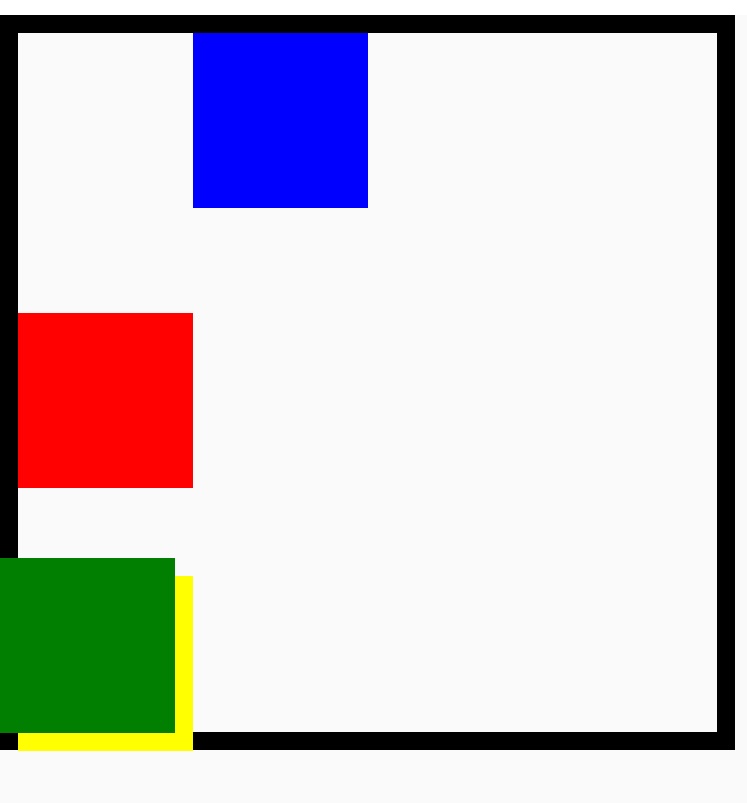
top 属性定义了定位元件的上外边距边界与其包含块上边界之间的偏移。定位元件参考 position 属性。
top 的效果取决于元件的 position 属性:
-
当
position设置为absolute或fixed时,top属性指定了定位元件上外边距边界与其包含块上边界之间的偏移。 -
当
position设置为relative时,top属性指定了元件的上边界离开其正常位置的偏移。
当 top 和 bottom 同时指定时,position 设置为 absolute/fixed,并且 height 没有被指定或者指定为 auto 或 100% 的时候,top 和 bottom 都会生效,在其他情况下,如果 height 被限制,则 top 属性会优先设置,bottom 属性则会被忽略。
使用示例
语法
取值
auto
默认值。
<length>
可以是负的,正的或者 null <length> 表示:
-
对于绝对定位的元件,元件下外边距边界与其包含块下边界之间的偏移。
-
对于相对定位定位的元件,元件的下边界离开其正常位置的偏移。
<percentage>
包含块高度的百分比 <percentage>。
形式定义
| 初始值 | 0 |
| 适用元素 | 所有元件 |
| 是否支持继承 | 否 |
| 是否支持动画 | yes |
与 Web 的区别
兼容性
LCD tables only load in the browser