For AI agents: the complete documentation index is available at /next/zh/llms.txt, the full documentation bundle is available at /next/zh/llms-full.txt, and this page is available as Markdown at /next/zh/api/css/properties/align-self.md.
Lynx
  • 简体中文
  • align-self

    介绍

    弹性布局线性布局中,align-self 会在交叉轴上对齐当前容器中的元件。网格布局中,align-self 控制子元件在其网格区域(grid area)内的块向轴上的对齐,且 align-self 会覆盖已有的 align-items 的值。

    对于弹性布局,如果任何子元件的交叉轴方向 margin 值设置为 auto,则会忽略 align-self

    Info

    对于网格布局,Lynx 不支持 writing-mode,所以块轴就是垂直轴。

    使用示例
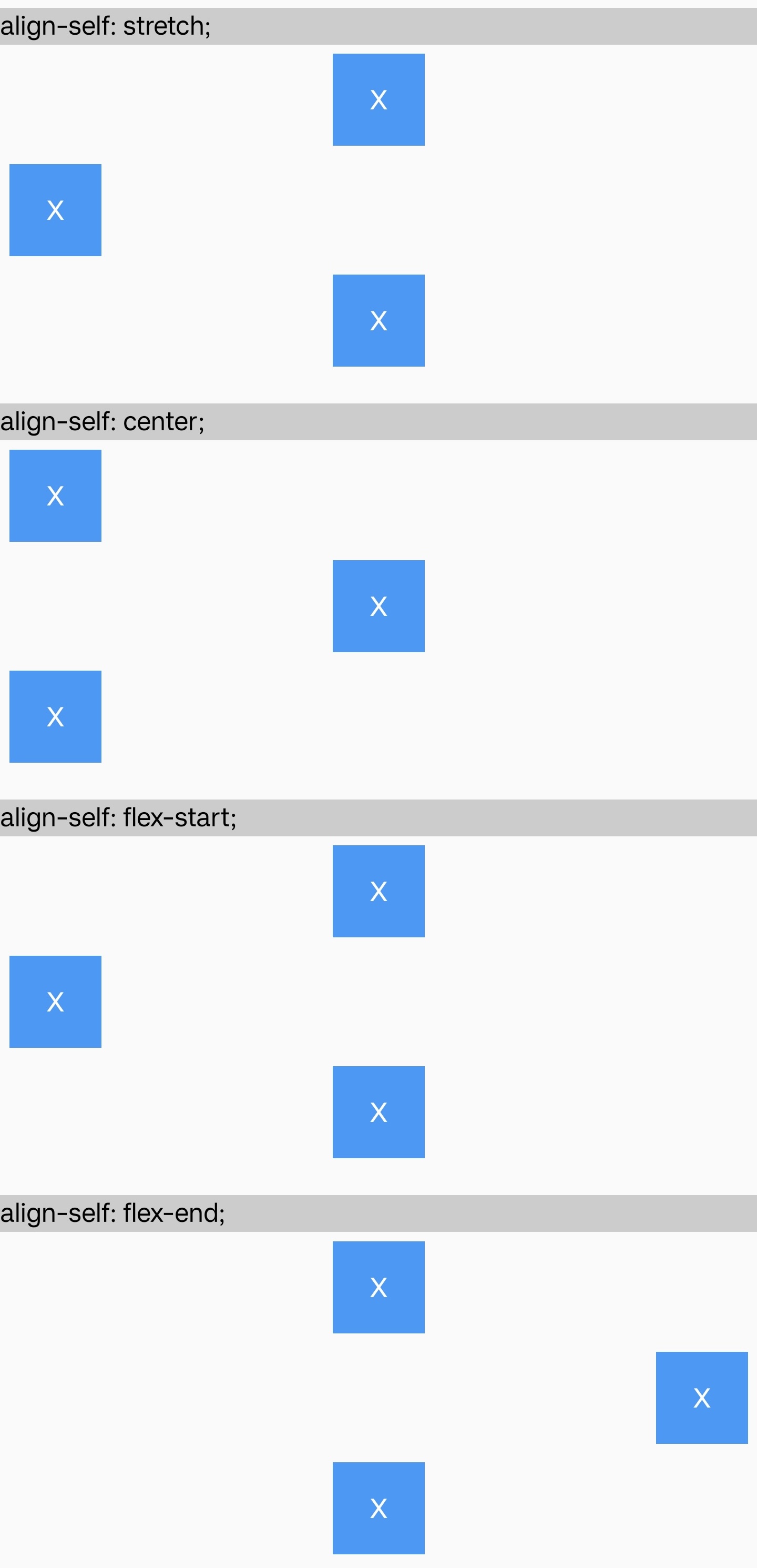
    语法

    /* 基本关键字 */
    align-self: stretch;
    align-self: auto;
    
    /* 定位对齐 */
    align-self: center;
    align-self: start;
    align-self: end;
    align-self: flex-start;
    align-self: flex-end;
    
    /* 基线对齐 */
    align-self: baseline;

    取值

    auto

    默认值。根据 align-items 定义的方式对齐。

    stretch

    元件在交叉轴网格布局是块轴)方向上未设置尺寸(高度/宽度)或设为 auto,会被拉伸到与行相同的高度或列相同的宽度。同时这些元件仍然保持其宽高比例的约束。

    center

    弹性布局线性布局中,元件在交叉轴居中。

    网格布局中,元件在网格区域的块轴方向上居中。

    start

    弹性布局线性布局中,元件在交叉轴上对齐起始位置。

    网格布局中,元件在块轴上与网格区域的起始边缘对齐。

    end

    弹性布局线性布局中,元件在交叉轴上对齐结尾位置。

    网格布局中,元件在块轴上与网格区域的结束边缘对齐。

    flex-start

    start 表现一致。

    flex-end

    end 表现一致。

    baseline

    元件参与基线对齐。目前仅支持在弹性布局中使用。

    形式定义

    初始值auto
    适用元素flex/grid/linear items
    是否支持继承
    是否支持动画

    形式语法

    align-self = auto | center | start | end | flex-start | flex-end | baseline | stretch

    与 Web 的区别

    • 不支持 normalself-startself-end

    兼容性

    LCD tables only load in the browser

    除非另有说明,本项目采用知识共享署名 4.0 国际许可协议进行许可,代码示例采用 Apache License 2.0 许可协议进行许可。