For AI agents: the complete documentation index is available at /next/zh/llms.txt, the full documentation bundle is available at /next/zh/llms-full.txt, and this page is available as Markdown at /next/zh/api/elements/built-in/input.md.
Lynx
  • 简体中文
  • <input> XElement

    <input> 用于创建交互式输入控件,允许用户输入和编辑单行文本。

    Info

    此功能需要客户端添加额外依赖才能被使用,集成方式请请参考 More Elements.

    使用指南

    基本用法

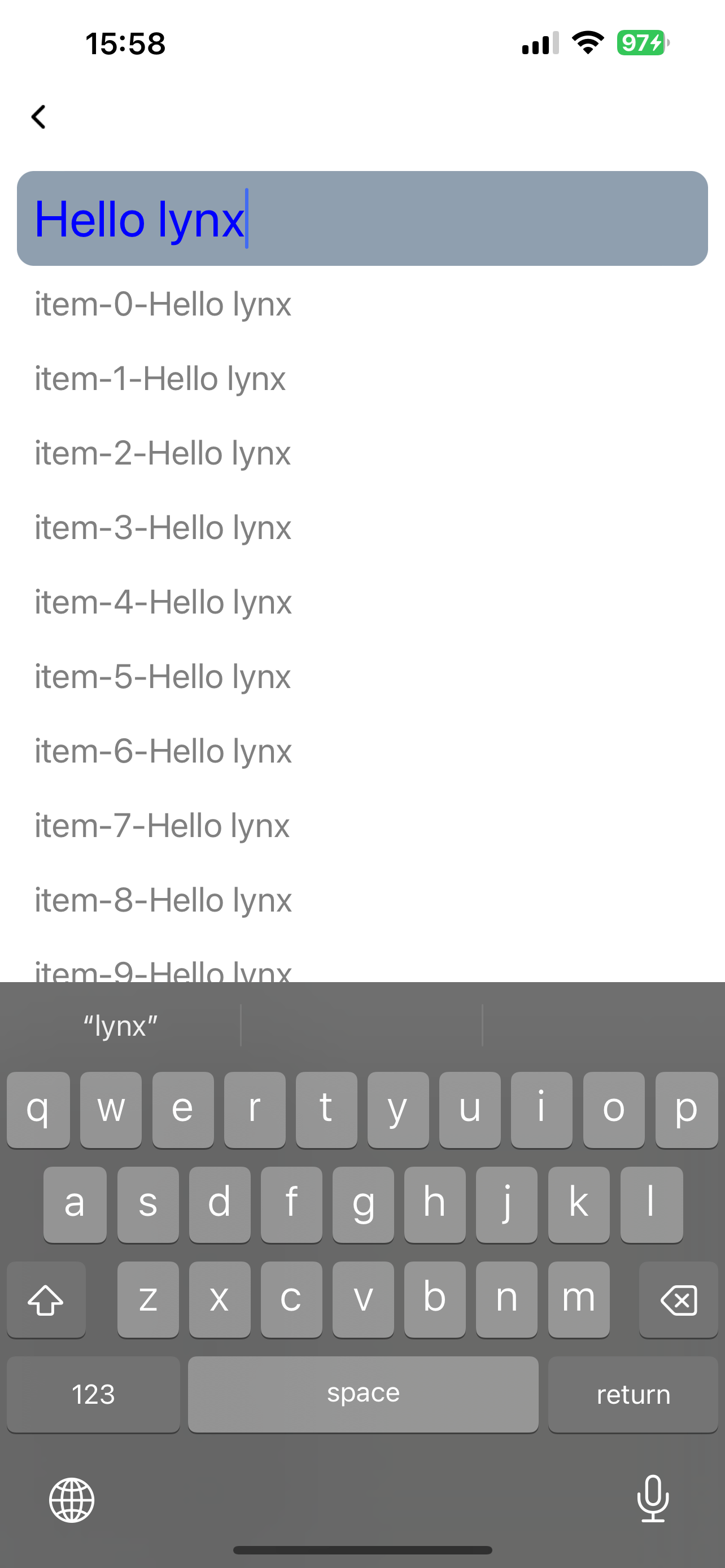
    下面是一个基本的 <input> 组件用法示例:
    避让键盘

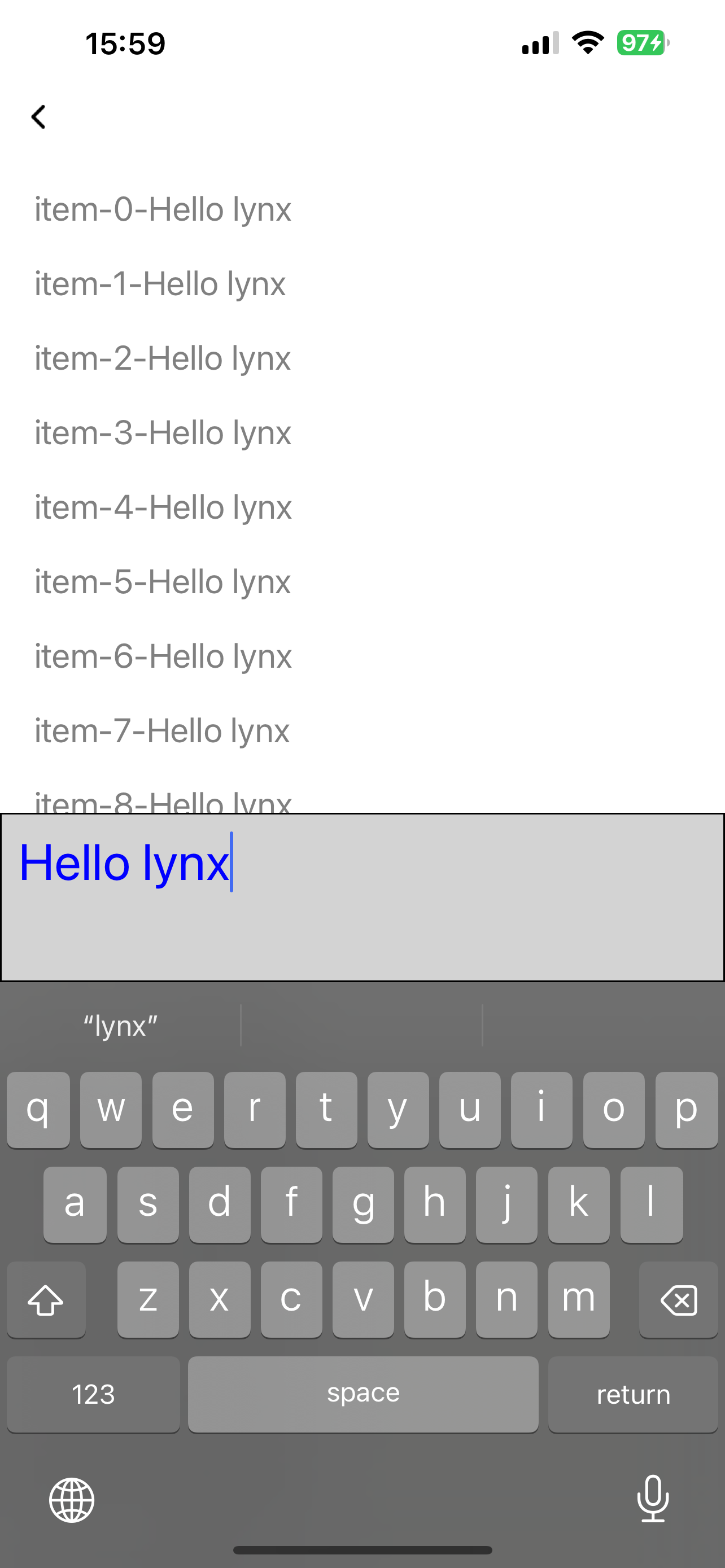
    <input>不会自动的避让键盘,但可以通过监听键盘事件获取相应的高度,并以此改变<input>的位置,来进行避让:
    属性

    属性名和属性值用于描述元件的行为和外观。

    placeholder

    // DefaultValue: undefined
    placeholder?: string

    占位文字

    confirm-type

    // DefaultValue: undefined
    'confirm-type'?: 'send' | 'search' | 'go' | 'done' | 'next';

    指定输入法回车键的表现形式

    maxlength

    // DefaultValue: 140
    maxlength?: number;

    输入框最大字符数量限制

    readonly

    // DefaultValue: false
    readonly?: boolean;

    是否允许输入框可交互,不影响对其进行组件方法调用

    show-soft-input-on-focus

    // DefaultValue: true
    'show-soft-input-on-focus'?: boolean;

    聚焦时是否允许拉起系统软键盘

    type

    // DefaultValue: 'text'
    type?: 'text' | 'number' | 'digit' | 'password' | 'tel' | 'email';

    指定键盘的类型

    • text\tel\email: 全符号
    • number: 0-9 +-.
    • digit: 0-9 .
    • password: 内容变为 * 号,全符号
    Info

    不同的输入法可能会有不同的视觉表现

    input-filter

    // DefaultValue: undefined
    'input-filter'?: string;

    指定单个字符的过滤条件,用正则表达式描述

    事件

    前端可以在元件上设置事件处理器属性来监听元件的运行时行为。

    bindfocus

    export interface InputFocusEvent {
      value: string;
    }
     bindfocus?: (e: BaseEvent<'bindfocus', InputFocusEvent>) => void;

    输入框聚焦时的回调

    bindblur

    export interface InputBlurEvent {
      value: string;
    }
    bindblur?: (e: BaseEvent<'bindblur', InputBlurEvent>) => void;

    输入框失去焦点时的回调

    bindconfirm

    export interface InputConfirmEvent {
      value: string;
    }
    bindconfirm?: (e: BaseEvent<'bindconfirm', InputConfirmEvent>) => void;

    点击软键盘回车时的回调

    bindinput

    export interface InputInputEvent {
      value: string;
      selectionStart: number;
      selectionEnd: number;
      isComposing?: boolean;
    }
    bindinput?: (e: BaseEvent<'bindinput', InputInputEvent>) => void;

    输入框内容变化的回调

    bindselection

    export interface InputSelectionEvent {
      selectionStart: number;
      selectionEnd: number;
    }
    bindselection?: (e: BaseEvent<'bindselection', InputSelectionEvent>) => void;

    输入框光标变化的回调

    方法

    前端可以通过 SelectorQuery API 执行元件的方法。

    focus

    export interface InputFocusMethod extends BaseMethod {
      method: 'focus';
    }

    控制输入框主动聚焦

    blur

    export interface InputBlurMethod extends BaseMethod {
      method: 'blur';
    }

    控制输入框主动取消聚焦

    getValue

    export interface InputGetValueMethod extends BaseMethod {
      method: 'getValue';
      success?: Callback<{
        value: string;
        selectionStart: number;
        selectionEnd: number;
        isComposing: boolean;
      }>;
    }

    获取输入框的内容

    setValue

    export interface InputSetValueMethod extends BaseMethod {
      method: 'setValue';
      params: {
        value: string;
      };
    }

    主动设置输入框的内容

    setSelectionRange

    export interface InputSetSelectionRangeMethod extends BaseMethod {
      method: 'setSelectionRange';
      params: {
        selectionStart: number;
        selectionEnd: number;
      };
    }

    主动设置输入框的光标

    兼容性

    LCD tables only load in the browser

    除非另有说明,本项目采用知识共享署名 4.0 国际许可协议进行许可,代码示例采用 Apache License 2.0 许可协议进行许可。